To return to the previous screen, press BACK.
To exit the menu, press HOME to display the home menu, then press HOME again.
[55] Enjoying Video and Sound Playing AV devices
Enjoying video/sound from the connected device
Switch the input of the TV to the input to which the receiver is connected.
1
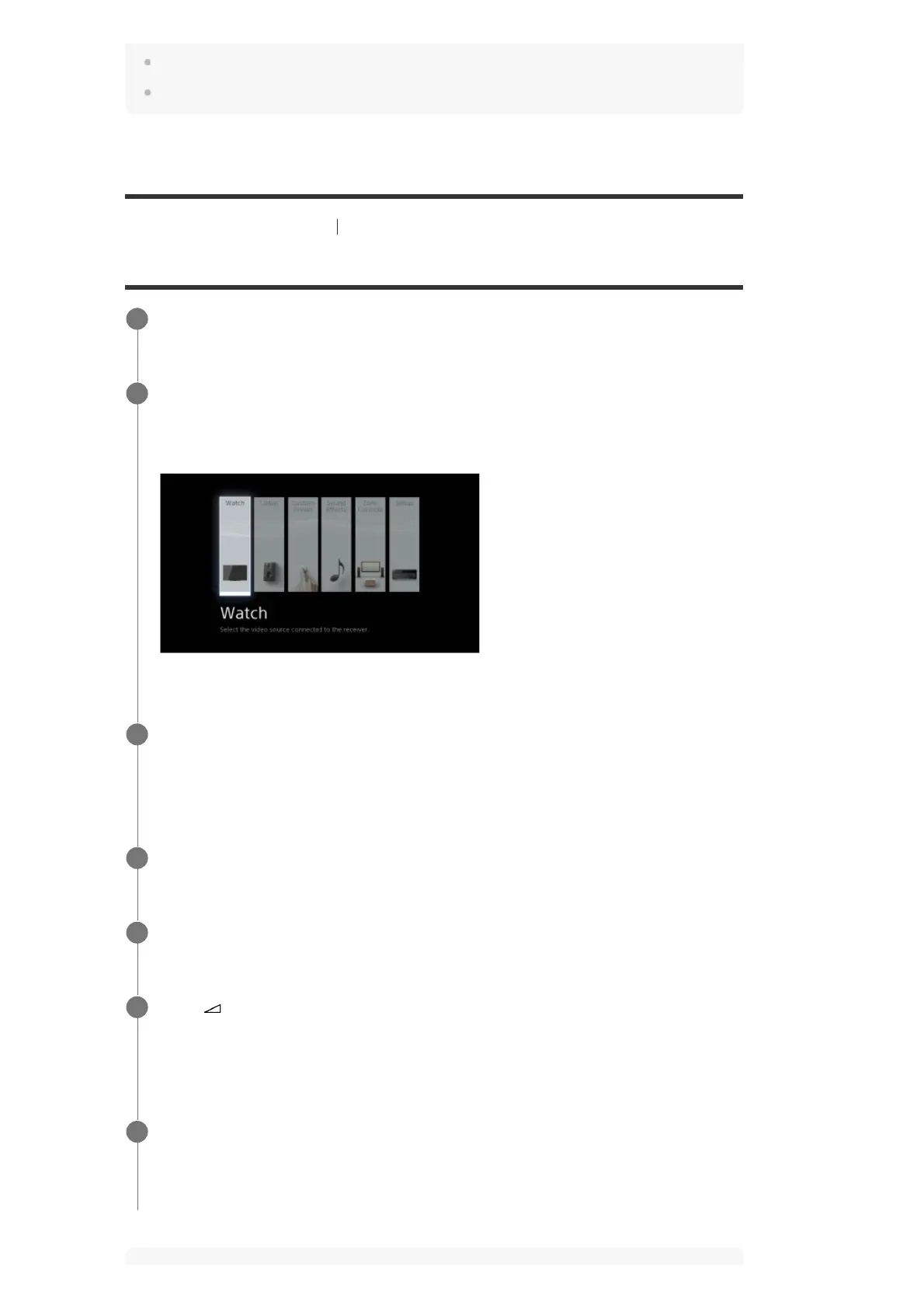
Press HOME.
The home menu is displayed on the TV screen.
Depending on the TV, the home menu may take some time to appear on the TV screen.
2
Select [Watch] or [Listen] from the home menu.
The menu item list appears on the TV screen.
3
Select the device you want.
4
Turn on the device and start playback.
5
Press
+/– to adjust the volume.
You can also use MASTER VOLUME on the receiver.
6
Press 2CH/MULTI, MOVIE, MUSIC or FRONT SURROUND to enjoy the surround
sound.
You can also use 2CH/MULTI, MOVIE or MUSIC on the receiver.
7


 To Next Page