8
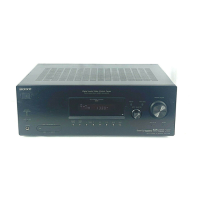
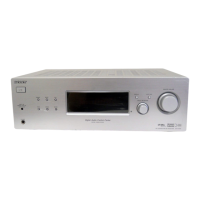
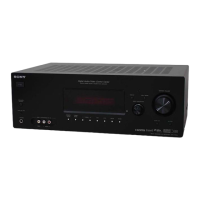
STR-K785
F DUAL MONO Press to select the language
you want during digital
broadcast.
G FM MODE Press to select FM monaural
or stereo reception.
H D.TUNING Press to enter direct tuning
mode.
D.SKIP Press to skip disc of the CD
player or DVD player (multi-
disc changer only).
I ENTER Press to enter the value after
selecting a channel, disc or
track using the numeric
buttons of the TV, VCR or
satellite tuner.
MEMORY Press to store a station.
J DVD MENU Press to display the menu of
the DVD player on the TV
screen. Then, use V, v, B, b
and to perform menu
operations.
K TOOLS Press to display options
applicable to the entire disc
(e.g. disc protection), recorder
(e.g. audio settings during
recording), or multiple items
on a list menu (e.g. erasing
multiple titles).
L MUTING Press to mute the sound.
M TV VOL
+*/–
Press TV VOL +/– and TV
(P) at the same time to adjust
the TV volume level.
MASTER VOL
+*/–
Press to adjust the volume
level of all speakers at the
same time.
N MENU Press to display the menus of
the VCR, DVD player, or
satellite tuner on the TV
screen. Then, use V, v, B, b
and to perform menu
operations.
Name Function
O ./> Press to skips tracks of the CD
player, DVD player, or tape
deck.
REPLAY /
ADVANCE
Press to replay the previous
scene or fast forward the
current scene of the VCR or
DVD player.
m/M Press to
–search tracks in the forward/
backward direction of the
DVD player.
–fastforward/rewind of the
VCR, CD player, or tape
deck.
H* Press to start playback of the
VCR, CD player, DVD player,
or tape deck.
X Press to pause playback or
recording of the VCR, CD
player, DVD player, or tape
deck. (Also starts recording
with components in recording
standby.)
x Press to stop playback of the
VCR, CD player, DVD player,
or tape deck.
TV CH +/– Press TV CH +/– and TV (P)
at the same time to select
preset TV channels.
PRESET +/– Press to select
–preset stations.
–preset channels of the VCR
or satellite tuner.
TUNING +/– Press to scan a station.
P TV Press TV and the button you
want at the same time to
activate the buttons with
orange printing.
Q RETURN/
EXIT O
Press to
–return to the previous menu.
–exit the menu while the
menu or on-screen guide of
the VCR, DVD player, or
satellite tuner is displayed
on the TV screen.
Name Function
<
<
w
w
w
.
x
i
a
o
y
u
1
6
3
.
c
o
m
Q
Q
3
7
6
3
1
5
1
5
0
9
9
2
8
9
4
2
9
8
T
E
L
1
3
9
4
2
2
9
6
5
1
3
9
9
2
8
9
4
2
9
8
0
5
1
5
1
3
6
7
3
Q
Q
TEL 13942296513 QQ 376315150 892498299
TEL 13942296513 QQ 376315150 892498299
http://www.xiaoyu163.com
http://www.xiaoyu163.com





 To Next Page