8
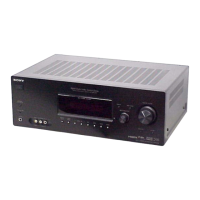
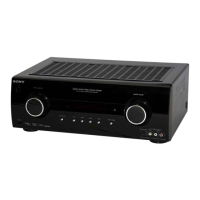
STR-K990
Name Function
D RECEIVER Press to activate the receiver
operation (page 40).
E D.TUNING Press to enter direct tuning
mode.
F AUTO CAL Press to activate the Auto
Calibration function.
G Numeric
buttons
(number 5
a)
)
Press to
–preset/tune to preset
stations.
–select track numbers of the
CD player, VCD player, LD
player, DVD player, MD
deck, DAT deck, or tape
deck. Press 0/10 to select
track number 10.
–select channel numbers of
the VCR, satellite tuner,
Blu-ray disc recorder, PSX,
DVD/VHS COMBO, or
DVD/HDD COMBO.
Press TV (wj) and then press
the numeric buttons to select
the TV channels.
H ENTER Press to enter the value after
selecting a channel, disc or
track using the numeric
buttons of the VCR, CD
player, VCD player, LD
player, MD deck, DAT deck,
tape deck, satellite tuner, Blu-
ray disc recorder, or PSX.
To enter the value of Sony
TV, press TV (wj) and then
press ENTER.
MEMORY Press to store a station during
tuner operation.
I DISPLAY Press to select information
displayed on the TV screen of
the VCR, VCD player, LD
player, DVD player, CD
player, MD deck, Blu-ray disc
recorder, PSX, satellite tuner,
DVD/VHS COMBO, or
DVD/HDD COMBO.
To select information of Sony
TV, press TV (wj) and then
press DISPLAY.
Name Function
J OPTIONS
TOOLS
Press to display and select
items from the option menus
for DVD player or
DVD/VHS COMBO.
To display the options of Sony
TV, press TV (wj) and then
press OPTIONS TOOLS.
K MENU Press to display the menus of
the receiver, VCR, DVD
player, satellite tuner, Blu-ray
disc recorder, PSX, DVD/
VHS COMBO, or DVD/HDD
COMBO on the TV screen.
Then, use V/v/B/b and to
perform menu operations.
To display the menus of Sony
TV, press TV (wj) and then
press MENU.
L ./>
b)
Press to skip tracks of the
VCR, CD player, VCD
player, LD player, DVD
player, MD deck, DAT deck,
tape deck, Blu-ray disc
recorder, PSX, DVD/VHS
COMBO, or DVD/HDD
COMBO.
m/M
b)
Press to
–search tracks in the forward/
backward direction of the
CD player, VCD player,
DVD player, LD player,
MD deck, Blu-ray disc
recorder, PSX, DVD/VHS
COMBO, or DVD/HDD
COMBO.
–fast forward/rewind of the
VCR, DAT deck, or tape
deck.
H
a)b)
Press to start playback of the
VCR, CD player, VCD
player, LD player, DVD
player, MD deck, DAT deck,
tape deck, Blu-ray disc
recorder, PSX, DVD/VHS
COMBO, or DVD/HDD
COMBO.


 To Next Page