EasyManua.ls Logo

Sony STR-KS1000P - User Manual

Sony STR-KS1000P
52 pages
Print Icon
To Next Page IconTo Next Page
Loading...
SERVICE MANUAL
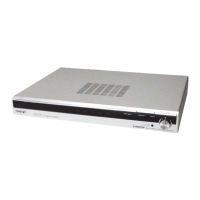
MULTI CHANNEL AV RECEIVER
AEP Model
UK Model
SPECIFICATIONS
STR-KS1000P
STR-KS1000P is the receiver section in HT-SS1000P/HTP-36SS.
Ver. 1.0 2006.04
9-887-184-01
2006D05-1
© 2006.04
Sony Corporation
Home Audio Division
Published by Sony Techno Create Corporation
This receiver incorpoates Dolby* Digital and Pro Logic Suround and the DTS** Digital
Suround System.
*Manufactured under license from Dolby Laboratories. “Dolby”, “Pro Logic” and the double-D
symbol are trademarks of Dolby Laboratories.
** “DTS” and ?DTS Digital Surround? are registerd trademarks of Digital Theater Systems, Inc.
Amplifier section
Power Output
1)
Stereo mode (rated) 70 W + 70 W
(4 ohms at 1 kHz, 0.7%)
Music power output (reference)
FRONT
2)
: 143 W/ch
(With SS-MSP1000)
CENTER
2)
: 143 W
(With SS-CNP1000)
SUR
2)
: 143 W/ch
(With SS-SRP1000)
SUBWOOFER
2)
: 285 W
(With SS-WP1000)
1)
Measured under the following conditions:
Area code Power requirements
CEL, CEK 230 V AC, 50 Hz
2)
Depending on the sound field settings and the source,
there may be no sound output.
Inputs (Analog)
SA-CD/CD, Sensitivity: 1 V
VIDEO 1, 2 Impedance: 50 kohms
Inputs (Digital)
DVD (Coaxial) Sensitivity: –
Impedance: 75 ohms
VIDEO 2, SA-CD/ Sensitivity: –
CD (Optical) Impedance: –
Reproduction frequency range:
28 – 20,000 Hz
Tone
Gain levels ±6 dB, 1 dB step
FM tuner section
Tuning range 87.5 - 108.0 MHz
Antenna FM wire antenna
Antenna terminals 75 ohms, unbalanced
Intermediate frequency 10.7 MHz
AM tuner section
Tuning range
Models of area code CEL, CEK
With 9-kHz tuning scale:
531 – 1,602 kHz
Antenna Loop antenna
Intermediate frequency 450 kHz
General
Power requirements
Area code Power requirements
CEL, CEK 230 V AC, 50/60 Hz
Power consumption
Area code Power consumption
CEL, CEK 110 W
Power consumption (during standby mode)
0.3 W
Dimensions (w/h/d) (Approx.)
430 × 64 × 338 mm
including projecting parts
and controls
Mass (Approx.) 3.5 kg
Design and specifications are subject to change without
notice.
Question and Answer IconNeed help?

Do you have a question about the Sony STR-KS1000P and is the answer not in the manual?

Summary

Specifications

Amplifier Section Specifications

Details about power output and music power output for the amplifier section.

FM Tuner Section Specifications

Specifications for FM tuning range, antenna, and intermediate frequency.

AM Tuner Section Specifications

Specifications for AM tuning range, antenna, and intermediate frequency.

General Specifications

General specifications including power requirements, dimensions, and weight.

Disassembly Procedures

Disassembly Flow

Outlines the sequence for disassembling the unit.

Case Removal

Instructions for removing the main case (SL06).

Front Panel Assembly Removal

Steps to detach the front panel assembly.

Main Board Removal

Procedures for accessing and removing the main board.

General Information

Location of Controls

Describes the location and function of controls on the front panel.

Display Indicators

Explains the various indicators on the receiver's display.

Rear Panel Connections

Details the connection terminals on the rear panel of the receiver.

Remote Commander Operation

Remote Control Buttons

Explains the function of each button on the RM-AAU006 remote control.

Test Modes

Factory Preset Mode

Resets all preset contents to default settings.

All Clear Mode

Clears all preset contents for client return after repair.

Key Check Mode

Verifies the functionality of each button on the unit.

Tuner Check Mode

Performs a test on the unit's tuner functionality.

Sound Field Clear Mode

Clears preset sound field settings for client return.

RDS Autodetect Mode

Scans and stores all available FM and FM RDS stations.

DCAC Factory Test Mode

DCAC Test Procedure

Step-by-step guide for performing the DCAC factory test.

Error Display Codes

Explains error codes displayed during the DCAC test.

Diagrams and Schematics

Main Section Block Diagram

Provides a block diagram of the main section of the receiver.

Amplifier Section Block Diagram

Details the block diagram for the amplifier section.

Panel and Power Supply Block Diagram

Illustrates the block diagram for the panel and power supply sections.

Circuit Boards Location

Shows the physical location of the various circuit boards within the unit.

IO Board Printed Wiring Board

Shows the component and conductor sides of the IO board's printed wiring.

ADCC Board Printed Wiring Board

Displays the printed wiring board layout for the ADCC board.

IO Section Schematic Diagram

Presents the schematic diagram for the IO section of the receiver.

Waveform Diagrams

Illustrates various waveform examples from the main and display boards.

Main Board Component Side PWB

Shows the printed wiring board layout for the main board, component side.

Main Board Conductor Side PWB

Displays the printed wiring board layout for the main board, conductor side.

Speaker Board Printed Wiring Board

Shows the printed wiring board layout for the speaker board.

Main Section Schematic Diagram (1;7)

Part one of the schematic diagram for the main section.

Main Section Schematic Diagram (2;7)

Part two of the schematic diagram for the main section.

Main Section Schematic Diagram (3;7)

Part three of the schematic diagram for the main section.

Main Section Schematic Diagram (4;7)

Part four of the schematic diagram for the main section.

Main Section Schematic Diagram (5;7)

Part five of the schematic diagram for the main section.

Main Section Schematic Diagram (6;7)

Part six of the schematic diagram for the main section.

Main Section Schematic Diagram (7;7)

Part seven of the schematic diagram for the main section.

Display Section Printed Wiring Boards

Shows the printed wiring boards for the display and volume sections.

Display Section Schematic Diagram

Presents the schematic diagram for the display section.

IC Block Diagrams

Illustrates the internal block diagrams for key integrated circuits.

IC Pin Function Descriptions

IC1501 CXD9862 R Pin Functions

Details the pin functions for the IC1501 CXD9862R on the main board.

IC1501 CXD9862 R Pin Functions

Details the pin functions for the IC1501 CXD9862R on the main board.

IC1601 MB90488 BPF-G-181 E1 Pin Functions

Describes the pin functions for the IC1601 MB90488BPF-G-181E1 system controller.

IC1601 MB90488 BPF-G-181 E1 Pin Functions

Describes the pin functions for the IC1601 MB90488BPF-G-181E1 system controller.

Exploded Views

Overall Section Exploded View

Provides an exploded view of the entire unit, showing component assembly.

Main Section Exploded View

Details an exploded view of the main internal section of the receiver.

Electrical Parts List

Revision History

Revision Log

Records changes made to the manual over different versions.

Summary

Specifications

Amplifier Section Specifications

Details about power output and music power output for the amplifier section.

FM Tuner Section Specifications

Specifications for FM tuning range, antenna, and intermediate frequency.

AM Tuner Section Specifications

Specifications for AM tuning range, antenna, and intermediate frequency.

General Specifications

General specifications including power requirements, dimensions, and weight.

Disassembly Procedures

Disassembly Flow

Outlines the sequence for disassembling the unit.

Case Removal

Instructions for removing the main case (SL06).

Front Panel Assembly Removal

Steps to detach the front panel assembly.

Main Board Removal

Procedures for accessing and removing the main board.

General Information

Location of Controls

Describes the location and function of controls on the front panel.

Display Indicators

Explains the various indicators on the receiver's display.

Rear Panel Connections

Details the connection terminals on the rear panel of the receiver.

Remote Commander Operation

Remote Control Buttons

Explains the function of each button on the RM-AAU006 remote control.

Test Modes

Factory Preset Mode

Resets all preset contents to default settings.

All Clear Mode

Clears all preset contents for client return after repair.

Key Check Mode

Verifies the functionality of each button on the unit.

Tuner Check Mode

Performs a test on the unit's tuner functionality.

Sound Field Clear Mode

Clears preset sound field settings for client return.

RDS Autodetect Mode

Scans and stores all available FM and FM RDS stations.

DCAC Factory Test Mode

DCAC Test Procedure

Step-by-step guide for performing the DCAC factory test.

Error Display Codes

Explains error codes displayed during the DCAC test.

Diagrams and Schematics

Main Section Block Diagram

Provides a block diagram of the main section of the receiver.

Amplifier Section Block Diagram

Details the block diagram for the amplifier section.

Panel and Power Supply Block Diagram

Illustrates the block diagram for the panel and power supply sections.

Circuit Boards Location

Shows the physical location of the various circuit boards within the unit.

IO Board Printed Wiring Board

Shows the component and conductor sides of the IO board's printed wiring.

ADCC Board Printed Wiring Board

Displays the printed wiring board layout for the ADCC board.

IO Section Schematic Diagram

Presents the schematic diagram for the IO section of the receiver.

Waveform Diagrams

Illustrates various waveform examples from the main and display boards.

Main Board Component Side PWB

Shows the printed wiring board layout for the main board, component side.

Main Board Conductor Side PWB

Displays the printed wiring board layout for the main board, conductor side.

Speaker Board Printed Wiring Board

Shows the printed wiring board layout for the speaker board.

Main Section Schematic Diagram (1;7)

Part one of the schematic diagram for the main section.

Main Section Schematic Diagram (2;7)

Part two of the schematic diagram for the main section.

Main Section Schematic Diagram (3;7)

Part three of the schematic diagram for the main section.

Main Section Schematic Diagram (4;7)

Part four of the schematic diagram for the main section.

Main Section Schematic Diagram (5;7)

Part five of the schematic diagram for the main section.

Main Section Schematic Diagram (6;7)

Part six of the schematic diagram for the main section.

Main Section Schematic Diagram (7;7)

Part seven of the schematic diagram for the main section.

Display Section Printed Wiring Boards

Shows the printed wiring boards for the display and volume sections.

Display Section Schematic Diagram

Presents the schematic diagram for the display section.

IC Block Diagrams

Illustrates the internal block diagrams for key integrated circuits.

IC Pin Function Descriptions

IC1501 CXD9862 R Pin Functions

Details the pin functions for the IC1501 CXD9862R on the main board.

IC1501 CXD9862 R Pin Functions

Details the pin functions for the IC1501 CXD9862R on the main board.

IC1601 MB90488 BPF-G-181 E1 Pin Functions

Describes the pin functions for the IC1601 MB90488BPF-G-181E1 system controller.

IC1601 MB90488 BPF-G-181 E1 Pin Functions

Describes the pin functions for the IC1601 MB90488BPF-G-181E1 system controller.

Exploded Views

Overall Section Exploded View

Provides an exploded view of the entire unit, showing component assembly.

Main Section Exploded View

Details an exploded view of the main internal section of the receiver.

Electrical Parts List

Revision History

Revision Log

Records changes made to the manual over different versions.

Sony STR-KS1000P Specifications

General IconGeneral
TypeHome Theater Receiver
Channels5.1
Component Video Inputs2
Impedance8 ohms
Surround Sound FormatsDolby Digital, DTS
Digital Audio Inputs2 Optical, 1 Coaxial
InputsAnalog Audio, Digital audio
OutputsComposite video, Analog audio

Related product manuals