5-4
BVM-D9H1U/D9H5U/D9H1E/D9H5E/D9H1A/D9H5A
2-3. MATRIX Adjustment
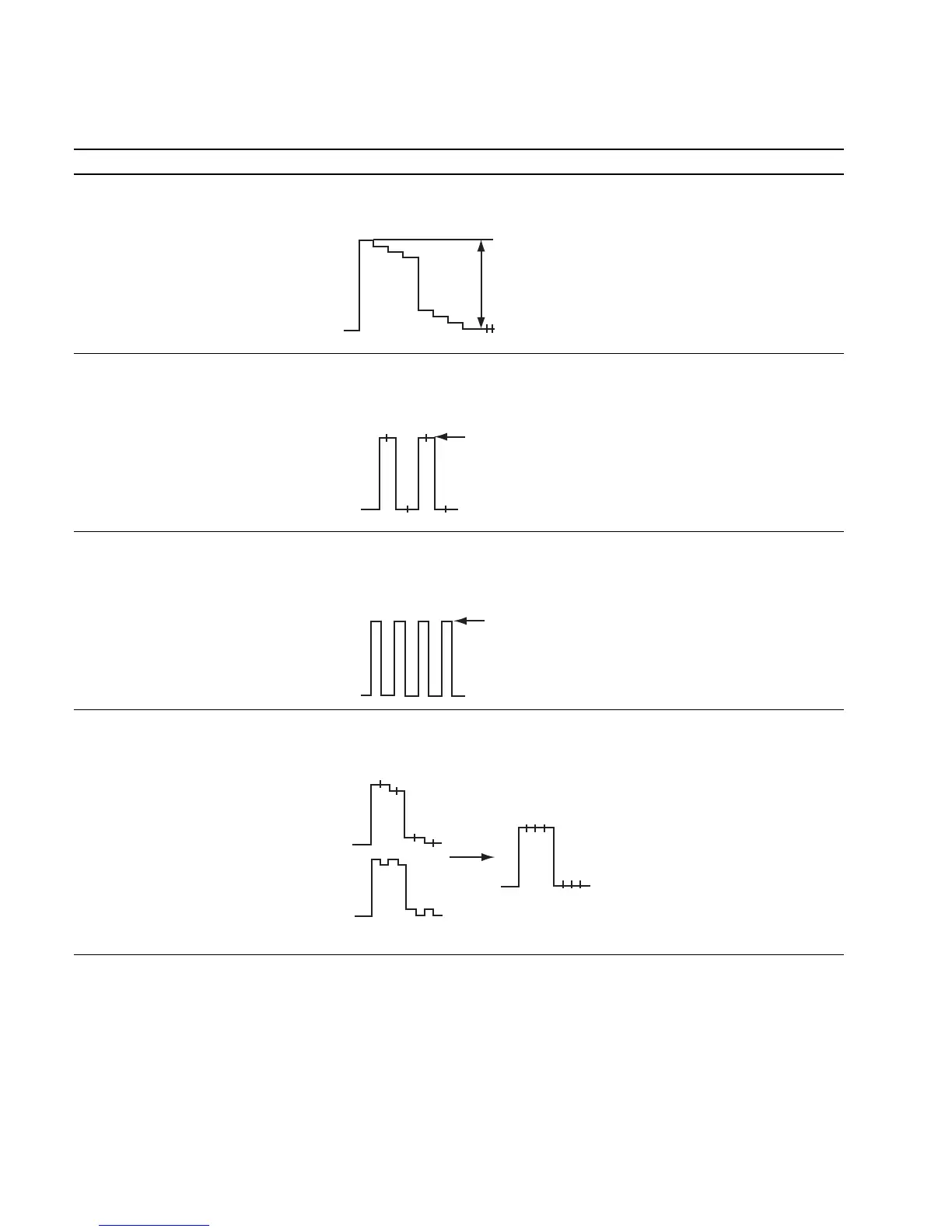
Status During Adjustment Specifications Adjustment Point
Step 1 GREEN waveform amplitude at TP1301: Use the adjustment menu Y LEVEL
..
..
. Input the 15 kHz/60 Hz YPBPR 560 ± 20 mVp-p (50H) that is located under the directory
SMPTE (709) 100% color bar signal. of the VIDEO menu of the
..
..
. Use the FORMAT item of the INPUT MAINTENANCE menu.
CONFIG menu to select YPBPR SMPTE.
Set 709 for YPBPR MATRIX.
..
..
. Connect an oscilloscope to TP1301.
Step 2 Adjust the RED waveforms to have Use the adjustment menu PR LEVEL
..
..
. Connect an oscilloscope to TP1300. the same amplitude at TP1300. (60H) that is located under the directory
Level difference: 0 ± 20 mV of the VIDEO menu of the
MAINTENANCE menu.
Step 3 Adjust the BLUE waveforms to have Use the adjustment menu PB LEVEL
..
..
. Connect an oscilloscope to TP1302. the same amplitude at TP1302. (80H) that is located under the directory
Level difference: 0 ± 20 mV of the VIDEO menu of the
MAINTENANCE menu.
Step 4 Make flat the GREEN waveform at TP1301 Use the adjustment menu G-Y/R (70H)
..
..
. Connect an oscilloscope to TP1301. Level difference: 0 ± 20 mV and G-Y/B (90H) that is located under
the directory of the VIDEO menu of
the MAINTENANCE menu.
Adjust for the
same amplitude
Adjust for the
same amplitude
G-Y/R variable
G-Y/B variable
Make the portions flat
560±20mVp-p








 To Next Page