EasyManua.ls Logo

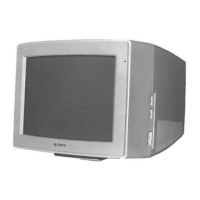
Sony Trinitron CPD-E220E - User Manual

Sony Trinitron CPD-E220E
116 pages
Print Icon
To Next Page IconTo Next Page
Loading...
4-079-242-14 (1)
© 2000 Sony Corporation
Trinitron Color
Computer Display
â
Operating Instructions
Mode d’emploi
Bedienungsanleitung
Manual de instrucciones
Istruzioni per l’uso
Инструкция по эксплуатации
Bruksanvisning
Gebruiksaanwijzing
GB
FR
ES
IT
DE
RU
SESE
NL
CPD-E220E

Table of Contents

Questions and Answers

  • D
    Dawn HayesAug 18, 2025
    Why does my Sony Monitor picture flicker or bounce?
    • V
      Veronica BaileyAug 19, 2025
      If your Sony Monitor picture flickers, bounces, oscillates, or is scrambled, try these steps: * Isolate and eliminate potential sources of electric or magnetic fields, such as other monitors. * Move the monitor away from power lines or place a magnetic shield near it. * Try plugging the monitor into a different AC outlet, preferably on a different circuit. * Also, try turning the monitor 90° to the left or right.
  • T
    Traci NolanAug 21, 2025
    What to do if my Sony Monitor says 'No input signal'?
    • F
      Francis RomanAug 21, 2025
      If your Sony Monitor displays a 'No input signal' message, first ensure the video signal cable is properly connected and all plugs are firmly seated. Also, check the HD15 video input connector for bent or pushed-in pins. If that doesn't work, your computer may be in power saving mode; try pressing a key or moving the mouse. Make sure your computer is powered on and the graphic board is completely seated in the proper bus slot.
  • L
    Lydia HallAug 23, 2025
    What to do if my Sony Monitor says 'Out of scan range'?
    • J
      Juan JonesAug 23, 2025
      If the 'OUT OF SCAN RANGE' message appears on your Sony Monitor, verify that the video frequency range is within the specified limits for the monitor. You can also reconnect your old monitor and adjust the frequency range to Horizontal: 30 – 85 kHz, Vertical: 48 – 120 Hz.
  • R
    Rhonda CraigAug 26, 2025
    How to fix a fuzzy picture on my Sony Trinitron CPD-E220E?
    • K
      Kimberly VazquezAug 26, 2025
      If the picture on your Sony Monitor is fuzzy, try adjusting the brightness and contrast. You can also degauss the monitor. Additionally, select CANCEL MOIRE and adjust the moire cancellation effect.
  • A
    Alyssa AndrewsAug 28, 2025
    Why is the color not uniform on my Sony Trinitron CPD-E220E?
    • G
      Gerald FletcherAug 28, 2025
      If the color on your Sony Monitor is not uniform, try degaussing the monitor. Color uniformity may also be affected if equipment generating a magnetic field, like a speaker, is placed near the monitor, or if the monitor's orientation is changed.
  • J
    john67Aug 30, 2025
    How to resolve ghosting on my Sony Trinitron CPD-E220E?
    • R
      Rachel JacksonAug 30, 2025
      If your Sony Monitor picture is ghosting, eliminate the use of video cable extensions and/or video switch boxes. Also, check that all plugs are firmly seated in their sockets.
  • J
    Jesse NealSep 1, 2025
    Why does white not look white on my Sony Trinitron CPD-E220E Monitor?
    • J
      josehahnSep 1, 2025
      If white does not look white on your Sony Monitor, try adjusting the color temperature.
  • A
    April LeeSep 4, 2025
    How to center the picture on my Sony Monitor?
    • D
      David SmithSep 4, 2025
      If the picture on your Sony Monitor is not centered or sized properly, adjust the size or centering settings.
  • F
    fostermichealSep 6, 2025
    How to fix curved edges on my Sony Trinitron CPD-E220E image?
    • D
      davisashleySep 6, 2025
      If the edges of the image are curved on your Sony Monitor, adjust the geometry settings.
  • M
    Maureen KirbySep 8, 2025
    Why does my Sony Trinitron CPD-E220E Monitor hum when I turn it on?
    • J
      Jennifer BakerSep 8, 2025
      If you hear a hum right after turning on your Sony Monitor, this is the sound of the auto-degauss cycle. If a second degauss cycle is needed, allow a minimum interval of 20 minutes for the best result.

Summary

Safety and Compliance Information

General Safety Warnings

Essential warnings to prevent fire, shock hazard, and damage from moisture.

Setup

Connecting to Computer

Steps for connecting the monitor to IBM PC/AT or Macintosh computers.

Connecting Power Cord

Instructions for safely connecting the monitor to a power outlet.

Initial Operation and Language Setup

Turning On Monitor and Computer

Procedure for powering on the monitor and computer to complete setup.

Customizing Your Monitor

Adjusting Picture Settings

Adjusting Brightness and Contrast

Steps to modify the brightness and contrast levels of the display.

Adjusting Picture Centering

How to center the image horizontally and vertically on the screen.

Adjusting Picture Size

Instructions for adjusting the horizontal and vertical size of the picture.

Screen Settings and Resetting

Technical Features and Troubleshooting

Troubleshooting Specific Issues

No Picture or Signal Issues

Solutions for 'No picture', 'NO INPUT SIGNAL', and 'OUT OF SCAN RANGE' messages.

Self-Diagnosis and Specifications

Self-Diagnosis Function

How to use the self-diagnosis to check monitor functionality with color bars.

Monitor Specifications

Detailed technical specifications of the CRT, resolution, power, and dimensions.

Sony Trinitron CPD-E220E Specifications

General IconGeneral
Display TypeCRT
Maximum Resolution1600 x 1200
Recommended Resolution1280 x 1024
Dot Pitch0.24 mm
Vertical Scan Rate50 - 160 Hz
Input SignalAnalog RGB
Input Connector15-pin D-sub
Horizontal Scan Rate30 - 85 kHz
Power Consumption120 W

Related product manuals