EasyManua.ls Logo

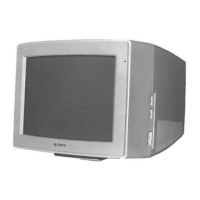
Sony Trinitron CPD-E220E - User Manual

Sony Trinitron CPD-E220E
116 pages
Print Icon
To Next Page IconTo Next Page
Loading...
4-079-242-14 (1)
© 2000 Sony Corporation
Trinitron Color
Computer Display
â
Operating Instructions
Mode d’emploi
Bedienungsanleitung
Manual de instrucciones
Istruzioni per l’uso
Инструкция по эксплуатации
Bruksanvisning
Gebruiksaanwijzing
GB
FR
ES
IT
DE
RU
SESE
NL
CPD-E220E

Table of Contents

Questions and Answers

  • N
    Nathaniel SharpSep 12, 2025
    Why are there thin lines on my Sony Monitor screen?
    • S
      Samantha HollowaySep 12, 2025
      The thin lines you see on your Sony Monitor are shadows from the damper wires used to stabilize the aperture grille. This is not a malfunction.
  • A
    Angelica BaileySep 13, 2025
    What does it mean if the power indicator is flashing orange on my Sony Monitor?
    • J
      Jordan NelsonSep 13, 2025
      If the self-diagnosis function shows the power indicator flashing orange on your Sony Monitor, count the number of seconds between orange flashes and inform your authorized Sony dealer of the monitor’s condition.
  • P
    Paula JenkinsSep 15, 2025
    What if color bars do not appear during Sony Monitor self-diagnosis?
    • N
      nicole96Sep 15, 2025
      If the self-diagnosis function on your Sony Monitor shows that the color bars do not appear, there is a potential monitor failure.

Summary

Safety and Compliance Information

General Safety Warnings

Essential warnings to prevent fire, shock hazard, and damage from moisture.

Setup

Connecting to Computer

Steps for connecting the monitor to IBM PC/AT or Macintosh computers.

Connecting Power Cord

Instructions for safely connecting the monitor to a power outlet.

Initial Operation and Language Setup

Turning On Monitor and Computer

Procedure for powering on the monitor and computer to complete setup.

Customizing Your Monitor

Adjusting Picture Settings

Adjusting Brightness and Contrast

Steps to modify the brightness and contrast levels of the display.

Adjusting Picture Centering

How to center the image horizontally and vertically on the screen.

Adjusting Picture Size

Instructions for adjusting the horizontal and vertical size of the picture.

Screen Settings and Resetting

Technical Features and Troubleshooting

Troubleshooting Specific Issues

No Picture or Signal Issues

Solutions for 'No picture', 'NO INPUT SIGNAL', and 'OUT OF SCAN RANGE' messages.

Self-Diagnosis and Specifications

Self-Diagnosis Function

How to use the self-diagnosis to check monitor functionality with color bars.

Monitor Specifications

Detailed technical specifications of the CRT, resolution, power, and dimensions.

Sony Trinitron CPD-E220E Specifications

General IconGeneral
Display TypeCRT
Maximum Resolution1600 x 1200
Recommended Resolution1280 x 1024
Dot Pitch0.24 mm
Vertical Scan Rate50 - 160 Hz
Input SignalAnalog RGB
Input Connector15-pin D-sub
Horizontal Scan Rate30 - 85 kHz
Power Consumption120 W

Related product manuals