EasyManua.ls Logo

Sony Trinitron KV-9PT40 - Operations; Watching TV

Sony Trinitron KV-9PT40
48 pages
Print Icon
To Next Page IconTo Next Page
To Previous Page IconTo Previous Page
Loading...
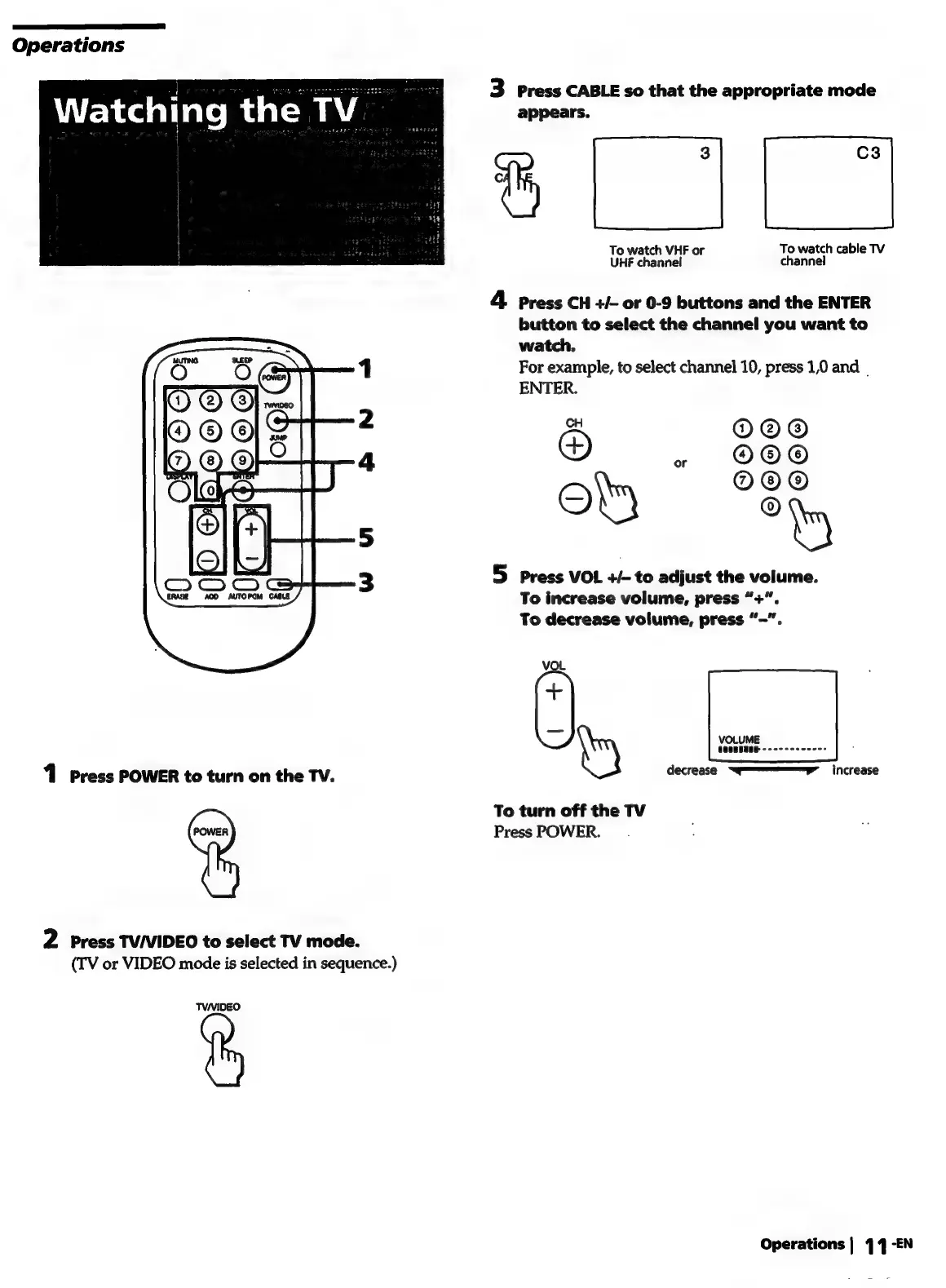
Operations
Watching
the
TV
|
1
Press
POWER
to
turn
on
the
TV.
be
2
Press
TV/VIDEO
to
select
TV
mode.
(TV
or
VIDEO
mode
is
selected
in
sequence.)
TVANIDEO
3
Press
CABLE
so
that
the
appropriate
mode
appears.
C3
1
To
watch
VHF
or
To
watch
cable
TV
UHF
channel
channel
4
Press
CH
+/-
or
0-9
buttons
and
the
ENTER
button
to
select
the
channel
you
want
to
watch.
For
example,
to
select
channel
10,
press
1,0
and
|
ENTER.
x
O@©®@
®
o
eM
°
5
press
VOL
+/-
to
adjust
the
volume.
To
increase
volume,
press
“+”.
To
decrease
volume,
press
“-”.
©OO©©
Cid
Vo
+
=e
VOLUME
coonssae
.
try
decrease
Sw"
increase
To
turn
off
the
TV
Press
POWER.
Operations
|
44
-EN

Related product manuals