EasyManua.ls Logo

Sony Trinitron KV-9PT40 - Page 12

Sony Trinitron KV-9PT40
48 pages
Print Icon
To Next Page IconTo Next Page
To Previous Page IconTo Previous Page
Loading...
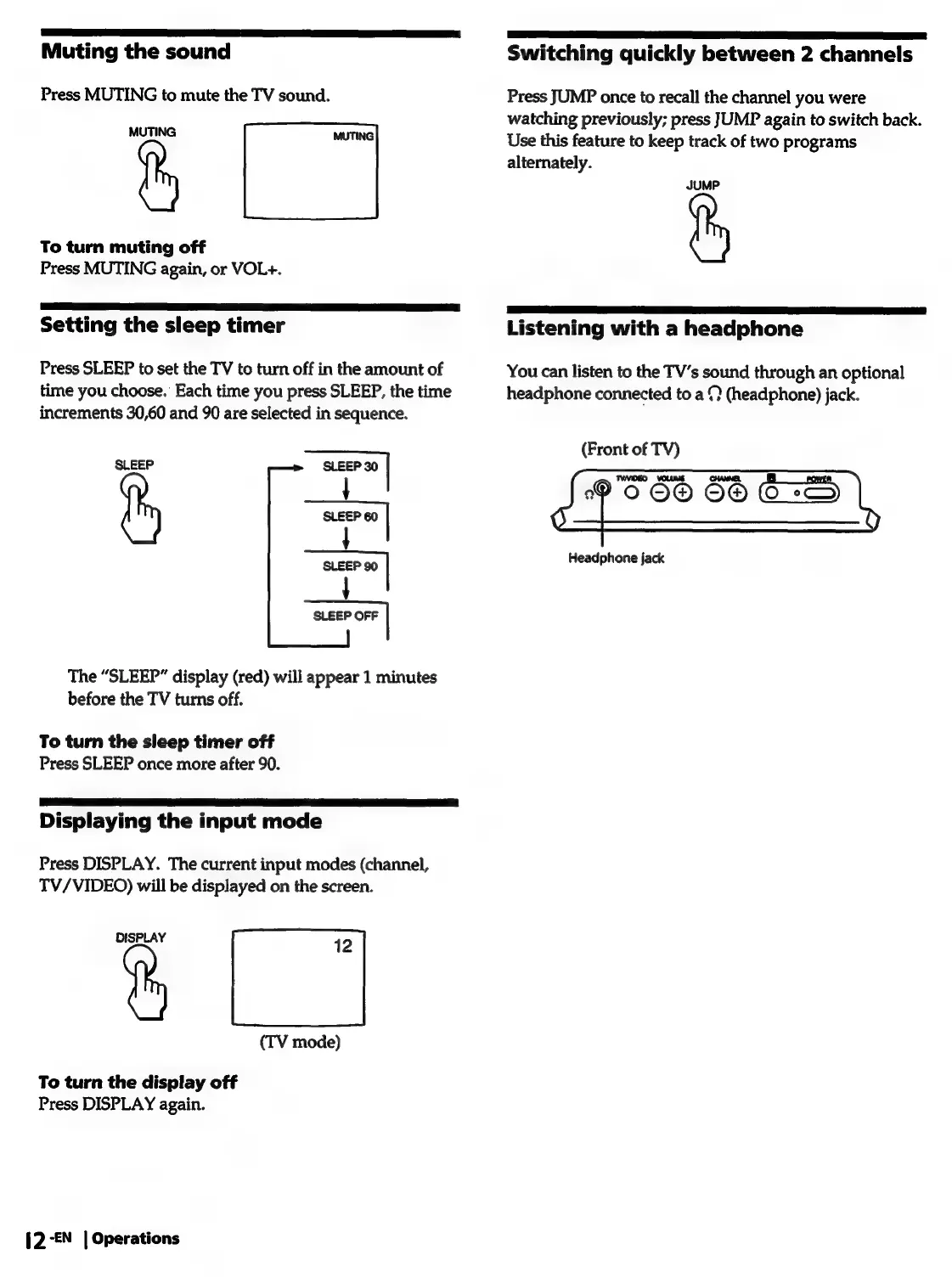
Muting
the
sound
Press
MUTING
to
mute
the
TV
sound.
MUTING
To
turn
muting
off
Press
MUTING
again,
or
VOL+.
Setting
the
sleep
timer
Press
SLEEP
to
set
the
TV
to
turn
off
in
the
amount
of
time
you
choose.
Each
time
you
press
SLEEP,
the
time
increments
30,60
and
90
are
selected
in
sequence.
SLEEP
SLEEP
30
rl
aa
|
SLEEP
90
The
“SLEEP”
display
(red)
will
appear
1
minutes
before
the
TV
turns
off.
To
turn
the
sleep
timer
off
Press
SLEEP
once
more
after
90.
Displaying
the
input
mode
Press
DISPLAY.
The
current
input
modes
(channel,
TV/VIDEO)
will
be
displayed
on
the
screen.
%
|
(TV
mode)
To
turn
the
display
off
Press
DISPLAY
again.
{2-€N
|
Operations
a
aa
aa
ea
ae
Switching
quickly
between
2
channels
Press
JUMP
once
to
recall
the
channel
you
were
watching
previously;
press
JUMP
again
to
switch
back.
Use
this
feature
to
keep
track
of
two
programs
alternately.
JUMP
Listening
with
a
headphone
You
can
listen
to
the
TV’s
sound
through
an
optional
headphone
connected
to
a
9
(headphone)
jack.
(Front
of
TV)
9066
66
ES
Headphone
jack

Related product manuals