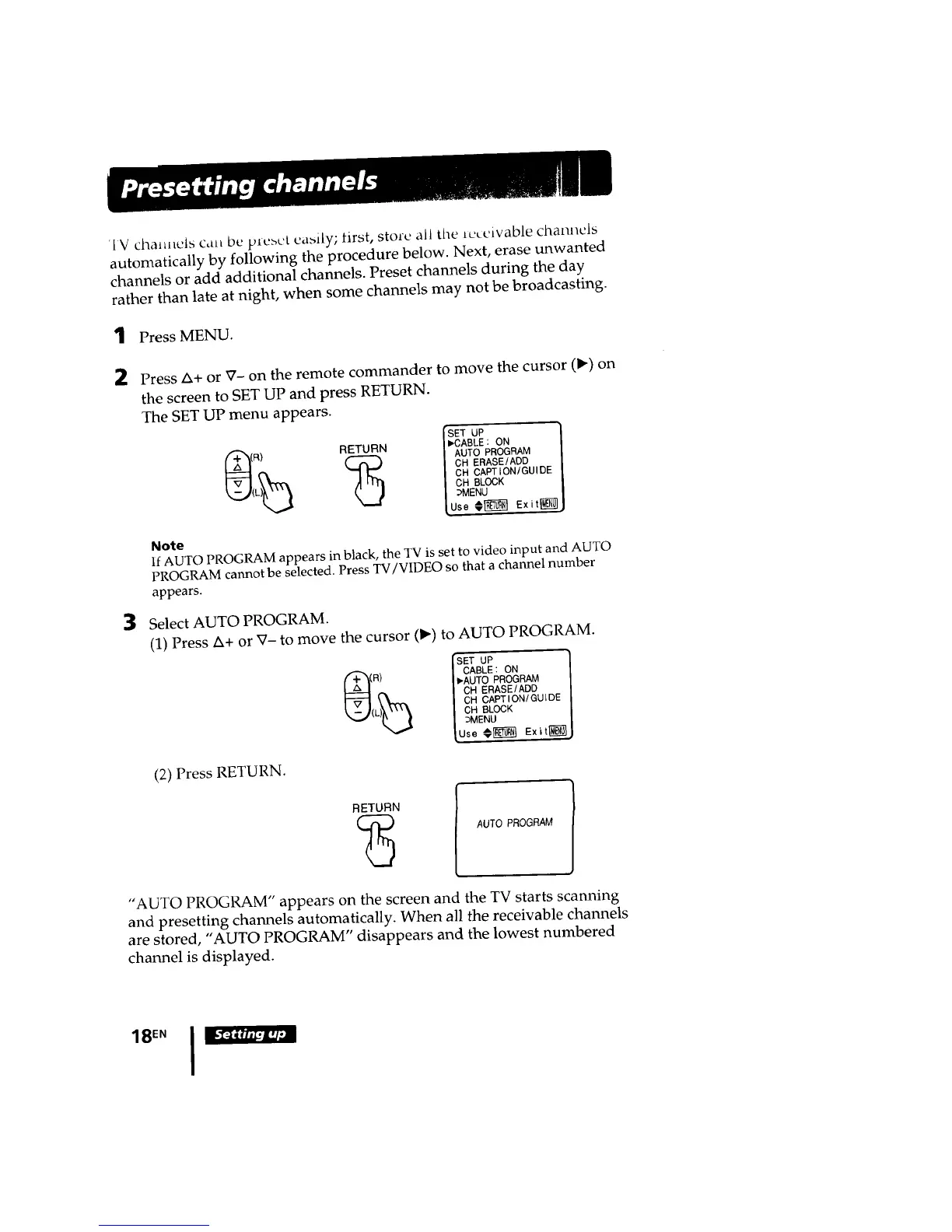
'IV chaHnels can be prcbct eabily; first, store all tile lcceivable channels
automatically by following the procedure below. Next, erase unwanted
channels or add additional channels. Preset channels during the day
rather than late at night, when some channels may not be broadcasting.
1 Press MENU.
2 Press Ix+ or V- on the remote commander to move the cursor (1_) on
the screen to SET UP and press RETURN.
The SET UP menu appears.
ISET UP '_
RETURN I_CABLE : ON |
(R) (_ | AUTO PROGRAM ]
| CH ERASE/ADD |
L)_ I CR CAPTION/GUIDE |
_._( I CH BLOCK /
I :>MENU /
[Use @[_ Exit_J
3
Note
If AUTO PROGRAM appears in black, the TV is set to video input and AUTO
PROGRAM cannot be selected. Press TV/VIDEO so that a channel number
appears.
Select AUTO PROGRAM.
(1) Press Ix+ or V- to move the cursor (') to AUTO PROGRAM.
ISET UP
_( I CABLE: ON
R) I _.AUTO PROGRAM
L)_ | CH ERASE/ADD
I CH CAPTION/GUIDE
_.,J( I CH BLOCK
] ;MENU
{Use _,_ Exit{_
(2) Press RETURN.
RETURN(_ I
AUTO PROGRAM
"AUTO PROGRAM" appears on the screen and the TV starts scanning
and presetting channels automatically. When all the receivable channels
are stored, "AUTO PROGRAM" disappears and the lowest numbered
channel is displayed.
18EN I








 To Next Page