Erasing or adding channels
1 Press MENU.
2 Press A+ or V- to select SET UP and press RETURN.
3 Press A+ or V- to select CH ERASE/ADD and press RETURN.
4
To erase an unwanted channel:
(1) Press CH +/- to select the channel you want to erase.
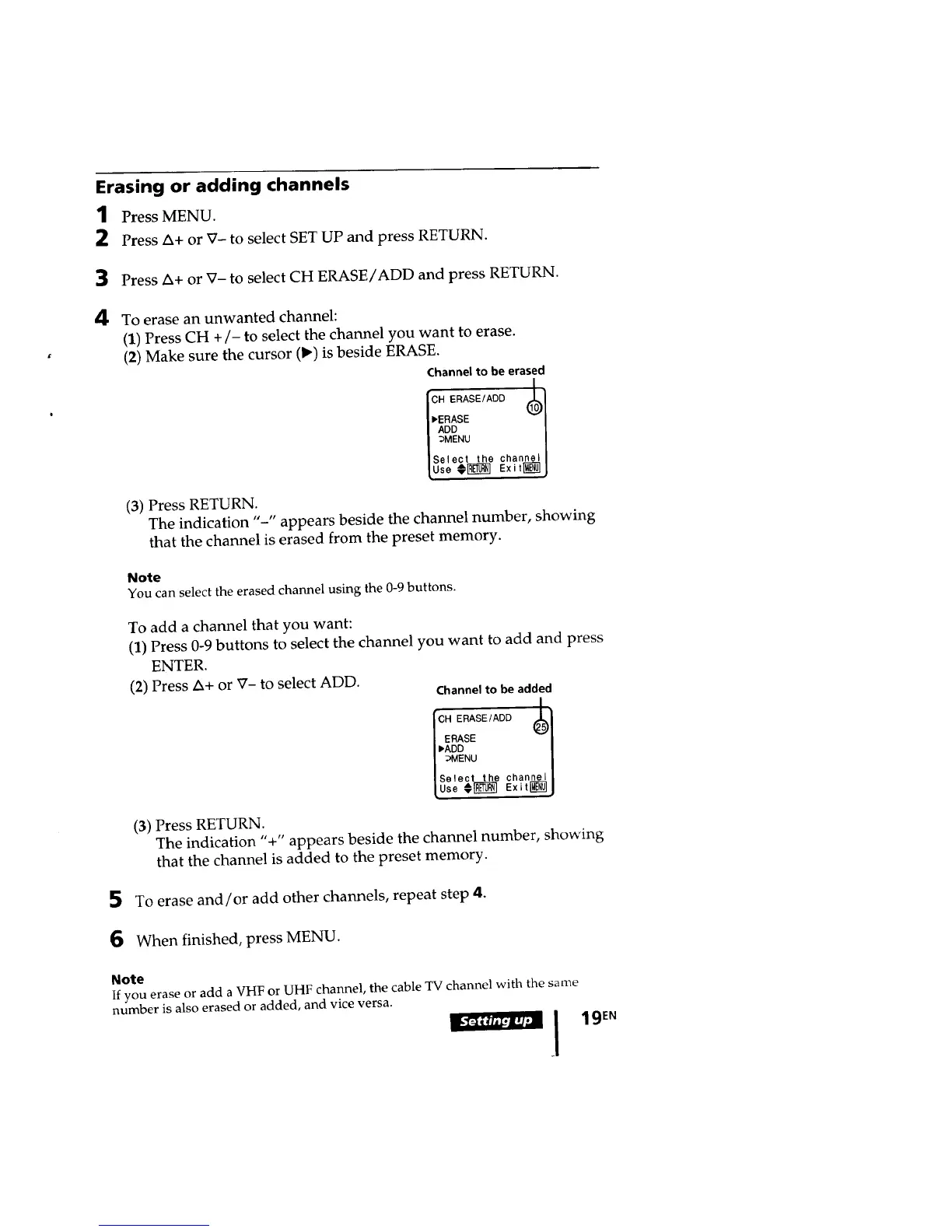
(2) Make sure the cursor (1_) is beside ERASE.
Channel to be erased
i cH ERASE/ADD (_)1
Is_leot t.e _...oell
!use€_ exi,_j
(3) Press RETURN.
The indication "-" appears beside the channel number, showing
that the channel is erased from the preset memory.
5
6
Note
You can select the erased channel using the 0-9 buttons.
To add a channel that you want:
(1) Press 0-9 buttons to select the channel you want to add and press
ENTER.
(2) Press A+ or V- to select ADD.
Channel to be added
[CH ERASE/ADD _'_l
Select the channell
[Use€[_] Exit_J
(3) Press RETURN.
The indication "+" appears beside the channel number, showing
that the channel is added to the preset memory.
To erase and/or add other channels, repeat step 4.
When finished, press MENU.
Note
If you erase or add a VHF or UHF channel, the cable TV channel with the same
number is also erased or added, and vice versa.
I_ i 19En








 To Next Page