1
2
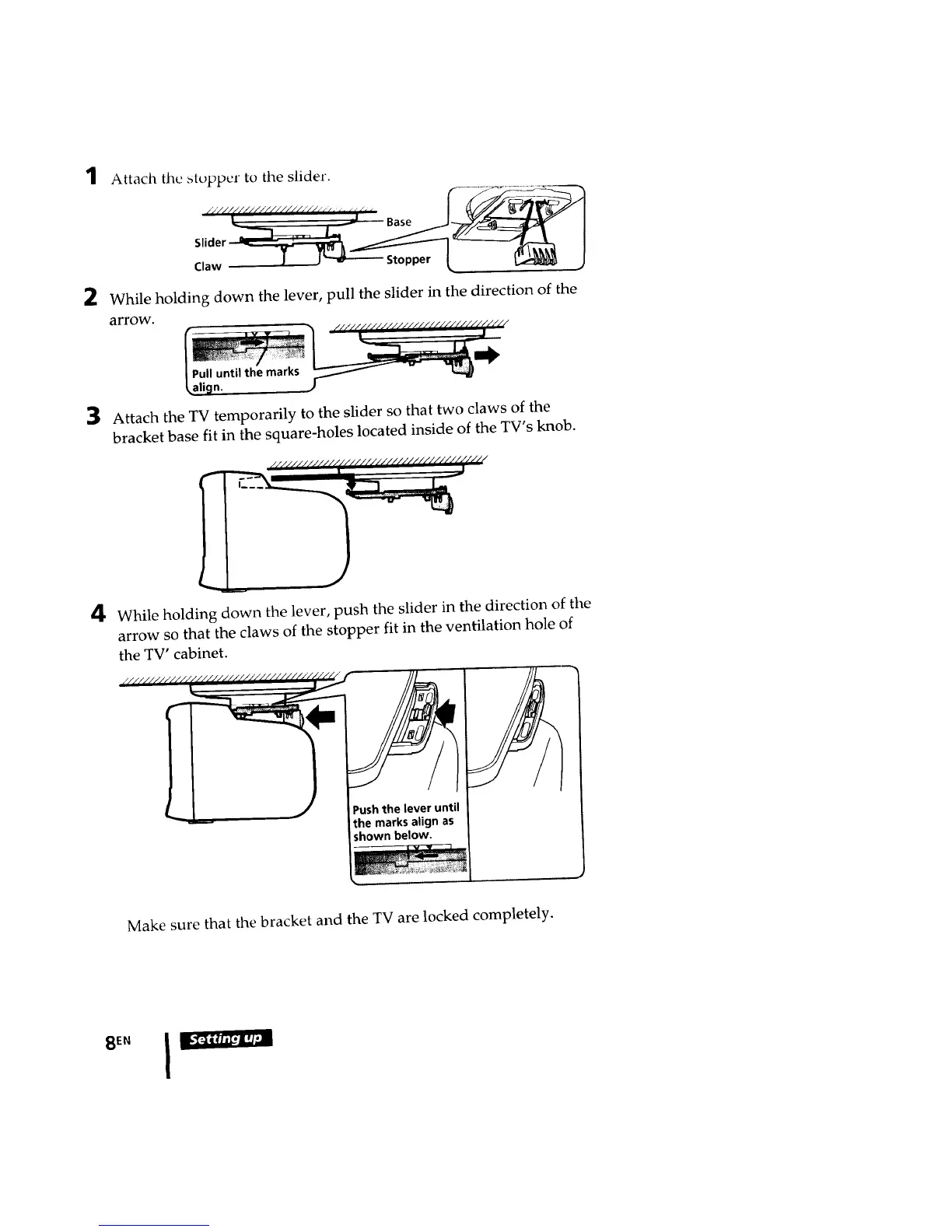
Attach the stopper to the slider.
//'/////i////////l/.///// ( i [ i ¢_ d, ( I __Jl
• . _ Base
Claw 1 J _ Stopper
While holding down the lever, pull the slider in the direction of the
arrow.
3
n.
Attach the TV temporarily to the slider so that two claws of the
bracket base fit in the square-holes located inside of the TV's knob.
4
While holding down the lever, push the slider in the direction of the
arrow so that the claws of the stopper fit in the ventilation hole of
the TV' cabinet.
//_////////////_ ///_
/__ j Pushthe lever until
the marks align as
shown below.
Make sure that the bracket and the TV are locked completely.
SEN








 To Next Page