22 Additional Information
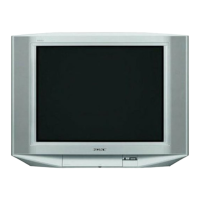
Sony KV-HW21M83 Group A19 (GB)_4-098-348-11(1)
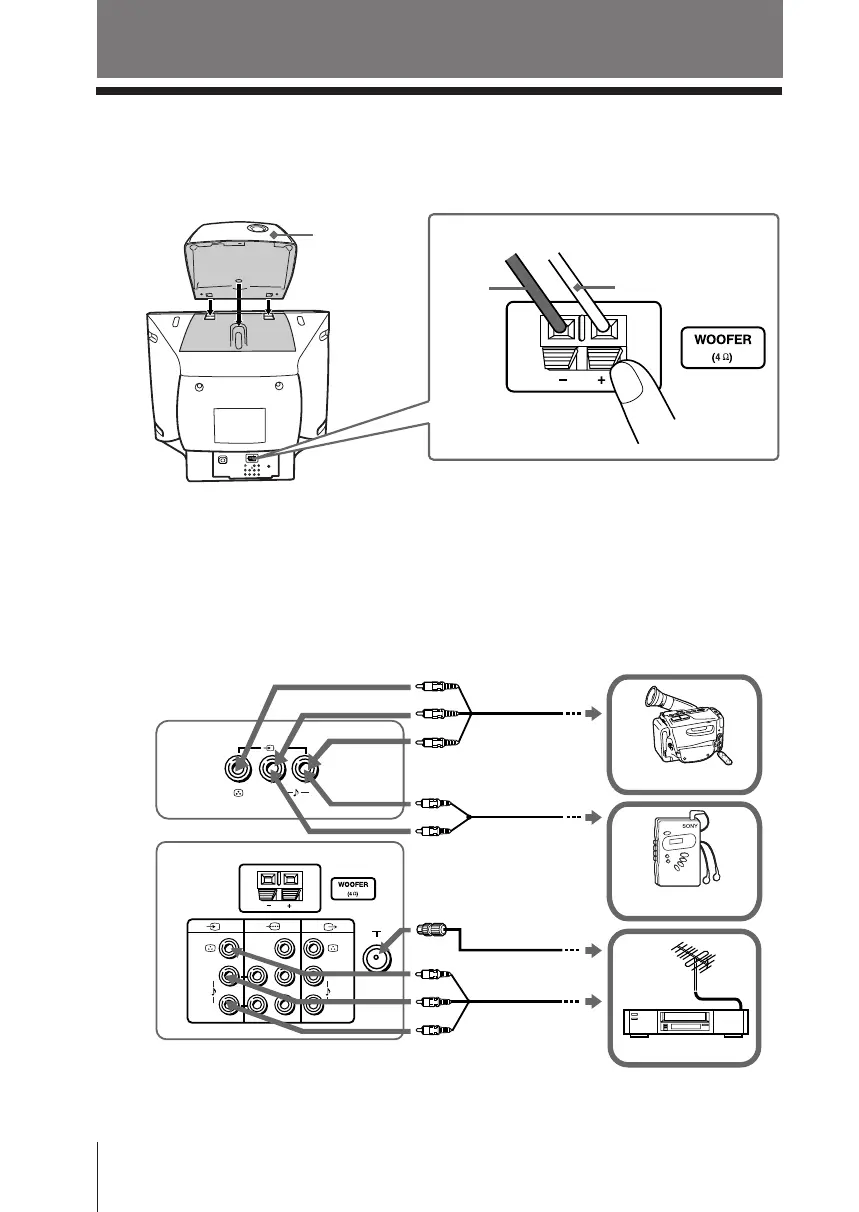
x Connecting optional components
Connecting to the video input terminal ( t )
Additional Information
TV front panel
Walkman
L
R
(MONO)
2
L
R
R
1
L
Y
C
B
C
R
(MONO) (MONO)
Audio cable
(not supplied)
Antenna cable
(not supplied)
VCR
TV rear panel
Audio/Video cable
(not supplied)
Camcorder
Note
• If you connect a VCR to 8 (antenna input), preset the signal output from the VCR to the
program number 0 on the TV (see page 20).
x Connecting the 3D WOOFER
B KV-HW21M83 only
You can enjoy high quality sound by connecting the 3D WOOFER as follows:
Notes
• Connect only the supplied 3D WOOFER; otherwise your TV may malfunction.
• Unplug your TV from the wall outlet when connecting the 3D WOOFER.
• To prevent a malfunction caused by a short circuit of the terminals, make sure that none of the 3D
WOOFER wire strands stick out, making contact with the neighbouring 3D WOOFER terminal.
Audio/Video cable
(not supplied)
Black
wire
Red wire
Step 1 Step 2
3D WOOFER
01GB07ADJ-MIX.p65 24/7/03, 3:18 PM22



 To Next Page