EasyManua.ls Logo

Sony TRINITRON KV-M2170E - Exchanging Programme Positions; Connecting Headphones

Sony TRINITRON KV-M2170E
13 pages
Print Icon
To Next Page IconTo Next Page
To Previous Page IconTo Previous Page
Loading...
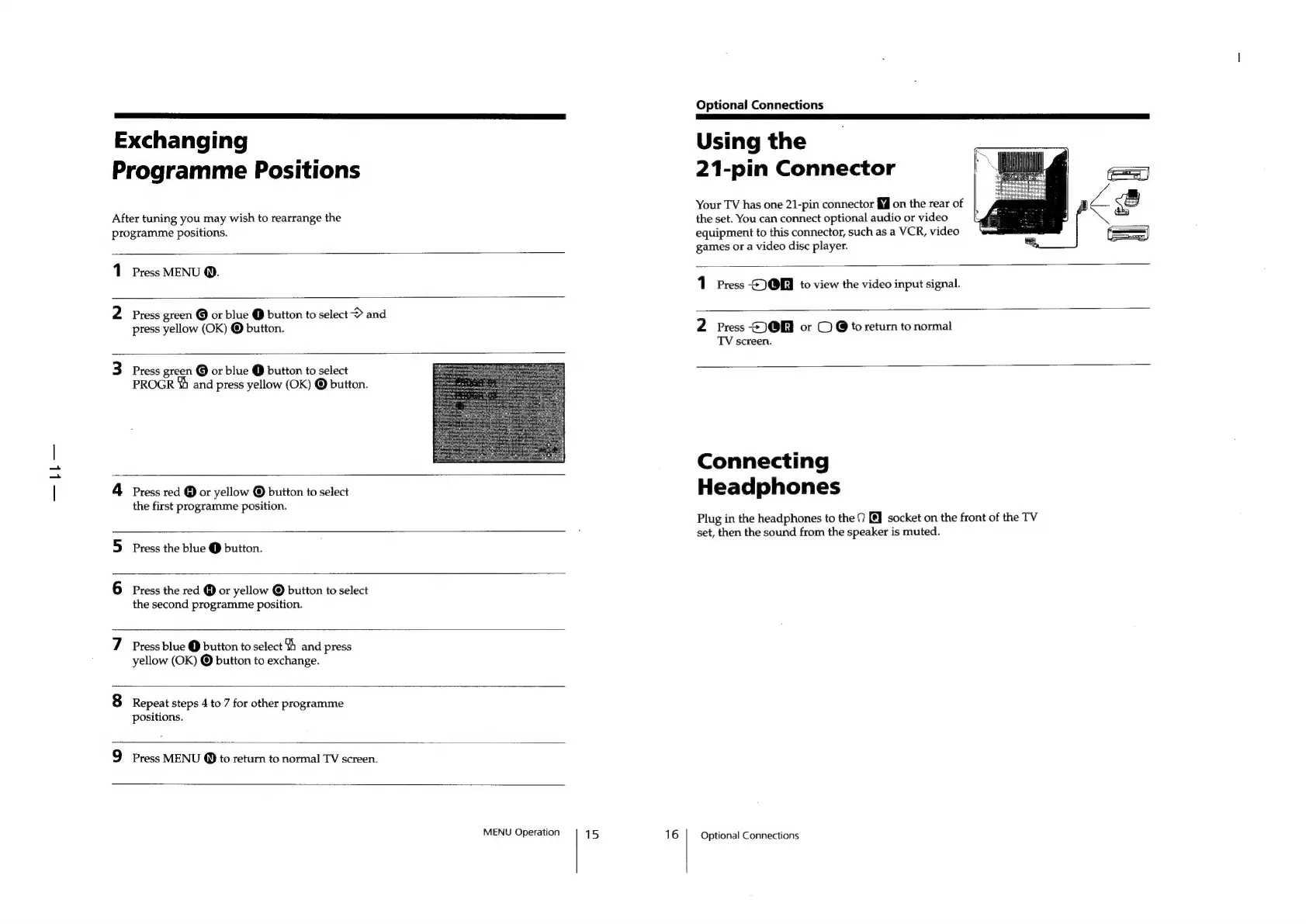
Exchanging
Programme
Positions
After
tuning
you
may
wish
to
rearrange
the
programme
positions.
1
Press
MENU
@.
Press
green
@
or
blue
@
button
to
select
>
and
press
yellow
(OK)
©
button.
Press
green
@
or
blue
@
button
to
select
PROGR
4%
and
press
yellow
(OK)
©
button.
Press
red
@
or
yellow
©
button
to
select
the
first
programme
position.
Press
the
blue
@
button.
Press
the
red
@
or
yellow
©
button
to
select
the
second
programme
position.
Press
blue
@
button
to
select
and
press
yellow
(OK)
©
button
to
exchange.
Repeat
steps
4
to
7
for
other
programme
positions.
Press
MENU
@
to
return
to
normal
TV
screen.
MENU
Operation
15
16
Optional
Connections
Using
the
21-pin
Connector
Your
TV
has
one
21-pin
connector
fM@
on
the
rear
of
the
set.
You
can
connect
optional
audio
or
video
equipment
to
this
connector,
such
as
a
VCR,
video
games
or
a
video
disc
player.
1
Press
QE
to
view
the
video
input
signal.
2
Press
S)@B
or
©
@
to
return
to
normal
TV
screen.
Connecting
Headphones
Plug
in
the
headphones
to
the
9
[@]
socket
on
the
front
of
the
TV
set,
then
the
sound
from
the
speaker
is
muted.
Optional
Connections

Other manuals for Sony TRINITRON KV-M2170E

Related product manuals