– 14 –
KV-PF14DK7/PF14L70/PF14M40/PF14M70
KV-PF14P10/PF14P70/PF14Q70
RM-952
SOUND
MODE
FAVORITE
PROGR
Á
Advanced Operations
SOUND MODE
Customizing the
picture and sound
You can customize the picture and
sound by selecting the picture and
sound modes or by adjusting its
settings.
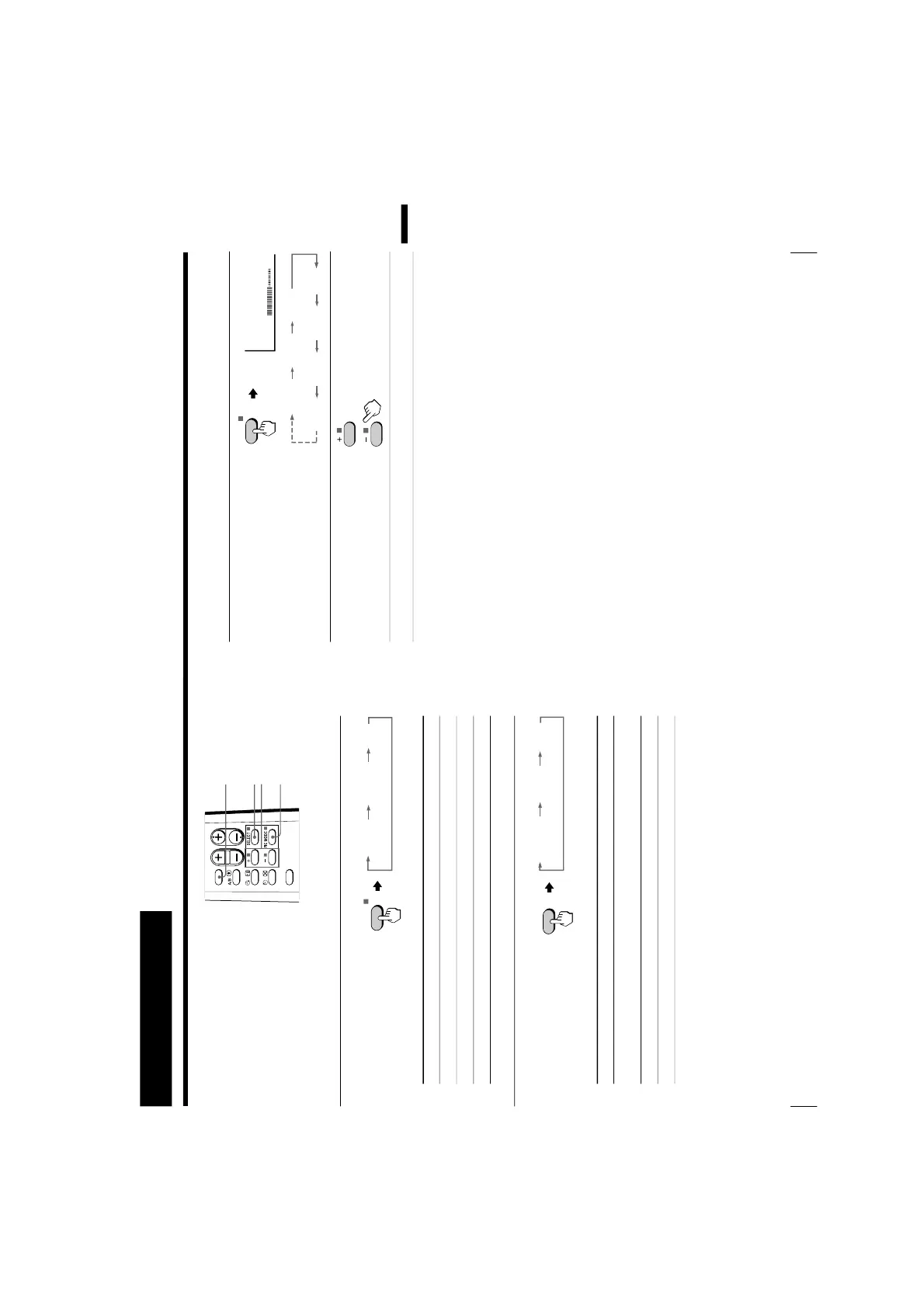
Selecting the picture and sound modes
To select the picture mode
Press PIC MODE
repeatedly until you get
the desired picture mode.
Select To
DYNAMIC receive high contrast pictures.
STANDARD receive normal contrast pictures.
SOFT receive mild pictures.
To select the sound mode
Press SOUND MODE
repeatedly until you get
the desired sound mode.
Select To
DYNAMIC listen to dynamic and clear sound that emphasizes the low and
high sound.
DRAMA listen to sound that emphasizes vocals and background music.
SOFT receive soft sound.
PIC MODE
SELECT
+ or –
STANDARDDYNAMIC
SOFT
PIC MODE
≥ DYNAMIC
≥ DRAMA ≥ SOFT
SOUND
MODE
15
Advanced Operations
Advanced Operations
Adjusting the picture and sound settings
1
Press SELECT until the
desired setting appears.
Each time you press
SELECT, the setting
item will change as follows:
2
Press + or – to adjust the
item.
3
To adjust other items, repeat steps 1 to 2.
* “HUE” can be adjusted for the NTSC system only.
Notes
• When you select a picture or sound mode, the adjusted settings will be
reset according to the selected mode.
• You can also use SELECT and
¸
+/– on the TV to adjust the picture and
sound settings.
PICTURE COLOR
BRIGHT
HUE*
TREBLE BASS
SHARP






 To Next Page