– 43 –
KV-PF21N70/PF51P40/PF21P70/PF21Q40
RM-915 RM-952 RM-952 RM-952
KV-PF21Q70/PF21M70/PF21DK7
RM-952 RM-952 RM-952
4-2. ADJUSTMENT METHOD
Item Number 00 of device GEO
This explanation uses H-Position as an example.
1. Select “GEO 00 HPS” with the 1 and 4 buttons.
2. Raise/lower the data with the 3 and 6 buttons.
3. Select the optimum state. (The standard is 1F for PAL reception.)
4. Write with the [MUTING] button. (The display changes to
WRITE.)
5. Execute the writing with the - button. (The WRITE
display will be changed to red color while excuting, and back
to SERVICE.)
Use the same method for all Items. Use 1 and 4 to select the
adjustment item, use 3 and 6 to adjust, write with [MUTING],
then execute the write with -.
Note : 1. In [WRITE], the data for all items are written into memory
together.
2. For adjustment items that have different standard data
between 50Hz or 60Hz, be sure to use the respective
input signal after adjustment.
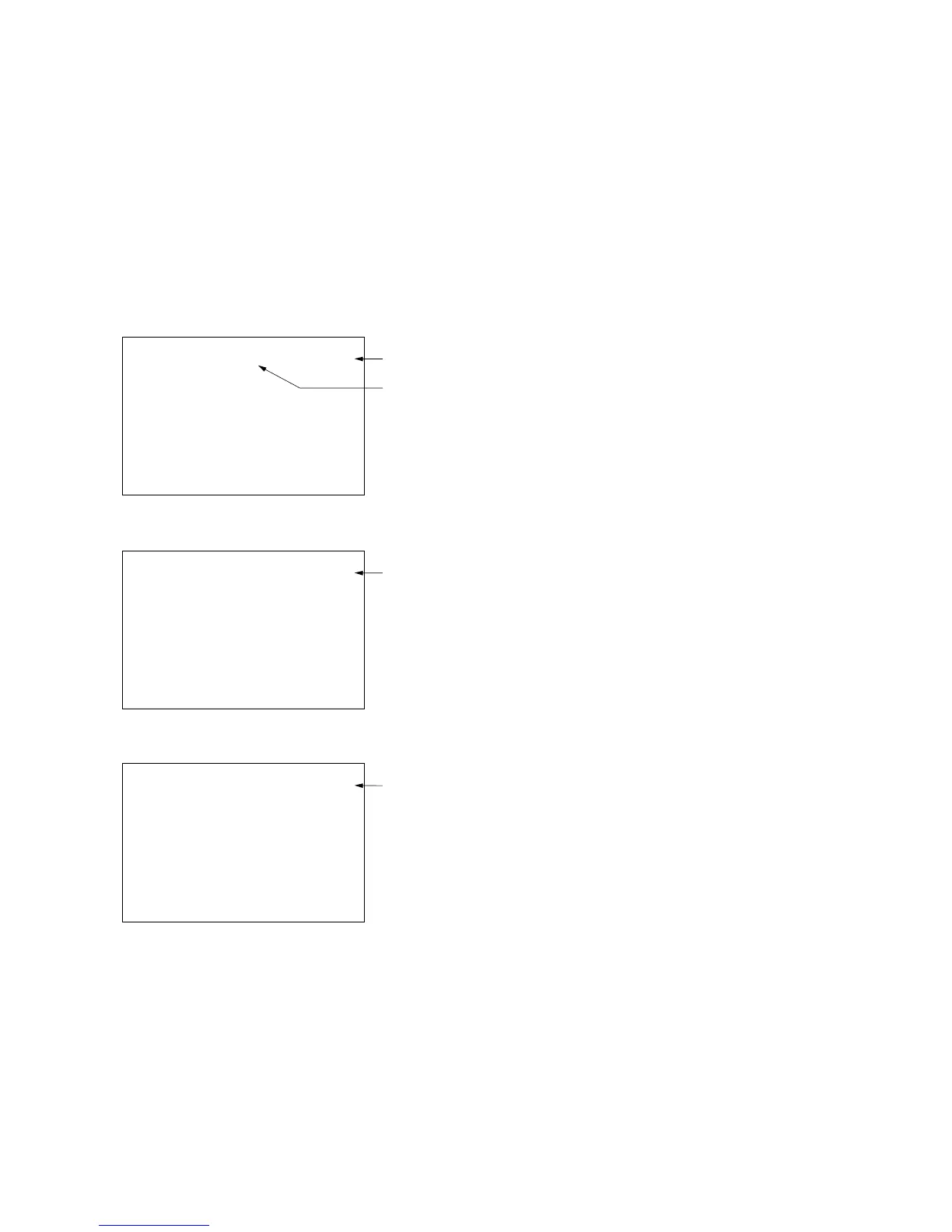
1F SERVICE 50HPS
Adjusted with [3]
and [6] buttons.
GREEN
Written with [MUTING]
Write executed with [0]
GEO 00
7F 0 000A59
623S/
622S
or
618S
1.0C
1F SERVICE 50HPS
RED
The WRITE display
then the display
returns to a green
SERVICE.
GEO 00
7F 0 000A59
623S/
622S
or
618S
1.0C
1F WRITE 50HPS
GREEN
GEO 00
7F 0 000A59
623S/
622S
or
618S
1.0C





 To Next Page