37
Additional Information
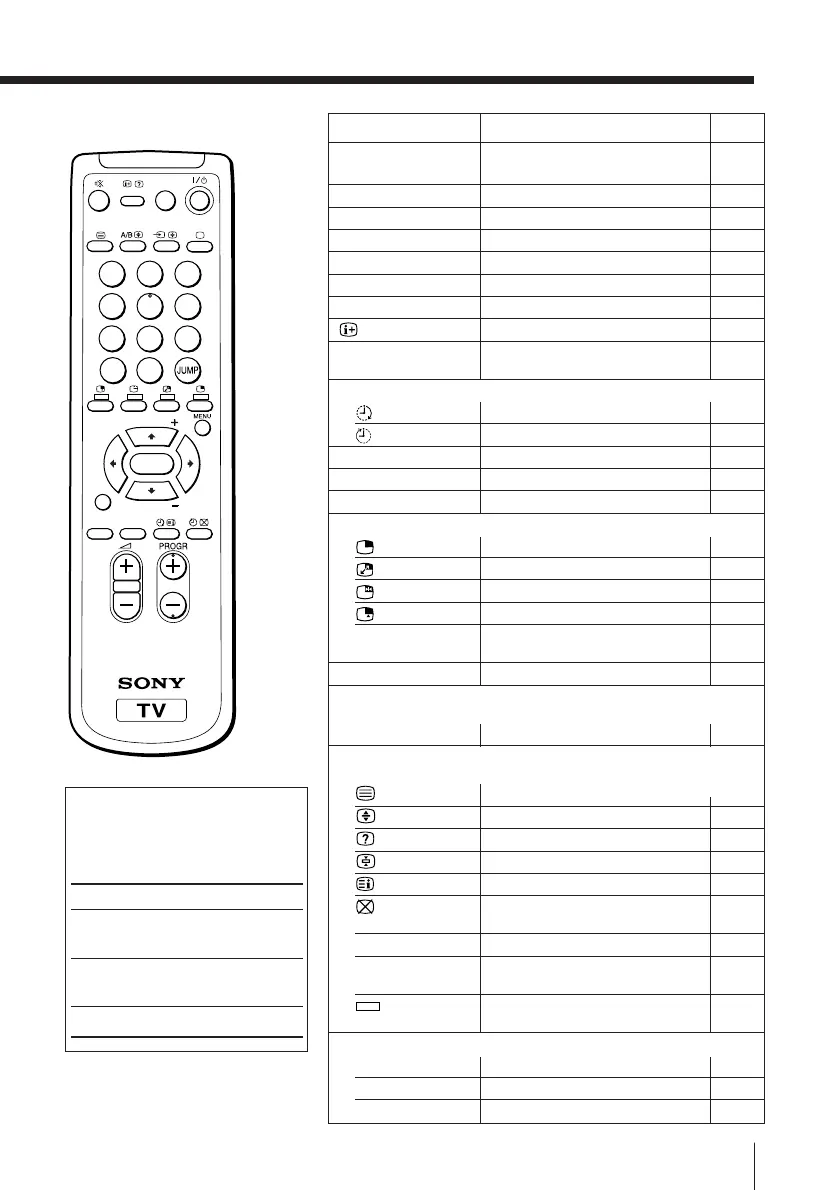
Remote control
1
2
3
4
5
6
7
8
0
-/--
9
FAVORITE
SOUND
MODE
SURROUND
PIP PROGR
PIP PROGR
ENTER
PIC MODE
The names/symbols of buttons
on the remote are indicated in
different colors to represent the
available functions.
Label color
White
Green
Yellow
Button function
For general TV
operations
For Teletext
operations
For PIP operations
Page
Button
Function
9
9
9
10
10
10
10
10
10
11
11
12
12
13
14
15
15
15
15
16
–
17
18
18
18
18
18
18
18
18
21
21
21
Turn off temporarily or turn
on the TV.
Select program number.
Input numbers.
Adjust volume.
Select TV or video input.
Display the TV program.
Mute the sound.
Display on-screen information.
Jump to previous program
number.
Set TV to turn on automatically.
Set TV to turn off automatically.
Select picture mode.
Select sound mode.
Display favorite channels.
Display a sub screen.
Swap main and sub screens.
Freeze the sub screen.
Select video input for the sub screen.
Change program number in the sub
screen.
Select surround mode.
Select stereo/bilingual mode.
Display Teletext broadcast.
Enlarge the Teletext display.
Reveal concealed information.
Stop Teletext page from scrolling.
Display Teletext service contents.
Show TV screen while waiting
for Teletext page.
Input
Teletext page
number.
Display the next or previous
page.
Access a FASTEXT menu.
Display the menu.
Select and adjust item.
Confirm selected item.
?/1
PROGR +/–
0 – 9, -
2 +/–
t
a
%
JUMP
Timer operations
PIC MODE
SOUND MODE
FAVORITE
PIP operations
V/v
(PIP PROGR +/–)
SURROUND
Stereo/bilingual operations
(not used for KV-XA34M86/XA29M84/XA25M84)
A/B
Teletext operations
(KV-XA34M86 only)
0 – 9
PROGR +/–
(red, green,
yellow, blue)
Menu operations
MENU
V/b/v/B
ENTER







 To Next Page