
 Need help?
Do you have a question about the Sony TRINITRON KV1380R and is the answer not in the manual?
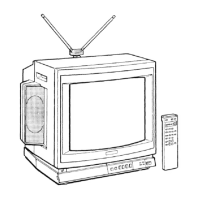
This document describes the Sony Trinitron Color TV, a cable-compatible television designed for home entertainment.
The Sony Trinitron Color TV is a television receiver capable of displaying broadcast programs and connecting to external audio/video equipment. Its primary function is to provide visual and audio entertainment through various input sources.
It features a new black-tinted Trinitron picture tube, which enhances picture contrast by absorbing ambient light. The Pan Focus™ Gun technology delivers clear and crisp images with improved sharpness across the entire screen. The television includes a multi-band VHF/UHF/CATV tuner, allowing reception of up to 125 cable channels, in addition to standard off-air VHF and UHF broadcasts, totaling 181 possible channels.
A built-in MTS (Multichannel TV Sound) decoder enables the reception of stereo programs and SAP (Second Audio Program) broadcasts, offering an enhanced audio experience where available. The television also incorporates an external-audio selector, which allows users to receive FM simulcasted programs when optional equipment is connected.
For direct connectivity, the TV provides built-in video and R/L audio line inputs, facilitating easy hook-up to VCRs and other compatible devices.
The television is designed for convenient operation, primarily through its Remote Commander. An on-screen display provides visual feedback for channel numbers, "MUTING" or "SLEEP" indications, "VIDEO" mode, "MAIN," "SAP," or "BOTH" modes, "EXT-A" mode, and TIMER/BLOCK settings. It also shows the item being adjusted and the current time according to the internal clock. Adjustment displays indicate the level of sound and picture adjustments.
Remote Commander: The supplied Remote Commander (RM-731) allows for convenient control of various functions from a distance of up to 7 meters (23 feet) within a 30-degree angle. It includes buttons for power, sleep, muting, channel number selection, display, enter, jump, TV/VIDEO switching, MTS (Multichannel TV Sound), channel scan, volume, and picture adjustments.
Channel Selection: Channels can be selected by directly entering the numeral(s) using the channel number buttons on the Remote Commander, followed by pressing ENTER. Alternatively, users can scan through channels using the CH +/- buttons. The television supports presetting channels, allowing users to add or erase channels to create a customized numerical sequence for easier navigation.
Audio Features: The MTS decoder allows selection between "MAIN" (stereo), "SAP" (Second Audio Program), and "BOTH" modes for multichannel TV sound broadcasts. The "AUTO STEREO" button automatically detects and enables stereo sound when available. An EXT (external) AUDIO button is provided for external audio sources.
Picture Adjustments: Controls for PICTURE (contrast), HUE, COLOR, and BRIGHT (brightness) are located behind the front panel, allowing users to fine-tune the image quality to their preference.
Timer/Block Functions:
External Equipment Applications:
Antenna/Cable Connection: The TV supports various antenna and cable connections. For VHF/UHF reception, a supplied telescopic dipole indoor antenna can be used. For cable TV, a direct connection from the local cable operator is possible. The manual provides instructions for connecting combination VHF/UHF antennas, separate VHF and UHF antennas (using an optional U/V mixer), and different cable types (75-ohm coaxial or 300-ohm ribbon type).
Cleaning: The television set should be cleaned with a slightly damp, soft cloth using a mild household detergent. Strong solvents like thinner or benzine should be avoided as they may damage the cabinet's finish.
Repacking: Users are advised to retain the original carton and packing materials for safe transport of the set in the future.
Troubleshooting: The manual includes a troubleshooting guide to help users resolve common picture and sound disturbances. It lists symptoms such as poor or no picture, good picture but no sound, no picture at all, snow and noise, dotted lines or stripes, and double images or ghosting. For each symptom, suggested checks and adjustments are provided, including adjusting picture/brightness, checking antenna/cable connections, verifying power, checking channel settings, and addressing local interference. For timer/block issues, it suggests checking clock settings, timer settings, and power supply. If problems persist, users are advised to contact a qualified service facility.
Safety Precautions: The manual emphasizes operating the set only on 120 V AC. It warns against inserting the plug improperly, allowing liquids or solid objects to fall into the cabinet, and advises unplugging the set for extended periods or before cleaning. Proper ventilation is crucial to prevent internal heat build-up, and the set should not be installed in hot, humid, or dusty environments.
Battery Replacement: The Remote Commander uses two AA batteries. In normal operation, batteries are expected to last about half a year. If the set does not operate properly, batteries should be replaced. For extended unused periods, batteries should be removed to prevent leakage.
 General
| Screen Size | 13 inches |
|---|---|
| Display Type | CRT |
| Aspect Ratio | 4:3 |
| Color System | NTSC |
| Audio Output | Mono |
| Tuner | Analog |
| Inputs | RF |






 To Next Page