Operation
Printing
12
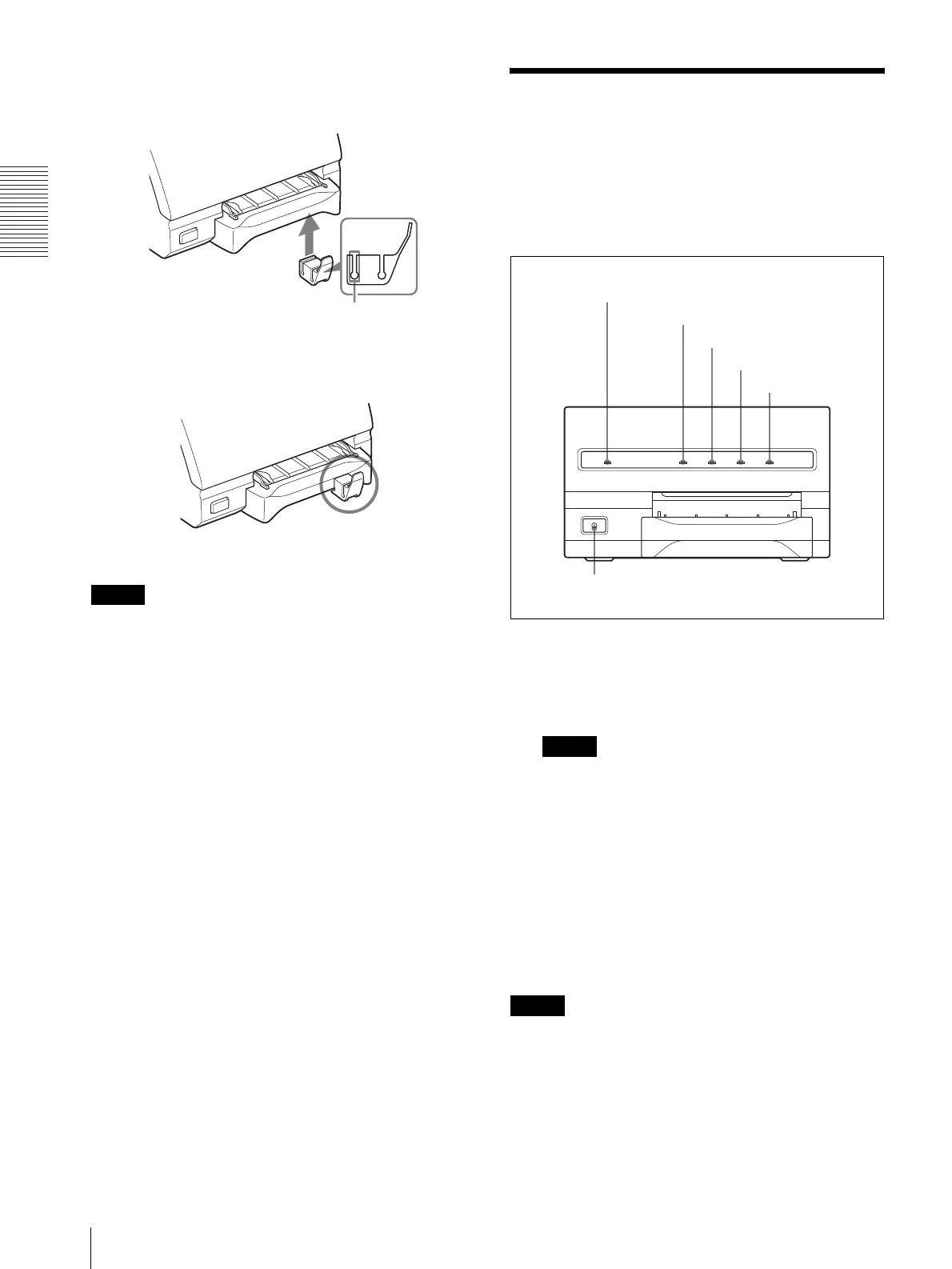
To prevent them from being pushed, attach the supplied
stopper as illustrated.
Note
Do not leave more than 10 sheets of ejected printouts on
the paper tray. Doing so may cause a paper jam.
Printing
Before printing
• Ensure that the printer is properly connected to the
computer.
• Ensure that the ink ribbon and paper are properly
loaded.
• Ensure that the printer driver has been installed.
1
Press the POWER switch to turn the printer on.
The POWER indicator lights.
PRINT, ALARM, RIBBON and PAPER indicators
light at the same time, then all of them go out.
Notes
• Turn the printer on first.
• Do not turn the computer off and on while it is
accessing a hard or floppy disk.
2
Turn on the power of the computer.
3
Execute the print job with software application.
While the printer is receiving the image data from
the computer, the PRINT indicator blinks.
While the printer is printing, the PRINT indicator
lights.
Note
• Do not turn off the power during printing. If you do so,
paper may not be ejected and may jam in the printer.
• Do not pull the paper out till the printer finishes
printing.
• You can make multiple copies of identical printouts.
However, the printer may stop printing for various
reasons. In such a case, remove the printouts
Insert the edge of the paper tray into this groove.
v
1
PRINT indicator
ALARM indicator
RIBBON indicator
PAPER indicator
POWER indicator



 To Next Page