Operation
Menu Operations
22
7
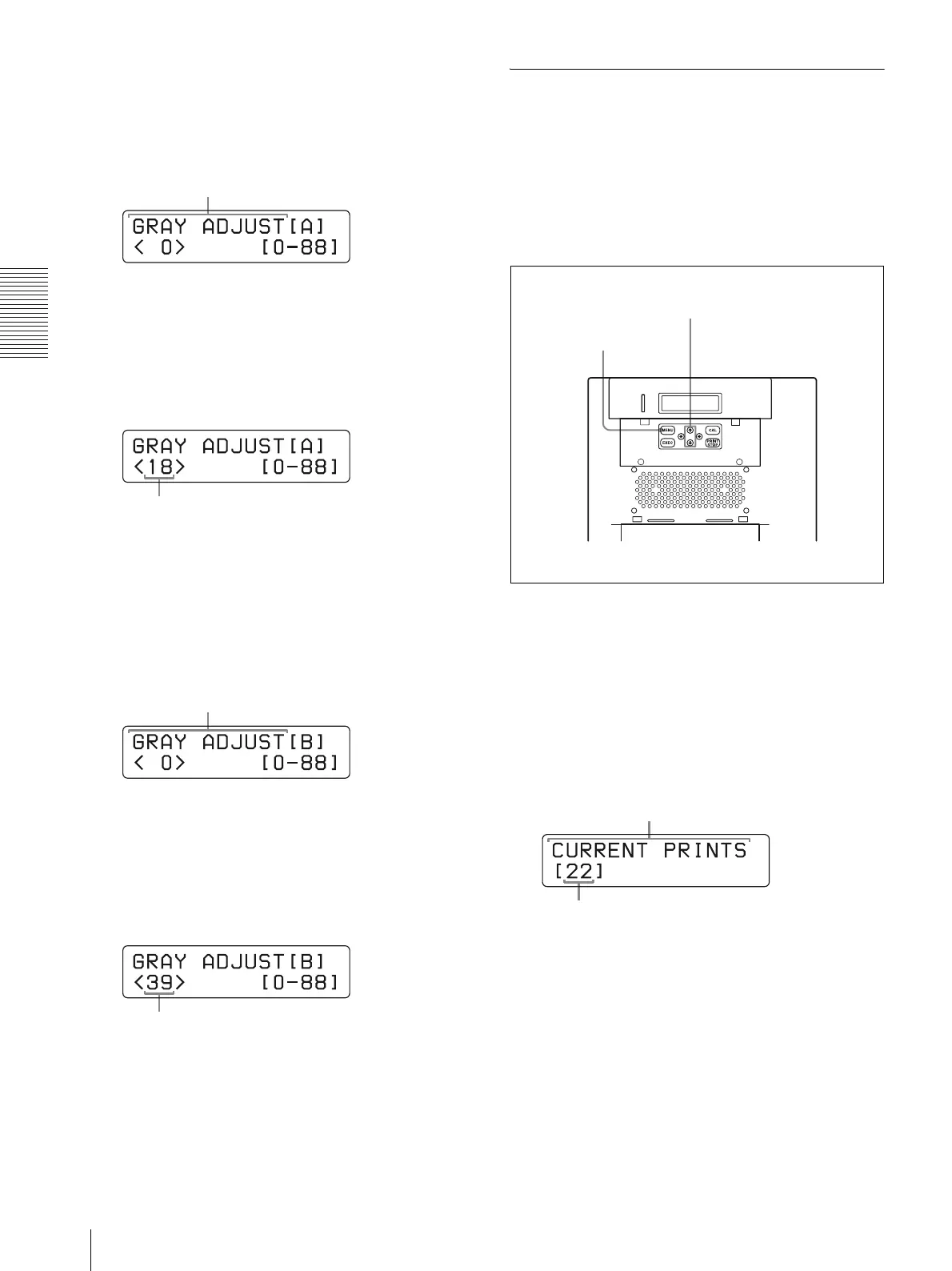
Press the F and f buttons to select GRAY ADJUST
[A].
The printer enters the gray balance adjustment
mode.
8
Press the G and g buttons to display the pattern
number determined in step 4.
For example, select 18 if you determined that
pattern No. 18 in the sample provides the best color
tone of the gray balance.
9
Press the F and f buttons to select GRAY ADJUST
[B].
The printer enters the adjustment mode of the color
tone of the gray balance.
10
Press the G and g buttons to display the pattern
number determined in step 5.
For example, select 39 if you determined that
pattern No. 39 in the sample provides the best gray
balance.
11
Press the CAL button.
The printer returns to the on-line mode.
Displaying the Quantity of Pages
Printed
The total number of printings done since turning on the
printer can be displayed. If no printings have been done
since the printer was turned on, “0” is displayed on the
information display. Also, the total number of printings
made so far since you started to use the printer can be
displayed.
1
Press the MENU button.
The printer is switched to off-line.
2
Press the F and f buttons to select the item you
want to be displayed.
To display the total number of printings
since turning on the printer:
Select “CURRENT PRINTS.”
Press
and
to display GRAY
ADJUST [A].
Press G and g to display 18.
ress
an
o
sp
ay
ADJUST [B].
Press G and g to display 39.
1,3
2
ress
an
to
sp
ay
.
Total number of printings since turning on the printer


 To Next Page