Preparation
Connections
7
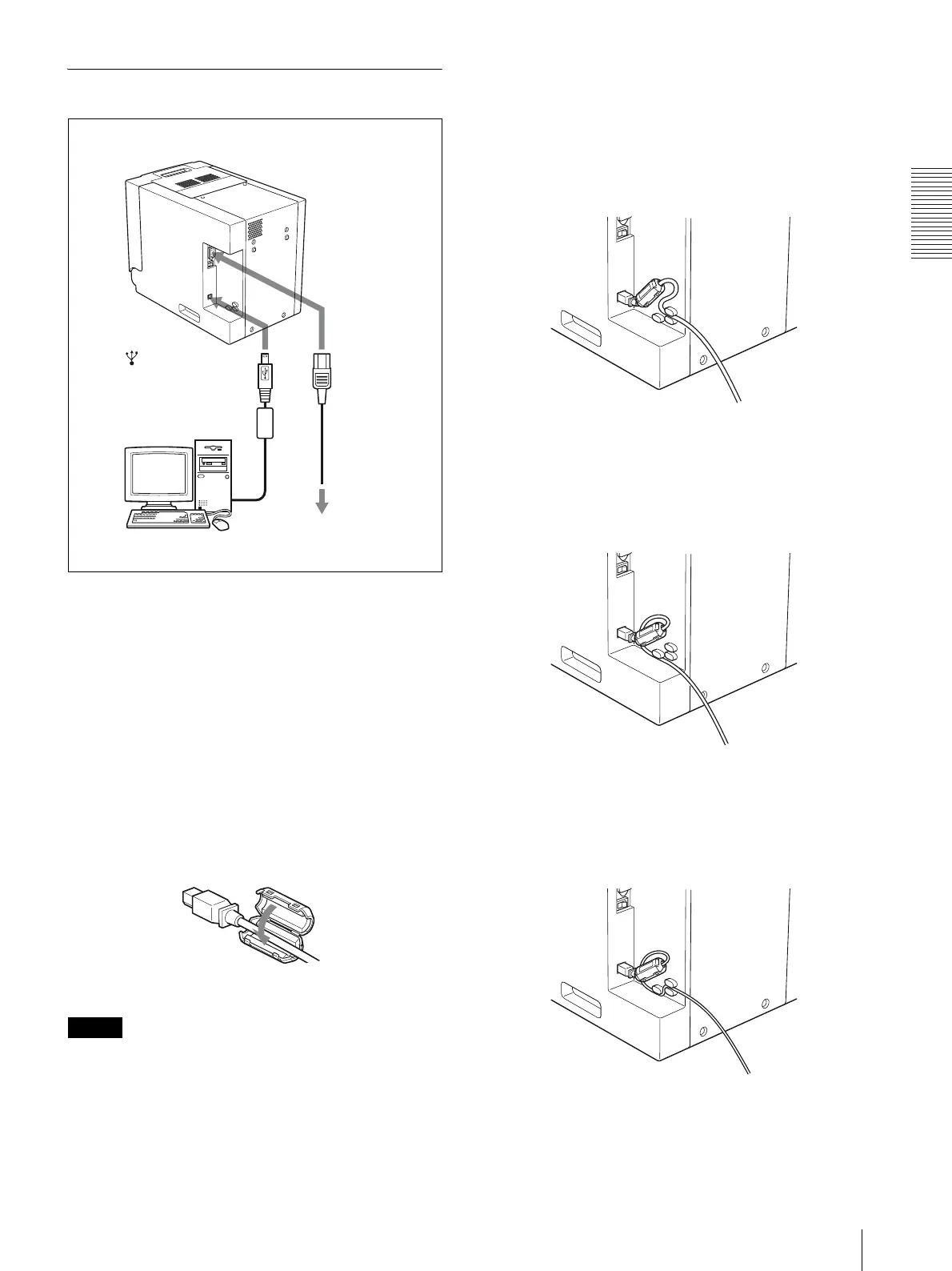
USB Port Connection
Attaching a ferrite core to a USB cable
Before connecting a USB cable (not supplied) to the
printer, you should attach a supplied ferrite core to its
cable for noise prevention. To conform to radiation
standards, attach the supplied ferrite core to the USB
cable of your device as described below.
1
Release two stoppers on the ferrite core to open it.
2
Slip the USB cable through the ferrite core and
position it at the base of the USB connector to the
printer.
3
Close the ferrite core until you hear a click.
Note
When the ferrite core cannot be secure because the USB
cable is thin, secure it using a tape.
Securing a USB cable
After you connect a USB cable to the printer, it is
recommended that you secure the USB cable as
illustrated, to prevent it from being accidentally
disonnected.
When a USB cable of about 5-mm in diameter is
used
Pass the USB cable under the upper cable stopper as
illustrated below.
When a USB cable of about 4-mm in diameter is
used
Pass the USB cable under the lower cable stopper as
illustrated below.
When a USB cable of less than 4-mm in
diameter is used
Pass the USB cable between the lower and upper cable
stoppers as illustrated below.
to (USB) connector
USB connecting cable
(not supplied)
UP-DR150
to - AC IN
connector
AC power
cord
(supplied)
to wall outlet
Computer


 To Next Page