EasyManua.ls Logo

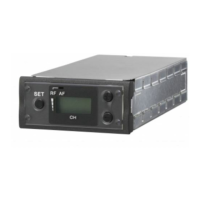
Sony URX-S03D - User Manual

Sony URX-S03D
15 pages
Print Icon
To Next Page IconTo Next Page
Loading...
UHF Synthesized
Diversity Tuner
Operating Instructions
URX-S03D
4-590-341-11 (1)
© 2016 Sony Corporation

Questions and Answers

  • R
    Rachael NelsonAug 8, 2025
    Why is there no sound coming from my Sony URX-S03D?
    • T
      Terry SheaAug 8, 2025
      There could be several reasons for the lack of sound from your Sony Tuner. First, ensure that the channel setting on the transmitter and receiver are the same. Second, check that the compander mode setting is identical on both devices. Finally, if the receiver is connected to a wireless adapter, verify that the sync signal is correctly set to INTERNAL using the SYNC SOURCE function. If using an external sync signal, confirm its connection and set the sync to AUTO or EXTERNAL.
  • E
    Eric WarrenAug 18, 2025
    How to fix distorted sound on my Sony URX-S03D?
    • R
      Rebecca BurkeAug 19, 2025
      Distorted sound on your Sony Tuner may be due to mismatched settings between the transmitter and receiver. Ensure that both the channel setting and the compander mode setting are identical on both the transmitter and receiver.
  • A
    Alicia YoungAug 25, 2025
    What to do if my Sony URX-S03D does not turn on?
    • J
      Jennifer FaulknerAug 25, 2025
      If your Sony Tuner does not turn on, the unit may not be correctly inserted into the slot of the camcorder or the wireless adapter. Ensure that the unit is firmly and completely inserted, and then secure it with the mounting screws.
  • D
    davisdavidAug 28, 2025
    Why does the RF indicator light up on my Sony Tuner receiver when the transmitter is off?
    • D
      davidmendozaAug 28, 2025
      If the RF indicator on your Sony Tuner receiver lights up even when the transmitter is off, it could be due to jamming radio waves. Try setting the receiver to a channel where the RF indicator does not light up. Alternatively, use the Clear Channel Scan function to switch to a channel without interference, and then set the transmitter to the same channel as the receiver. If you're using multiple transmitters, consider changing to a channel group that isn't affected.
  • P
    perkinsjamesSep 3, 2025
    What to do if the transmitter channel cannot be set with infrared transmission on my Sony URX-S03D?
    • K
      Katherine MillerSep 3, 2025
      If you're having trouble setting the transmitter channel via infrared transmission on your Sony Tuner, first, ensure the infrared receptor on the transmitter is within about 20 cm (8 in.) of the infrared transmission port on the receiver. Also, interference from other infrared devices or direct sunlight can reduce the transmitting distance. Place the transmitter and receiver as close as possible to minimize interference.
  • P
    Pamela SchultzNov 13, 2025
    What to do if my Sony Tuner has sound interruption or noise?
    • R
      Robert AlexanderNov 13, 2025
      Sound interruption or noise in your Sony Tuner can occur due to several reasons. Here are some troubleshooting steps: * Ensure the channel setting is the same on both the transmitter and receiver. * Avoid using the same channel for multiple transmitters. Consult the frequency list on the provided CD-ROM and reconfigure the channel on each transmitter. * Set each transmitter to a different channel within the same channel group to prevent signal interference. * Use channels separated by at least two channels (250 kHz). * Adjust the receiver to a channel where the RF indicator does not light up, or use the Clear Channel Scan function to find a channel without interference. Then, match the transmitter to the receiver's channel. If using multiple transmitters, switch to a channel gr...

Summary

Features

Parts Identification

Control Buttons and Display Section

Details the function of control buttons (MENU, SET, +/–, IR port) and the display elements.

Preparation and Settings

Setting the Receive Channel

Step-by-step instructions for selecting a receive channel group and number.

Advanced Settings and Functions

Compander Mode Configuration

Details how to set the compander mode for optimal audio transmission with different transmitters.

Menu Navigation and Operations

RX (Tuner) Menu Functions

Details RX tuner menu functions including channel selection, frequency band, scanning, compander, squelch, and infrared sync.

Error Handling and Troubleshooting

Error Messages and Solutions

Lists common error messages (EEP, PLL, NO TONE) and their corresponding solutions.

Troubleshooting Common Issues

Provides a symptom-cause-solution guide for common operational problems.

Sony URX-S03D Specifications

General IconGeneral
BrandSony
ModelURX-S03D
CategoryTuner
LanguageEnglish

Related product manuals