EasyManua.ls Logo

Sony URX-M2 - User Manual

Sony URX-M2
20 pages
Print Icon
To Next Page IconTo Next Page
Loading...
4-567-049-01 (1)
© 2014 Sony Corporation
Diversity Tuner
Module
Operating Instructions
Before operating the unit, please read this manual thoroughly
and retain it for future reference.
URX-M2

Questions and Answers

Summary

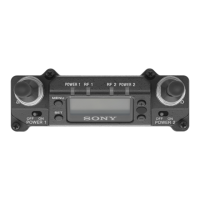
Parts Identification

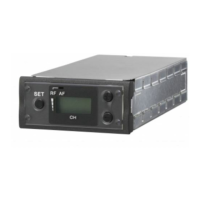
SET button

Button to change and enter display parameters for tuner settings.

Selection buttons (+;-)

Buttons used to set the reception channel and frequency parameters.

Attachment and Installation Procedures

Installing a diversity tuner module (URX-M2)

Details the process of installing the URX-M2 tuner module into compatible Sony units.

Operation

If noise is heard

Provides steps to take when experiencing noise during operation.

Tuner Settings

Setting the reception channel

Step-by-step guide to selecting the correct reception channel for the tuner.

Transmitter Settings

Error Messages

Troubleshooting

Specifications

Summary

Parts Identification

SET button

Button to change and enter display parameters for tuner settings.

Selection buttons (+;-)

Buttons used to set the reception channel and frequency parameters.

Attachment and Installation Procedures

Installing a diversity tuner module (URX-M2)

Details the process of installing the URX-M2 tuner module into compatible Sony units.

Operation

If noise is heard

Provides steps to take when experiencing noise during operation.

Tuner Settings

Setting the reception channel

Step-by-step guide to selecting the correct reception channel for the tuner.

Transmitter Settings

Error Messages

Troubleshooting

Specifications

Sony URX-M2 Specifications

General IconGeneral
Channel Step25 kHz
Antenna InputBNC connector
Frequency Range470 MHz to 960 MHz
Headphone Output3.5 mm mini-jack
Power SupplyBattery or DC power

Related product manuals