16
nN
Getting Started >
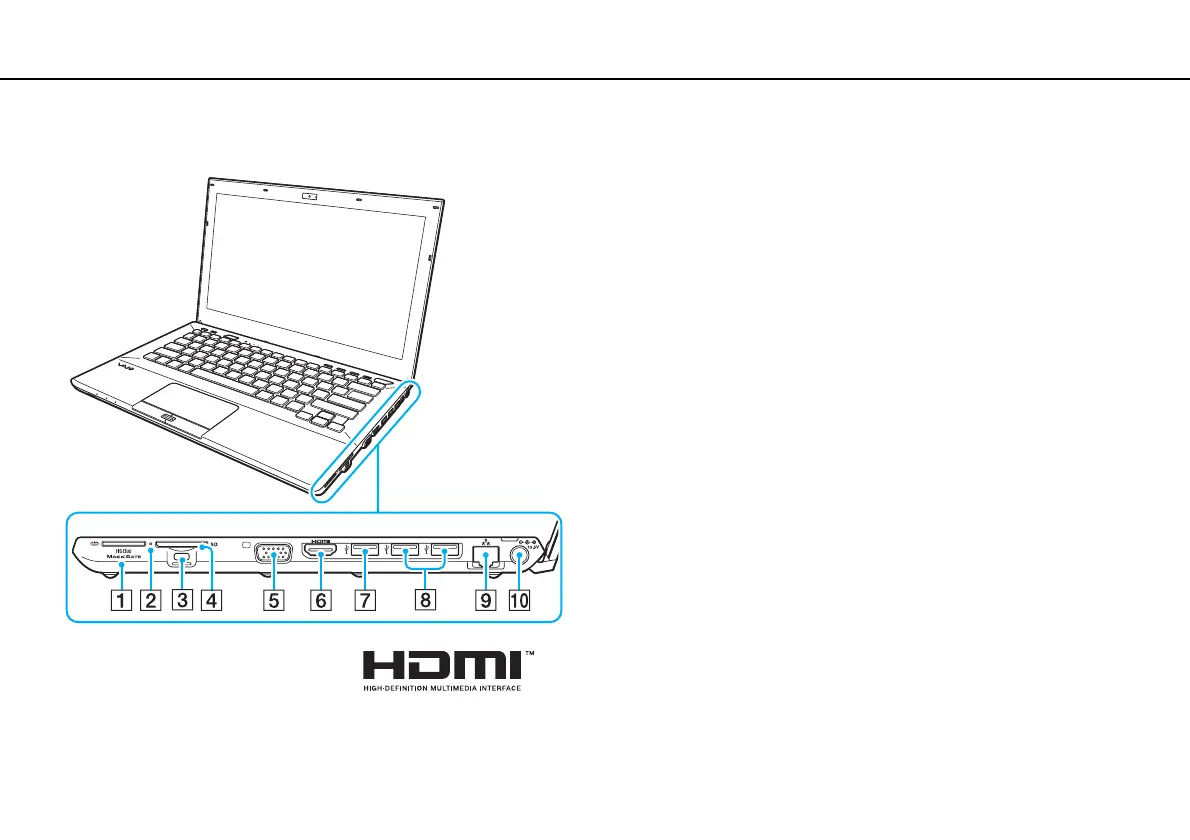
Locating Controls and Ports
Right
A "Memory Stick Duo" slot
*1
(page 55)
B Media Access indicator (page 20)
C Security slot
D SD memory card slot (page 62)
E Monitor port
*2
(page 110)
F HDMI output port
*2
(page 113)
G USB port
*3
(page 119)
H USB ports
*4
(page 119)
I LAN port
*2
(page 67)
J DC IN port
*2
(page 21)
*1
Your computer supports only Duo-size "Memory Stick".
*2
Not accessible when your computer is attached to the port replicator.
*3
Compliant with the USB 2.0/3.0 standards. USB ports that are compliant
with the USB 3.0 standard are identifiable by their blue color.
*4
Compliant with the USB 2.0 standard.







 To Next Page