76
nN
Using Your VAIO Computer >
Using the International Roaming Service
Using the International Roaming Service
To use the international roaming service, you first need to insert a SIM card into the SIM card holder on your computer. Follow
these steps to insert the SIM card.
Some features and options in this section may not be available on your computer.
See the specifications to find out about the configuration of your computer.
To insert a SIM card
1 Turn off your computer.
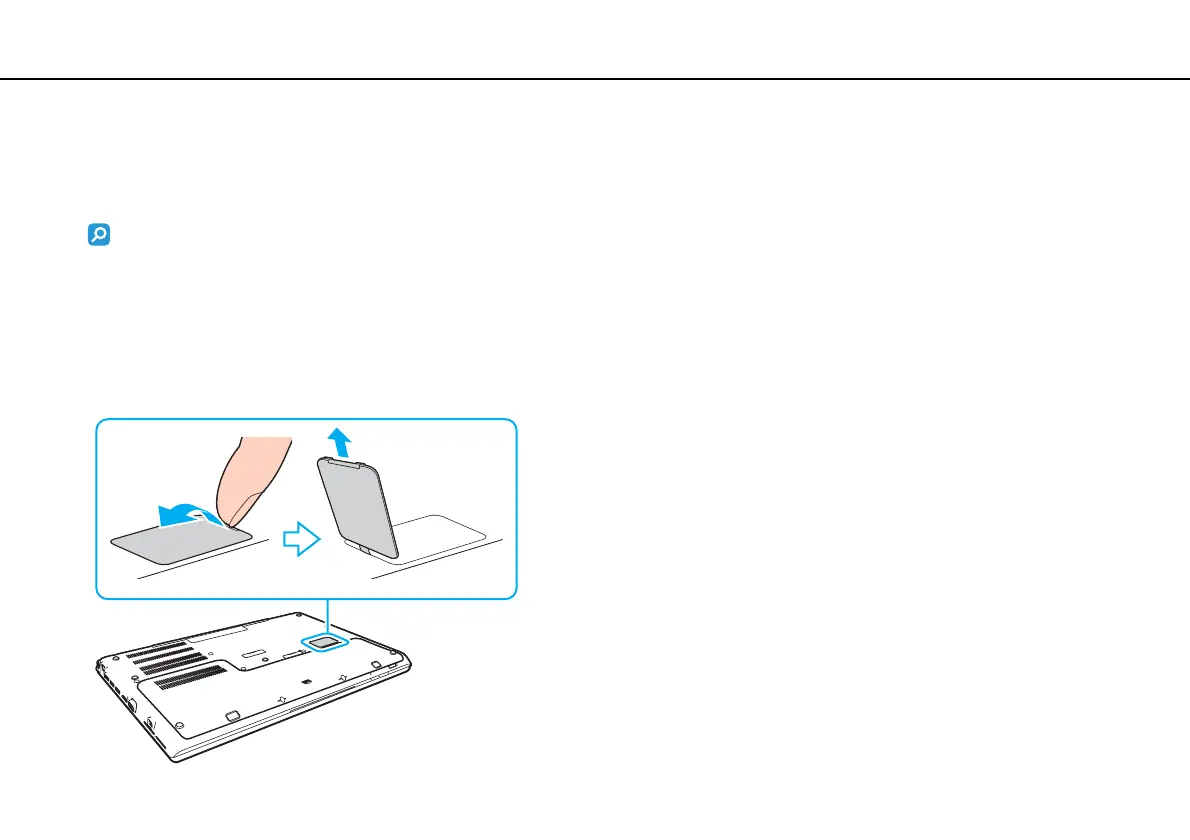
2 Open the SIM card cover on the bottom of the computer.







 To Next Page