25
nN
Getting Started >
Using the Battery Pack
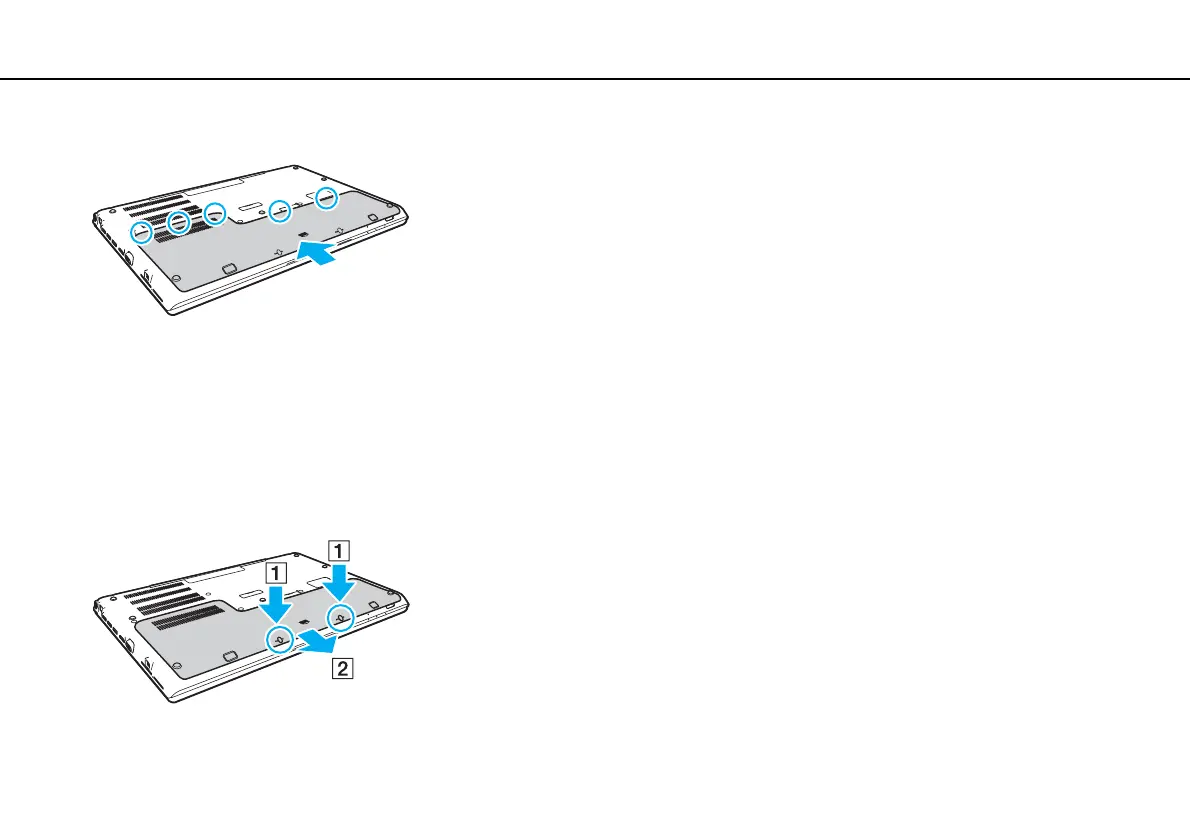
5 Replace the cover. Make sure all the tabs on the cover are slid in place and push the cover in the direction of the arrow.
6 Replace and tighten the removed screws.
To remove the battery pack
!
You will lose all unsaved data if you remove the battery pack while your computer is on and not connected to the AC adapter.
1 Turn off the computer, close the LCD screen lid, and unplug the AC adapter if plugged.
2 Unscrew the two screws (1), slide the bottom cover in the direction of the arrow (2), and remove the cover.
!
Be careful not to lose the removed screws.







 To Next Page