49
nN
Using Your VAIO Computer >
Using the Optical Disc Drive
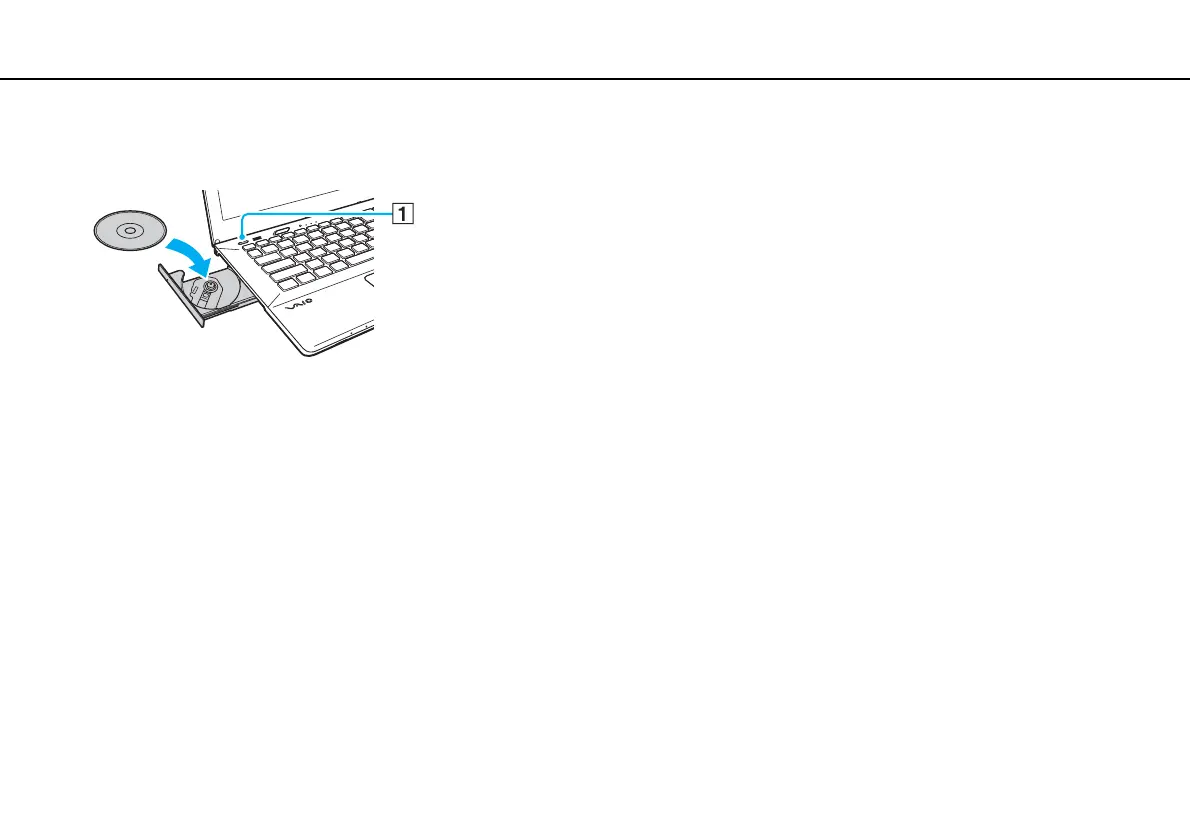
3 Place a disc in the middle of the drive tray with the label side facing upward and gently push it down until the disc clicks
into place.
!
Do not exert pressure on the drive tray. Be sure to hold the bottom of the drive tray when placing/removing a disc onto/from the tray.
4 Close the drive tray by pushing it in gently.
!
Do not remove the optical disc while your computer is in a power saving mode (Sleep or Hibernate). Be sure to bring the computer back into Normal
mode before removing the disc.
You cannot use optical discs if you disable the optical disc drive in the BIOS setup screen. To enable the drive, follow the steps in Disabling Built-in
Devices (page 133).







 To Next Page