2. Preparation: Attaching a Viewfinder
25
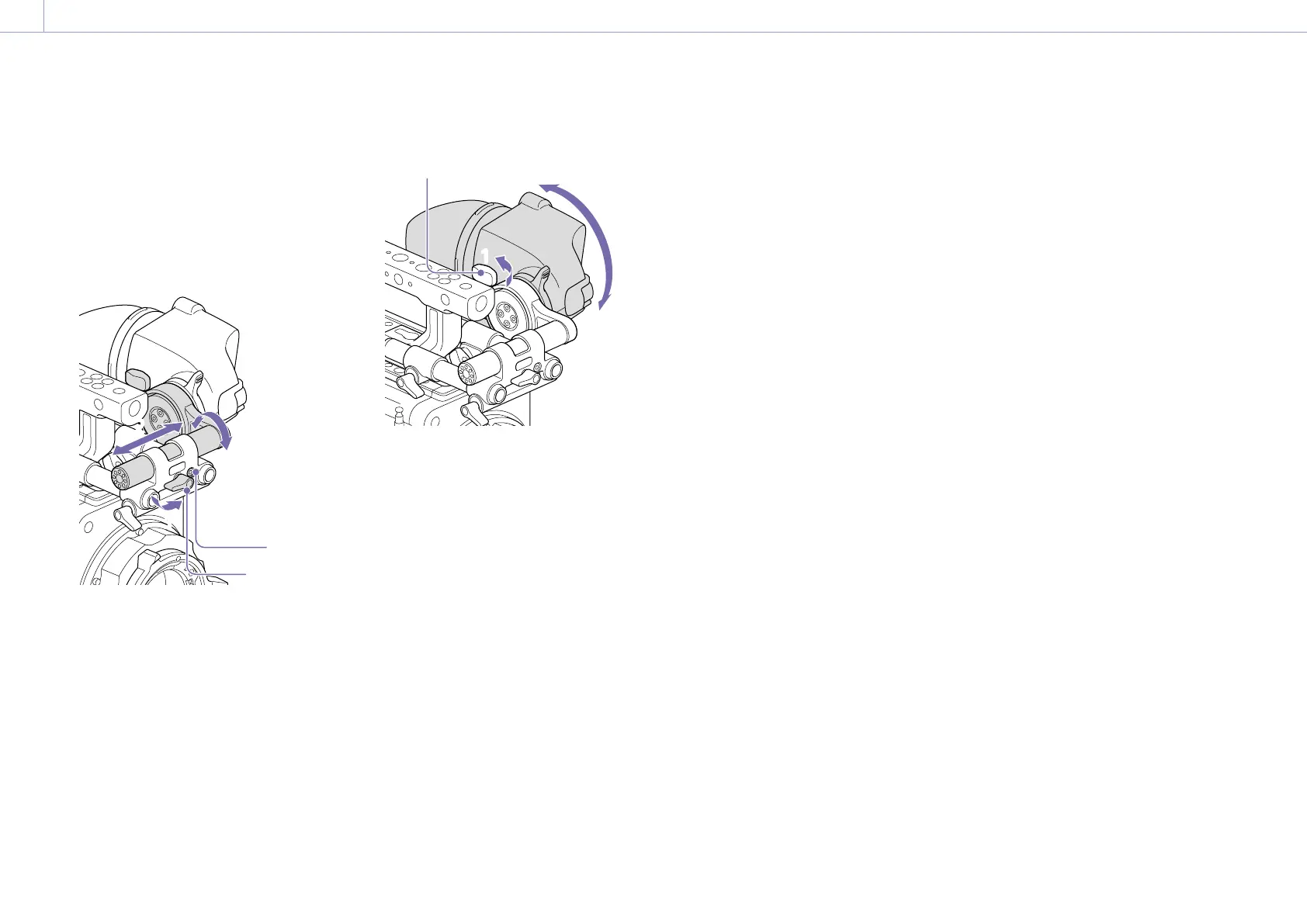
To adjust the left/right position and
height (angle)
1 Loosen the rod lock lever at the front of
the VF attachment.
2 Slide the VF attachment rod left/right and
turn the rod up/down to adjust the
viewfinder position.
11
2
2
2
2
Lock screw
Rod lock
lever
3 Tighten the rod lock lever.
[Note]
When the rod lock lever is loosened, adjust the lock
screw using a hex wrench (3mm) to prevent the
viewfinder from falling down.
To adjust the viewfinder angle
You can adjust the angle of the viewfinder
while shooting.
1 Loosen the rotation lock lever on the
viewfinder mount.
2 Turn the viewfinder up/down to adjust
the angle.
11
2
2
Rotation lock lever
3 Tighten the rotation lock lever.














 To Next Page