84
3. Camera Operations
Audio Menu
The functions and available settings of each menu item are given below.
Default values are shown underlined and in bold text.
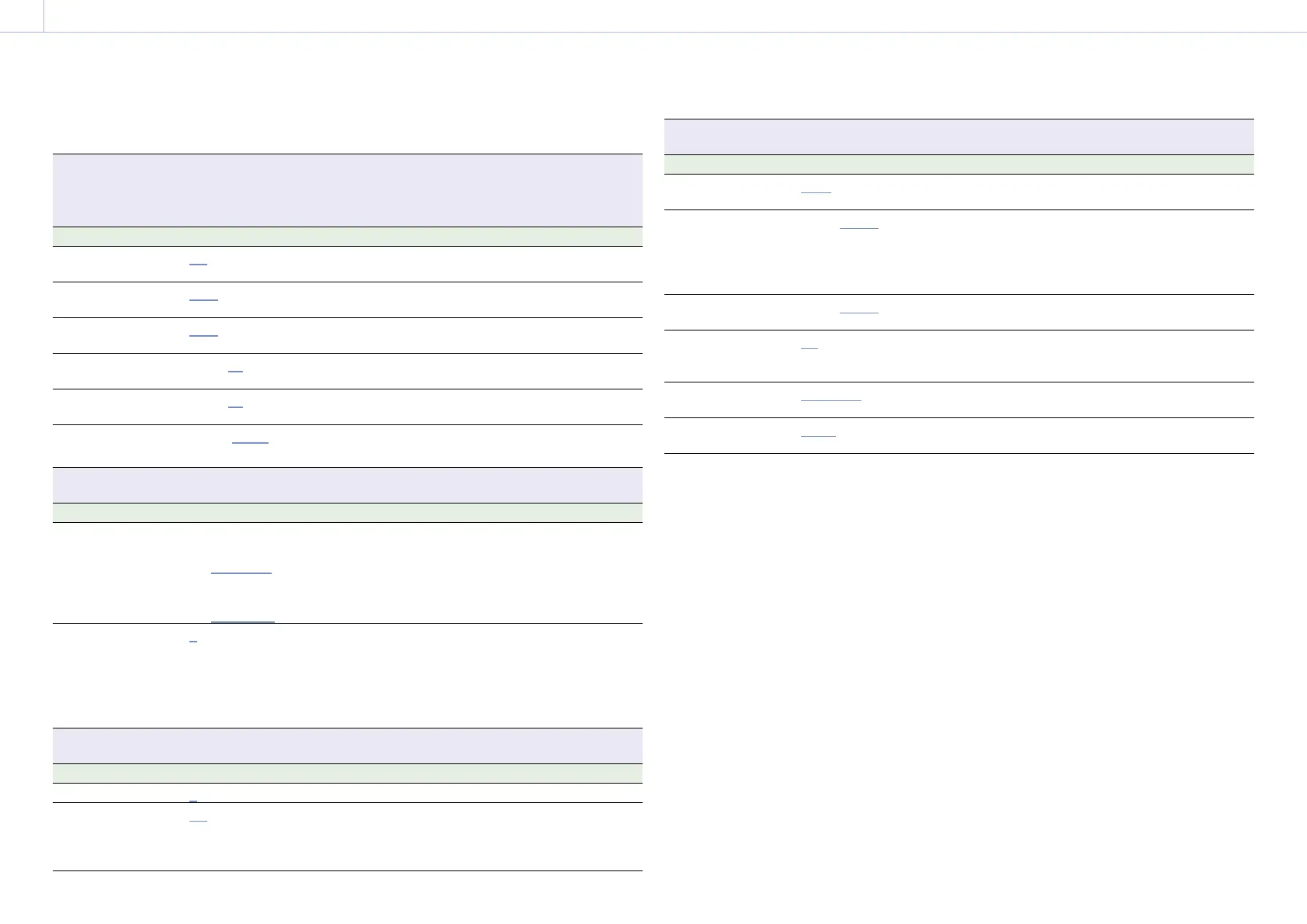
Audio > Audio Input
Makes settings related to audio recording levels.
[Note]
The audio recording level with AES/EBU signal selected is fixed.
Menu item Setting Description
Internal Mic Select
Off / CH-1/CH-2 / CH-3/CH-4 Selects the input channel of the internal
microphone.
XLR Audio L Select
Auto/Manual Automatically adjusts the audio recording
when set to Auto.
XLR Audio R Select
Auto/Manual Automatically adjusts the audio recording
when set to Auto.
XLR Audio L Level
–99 to ±0 to +99 Adjusts the audio recording level when CH-1
Audio Select is set to Manual.
XLR Audio R Level
–99 to ±0 to +99 Adjusts the audio recording level when CH-2
Audio Select is set to Manual.
XLR Mic Reference
–60dB/–50dB/–40dB Selects the reference input level of the
microphone.
Audio > Audio Monitor
Makes settings related to audio monitoring.
Menu item Setting Description
Monitor CH
When Monitor Output CH Pair
is set to CH-1/CH-2
CH-1/CH-2, CH-1, CH-2
When Monitor Output CH Pair
is set to CH-3/CH-4
CH-3/CH-4, CH-3, CH-4
Selects the audio channel that is output to the
headphones and speaker.
CH-1/CH-2 (CH-3/CH-4): Channel 1+2 (Channel
3+4)
CH-1 (CH-3): Channel 1 (Channel 3) only
CH-2 (CH-4): Channel 2 (Channel 4) only
Monitor Level
0 to 99 Adjusts the monitor audio level.
[Note]
If configured such that the internal microphone
captured sound is audible from the built-in speaker,
howling may occur if the monitor volume is
increased.
Audio > Audio Configuration
Makes settings related to audio input/output.
Menu item Setting Description
Alarm Level
0 to 99 Adjusts the alarm audio level.
Input Limiter Mode
Off/–6dB/–9dB/–12dB/
–15dB/–17dB
Selects the limiter characteristic (saturation
level) for large input signals when adjusting
the audio input level manually. Select Off if
not using the limiter.
Audio > Audio Configuration
Makes settings related to audio input/output.
Menu item Setting Description
AGC Level
–6dB/–9dB/–12dB/
–15dB/–17dB
Selects the AGC characteristic (saturation
level).
AGC Mono/Stereo
Mono/Stereo Automatically adjusts the input level of
analog audio signals recorded on channels 1
and 2, and selects whether to make the
adjustments separately for each channel
(Mono) or in stereo mode (Stereo).
MIC Input Mono/
Stereo
Mono/Stereo Selects whether the front microphone is
monaural (Mono) or stereo (Stereo).
Phantom Power
+48V
On/Off Turns the function to supply a +48 V external
source (phantom power) to the microphone
on/off.
Monitor Output CH
Pair
CH-1/CH-2, CH-3/CH-4 Sets the audio output channels to either
channels 1 and 2 or channels 3 and 4.
Headphone Mono/ST
Mono/Stereo Sets the headphones output to monaural
(Mono) or stereo (Stereo).














 To Next Page