50
nN
Using Your VAIO Computer
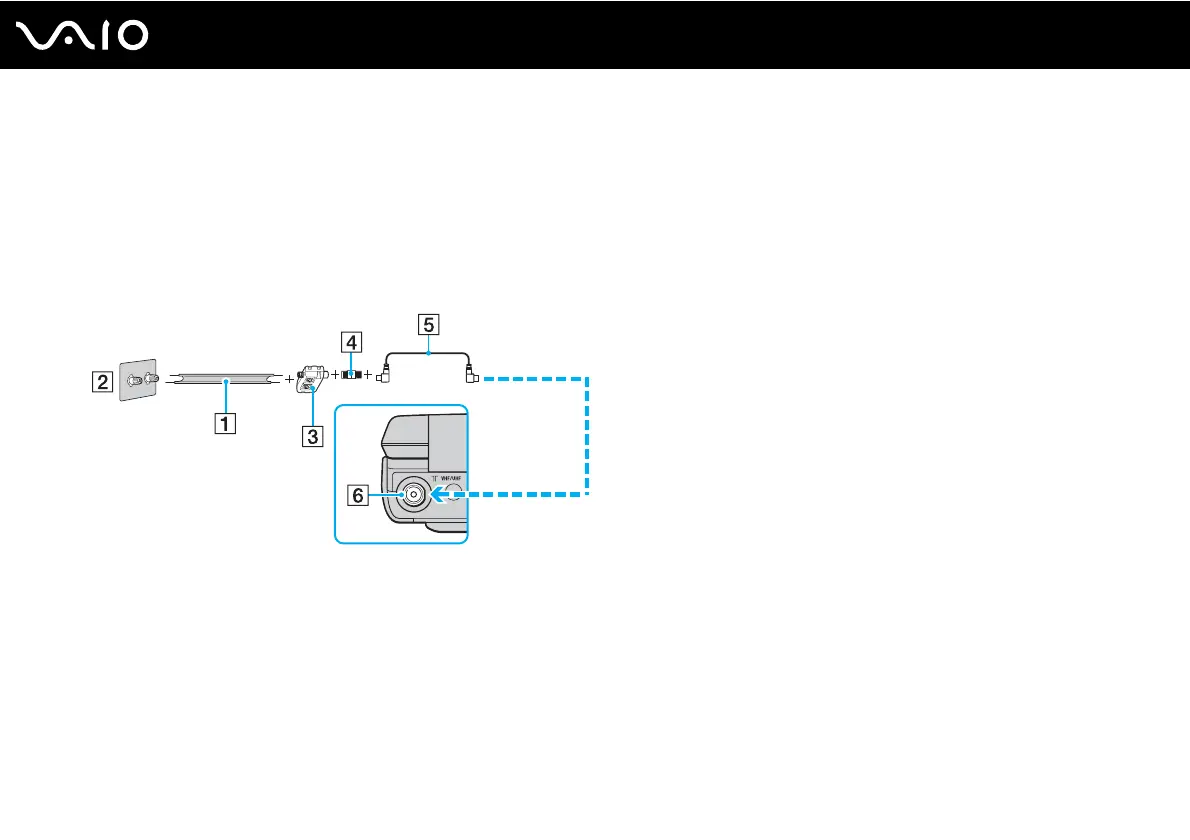
To connect in land-based (terrestrial) broadcasting mode (Option 2)
1 Connect one end of a 300-ohm twin lead cable (1) (not supplied) to the screw-type grips at your antenna outlet (2).
Connect the other end to the grips on a VHF/UHF RF combiner/transformer (3) (not supplied).
2 Connect a coaxial cable feed connector (4) (not supplied) to the VHF/UHF RF combiner/transformer (3).
3 Connect one end of a TV coaxial cable (5) to the feed connector (4). Connect the other end to the VHF/UHF input port
(6) on the computer.



 To Next Page