34
nN
Using Your VAIO Computer >
Using the Optical Disc Drive
Using the Optical Disc Drive
Your computer is equipped with an optical disc drive.
Features and options in this section may not be available on your computer.
See the specifications to find out about the configuration of your computer.
To insert a disc
1 Turn on the computer.
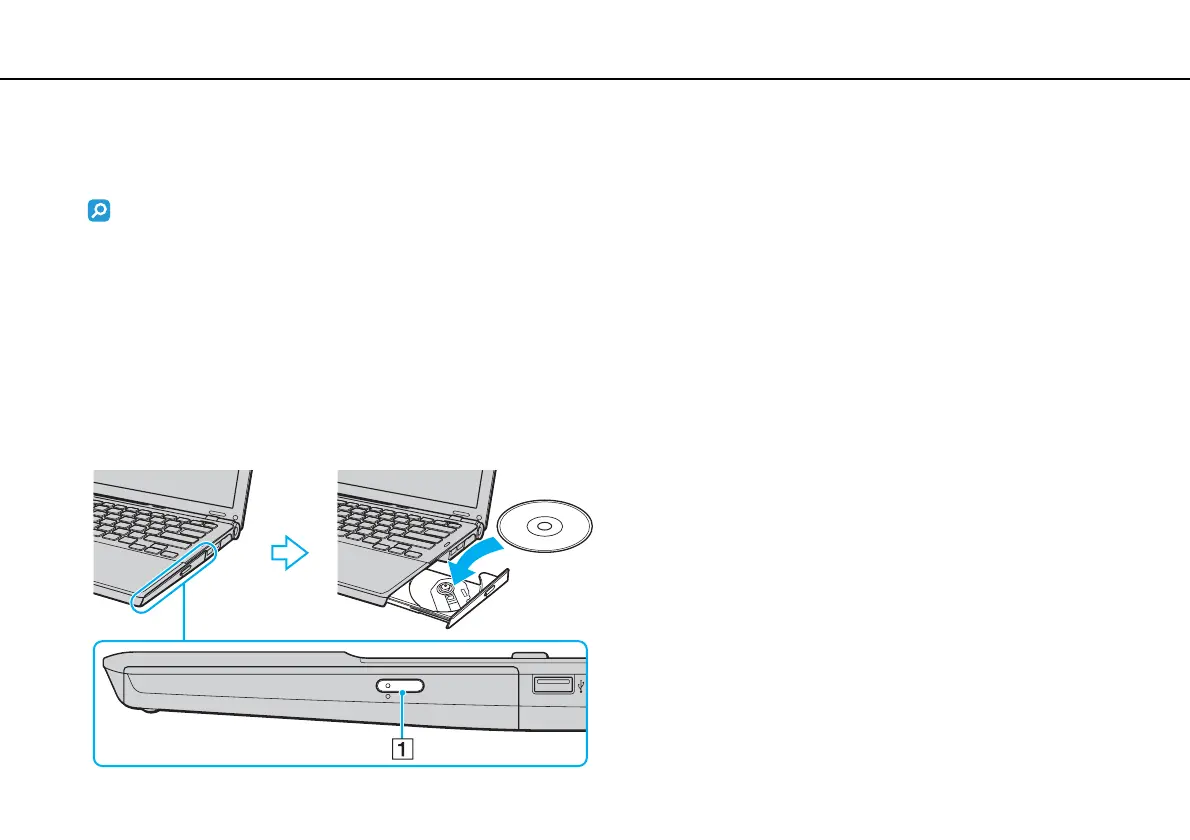
2 Press the drive eject button (1) to open the drive.
The drive tray slides out.
3 Place a disc in the middle of the drive tray with the label side facing upward and gently push it down until the disc clicks
into place.



 To Next Page