84
nN
Using Peripheral Devices >
Connecting a Docking Station
Attaching Your Computer to the Docking Station
!
Be sure to install the battery pack before attaching your computer to the docking station.
To attach your computer to the docking station
!
Use the AC adapter supplied with your computer.
Do not move your computer while it is attached to the docking station. This may detach the docking station and cause damage to both units.
1 Disconnect all peripherals from the computer.
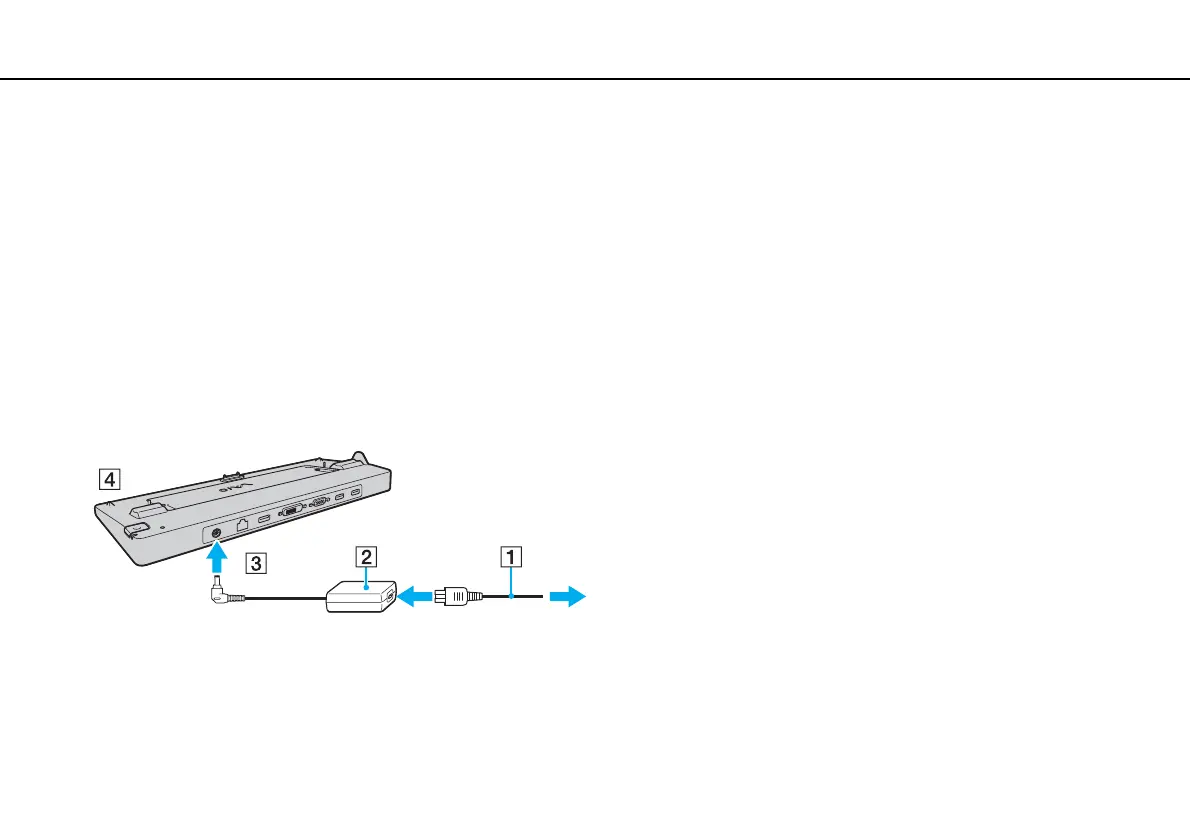
2 Plug one end of the power cord (1) into the AC adapter (2) and the other end into an AC outlet.
3 Plug the cable connected to the AC adapter (2) into the DC IN port (3) on the docking station (4).



 To Next Page