88
nN
Using Peripheral Devices >
Connecting a Docking Station
To disconnect your computer from the docking station
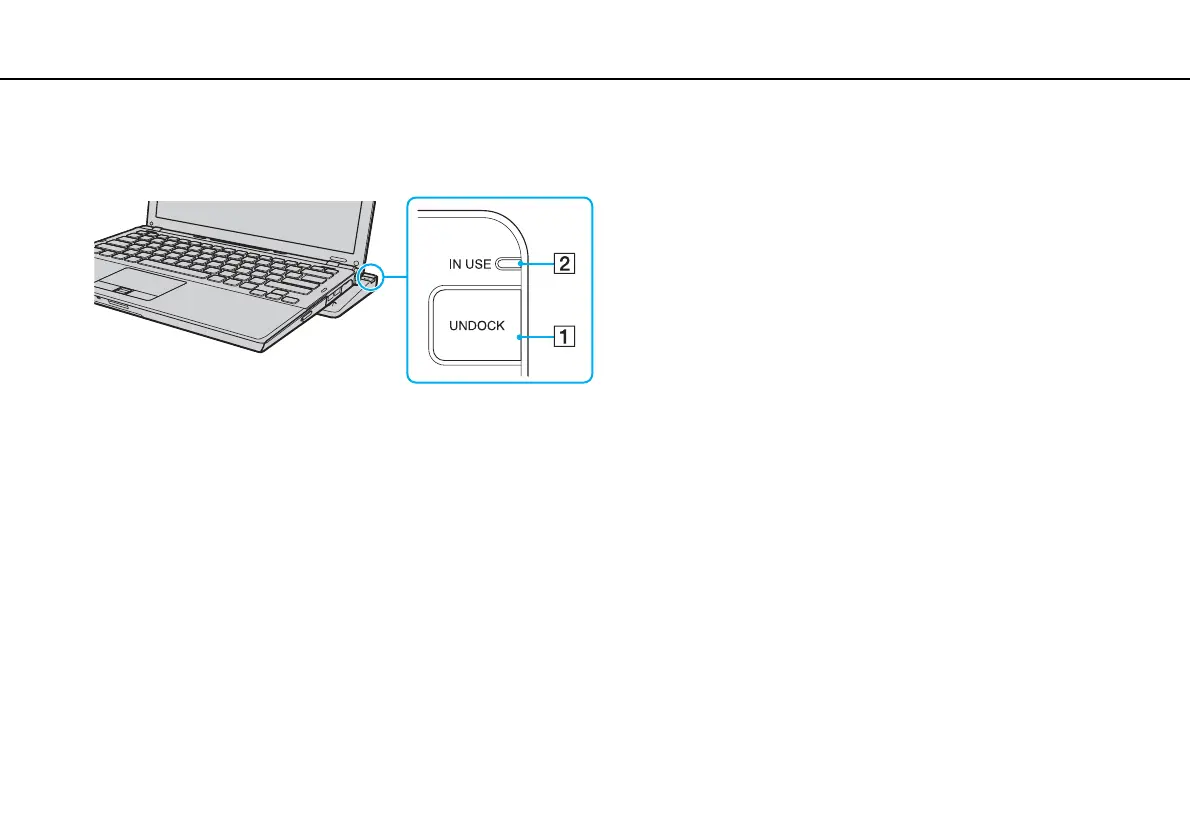
1 Press the UNDOCK button (1) and wait until the IN USE indicator light (2) turns off.
✍
If the IN USE indicator is unlit, you do not have to press the UNDOCK button.
Pressing the UNDOCK button while your computer is in a power saving mode brings the computer to Normal mode first, and then initiates the
disconnection process.



 To Next Page