130
nN
Customizing Your VAIO Computer >
Selecting Performance Modes
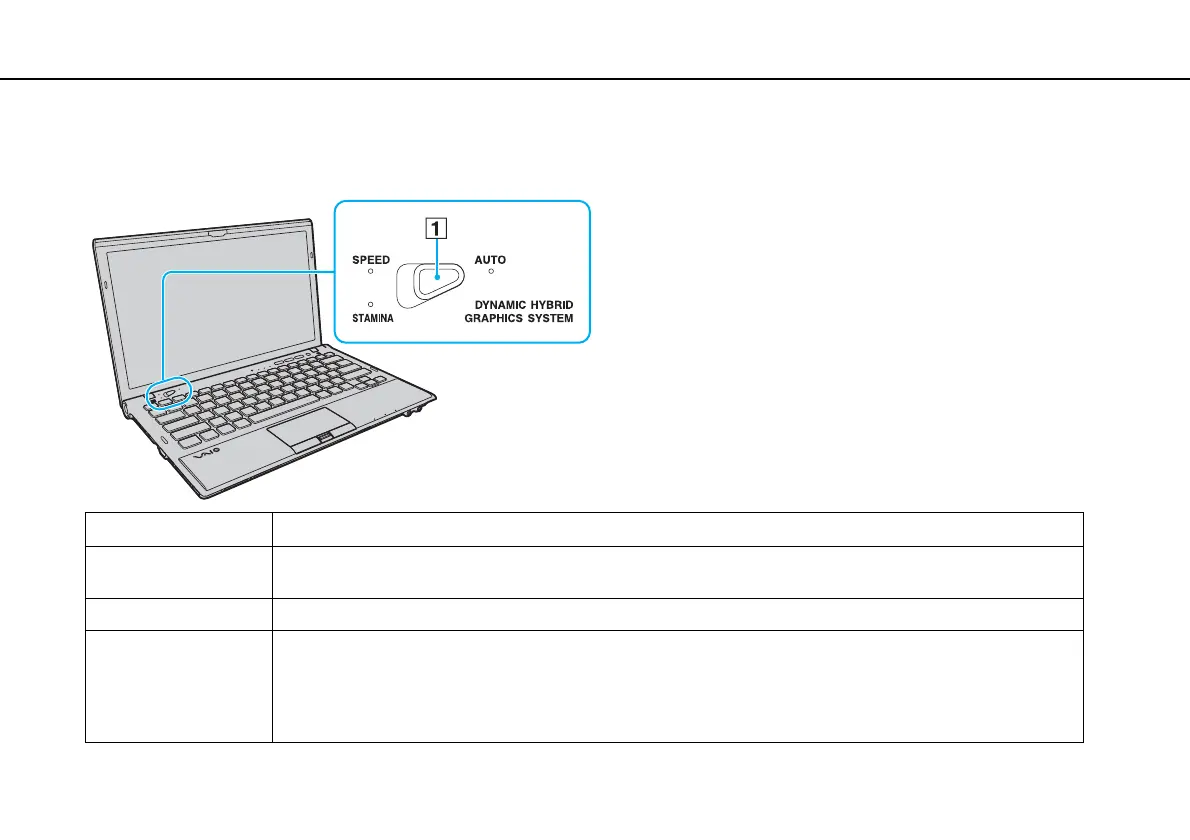
To select a performance mode
Slide the performance selector switch (1) in the direction of your desired mode.
Type of Mode Description
STAMINA mode Uses the Intel Graphics Media Accelerator and disables some hardware devices on your computer to conserve
battery power.
SPEED mode Uses the NVIDIA video controller to provide faster performance.
AUTO mode Automatically selects either STAMINA or SPEED mode to provide optimum performance when:
- The AC adapter is plugged or unplugged.
- An external device is connected to or disconnected from the HDMI output port on your computer or the DVI-D port
on the optional port replicator.
- Your computer is attached to or disconnected from the optional port replicator.








 To Next Page