55
nN
Using Your VAIO Computer >
Using Other Modules / Memory Cards
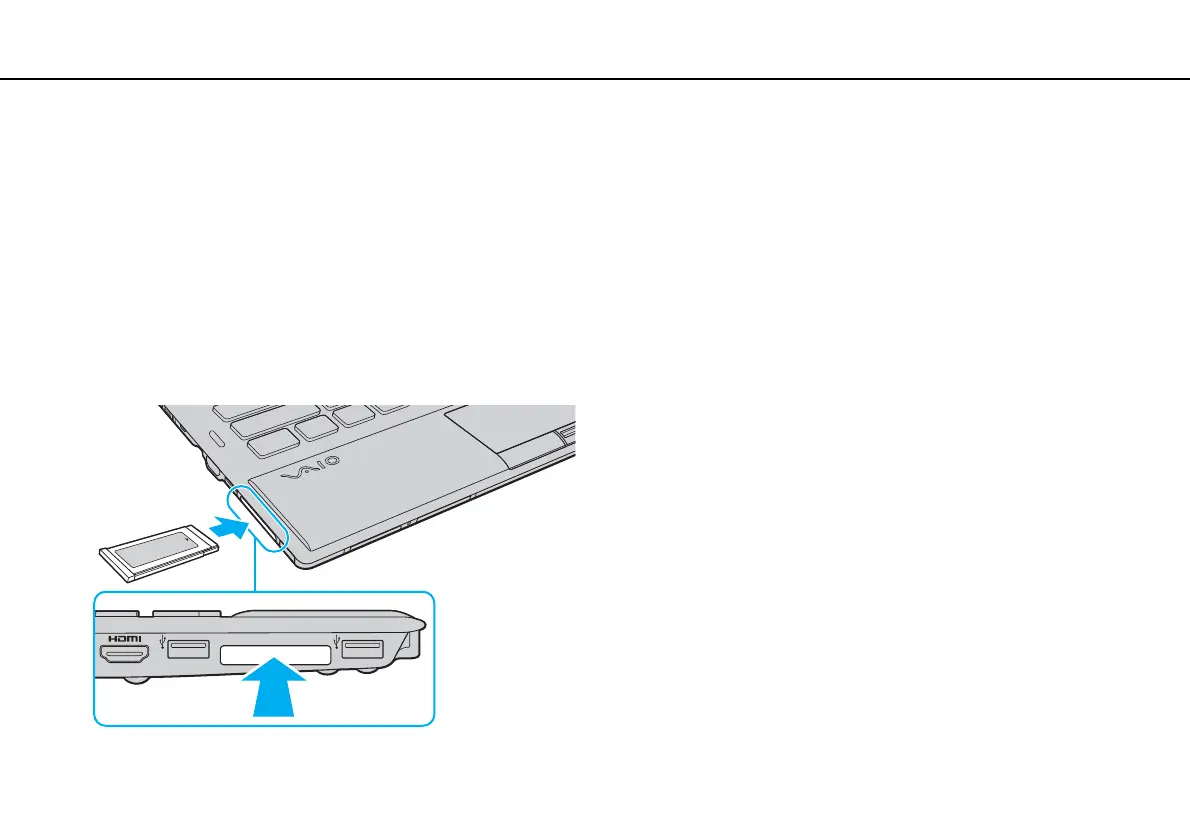
To insert an ExpressCard module
!
Your computer is supplied with a slot protector in the ExpressCard slot. Remove the slot protector before you use the slot.
1 Locate the ExpressCard slot.
2 Push the ExpressCard slot protector so that the protector pops out.
3 Gently take hold of the ExpressCard slot protector and pull it out of the slot.
4 Hold the ExpressCard module with the arrow pointing toward the slot.
5 Carefully slide the ExpressCard module into the slot until it clicks into place.
Do not force it into the slot.








 To Next Page