EasyManua.ls Logo

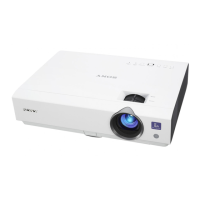
Sony VPL-DS100 - User Manual

Sony VPL-DS100
52 pages
Print Icon
To Next Page IconTo Next Page
Loading...
© 2003 Sony Corporation
4-101-719-11 (1)
Data Projector
Operating Instructions
VPL-DS100

Other manuals for Sony VPL-DS100

Questions and Answers

  • J
    Janet CampbellSep 23, 2025
    What does 'Not applicable!' mean on my Sony VPL-DS100 Projector?
    • K
      Kristy GreerSep 23, 2025
      If your Sony Projector displays the message 'Not applicable!', it means that you have pressed the wrong key. Press the appropriate key.
  • K
    Kelly PaceAug 23, 2025
    What does 'Please replace the LAMP' mean on my Sony VPL-DS100 Projector?
    • D
      Diana WeberAug 25, 2025
      If your Sony Projector displays the message 'Please replace the LAMP', replace the lamp.
  • L
    Lauren CrossAug 25, 2025
    What does 'Please clean the filter' mean on my Sony Projector?
    • A
      Amy WilliamsAug 26, 2025
      If your Sony Projector displays the message 'Please clean the filter', clean the filter.
  • M
    Melissa MonroeAug 27, 2025
    How to fix incorrect color balance or a dark picture on my Sony VPL-DS100 Projector?
    • B
      bauerlisaAug 27, 2025
      To correct the color balance or a dark picture on your Sony Projector, start by adjusting the picture settings. Ensure the projector is set to the correct color system to match the input. Properly adjust the contrast or brightness in the “Adjust Picture...” menu. If the issue persists, the lamp may be burnt out or dim, and you may need to replace it.
  • Q
    qjordanAug 27, 2025
    How to fix strange colors from INPUT A connector on my Sony VPL-DS100 Projector?
    • J
      James ParkAug 27, 2025
      If the picture from the INPUT A connector on your Sony Projector appears to have strange colors, the “Input-A Signal Sel.” setting in the SET SETTING menu is incorrect. Select “Computer,” “Video GBR” or “Component” correctly according to the input signal.
  • W
    wardwilliamSep 16, 2025
    Why does 'Please check Input-A Signal Sel.' appear even with the correct signal from INPUT A on my Sony Projector?
    • T
      Timothy MathisSep 16, 2025
      If the message 'Please check Input-A Signal Sel.' appears on your Sony Projector, even when inputting the correct signal from INPUT A, the “Input-A Signal Sel.” setting in the SET SETTING menu is incorrect. Select “Computer,” “Video GBR” or “Component” correctly according to the input signal.
  • M
    Mark SerranoSep 13, 2025
    Why won't the powered tilt adjuster and lens protector close on my Sony VPL-DS100?
    • A
      Allison SimmonsSep 13, 2025
      If the powered tilt adjuster and the lens protector won't close on your Sony Projector, and the AC power cord was unplugged while the projector was on, reconnect the power cord to the AC outlet and then turn off the projector.
  • M
    Matthew FuentesSep 15, 2025
    What does it mean when my Sony VPL-DS100 Projector says 'Please check Input-A Signal Sel.'?
    • S
      Samantha BrownSep 15, 2025
      The message 'Please check Input-A Signal Sel.' on your Sony Projector indicates that the “Input-A Signal Sel.” setting in the SET SETTING menu is not correctly configured. If you are inputting RGB signal from the computer when “Input-A Signal Sel.” in the SET SETTING menu is set to “Component,” set “Input-A Signal Sel.” correctly.
  • A
    Amber WallsSep 5, 2025
    Why is the picture not clear on my Sony VPL-DS100?
    • A
      Angela WadeSep 6, 2025
      If the picture on your Sony Projector is not clear, first adjust the focus. If that doesn't work, condensation may have occurred on the lens. Leave the projector on for about two hours to resolve this.
  • J
    Jessica RobertsSep 3, 2025
    What does it mean when the LAMP/COVER indicator lights up on my Sony VPL-DS100?
    • J
      Joel MasonSep 3, 2025
      When the LAMP/COVER indicator lights up on your Sony Projector, it could mean that the lamp has reached the end of its life and needs to be replaced. Alternatively, the lamp may be overheating. In this case, wait for 90 seconds to allow the lamp to cool down before turning the power back on.

Sony VPL-DS100 Specifications

Optical IconOptical
projection system3 LCD panels, 1 lens projection system
panel0.62-inch TFT LCD 1, 440, 000 pixels (480, 000 pixels x 3)
projection lens1.2 times F2.2 to 2.4 f18.0 to 21.6mm
light output1200ANSI lm (lamp mode high)
Screen Coverage IconScreen Coverage
screen coverage40'' to 150'' (measured diagonally)
throwing distance 40-inch1.1 to 1.4 m (3.6 to 4.6 feet)
throwing distance 60-inch1.7 to 2.1 m (5.6 to 6.9 feet)
throwing distance 80-inch2.3 to 2.8 m (7.5 to 9.2 feet)
throwing distance 100-inch2.9 to 3.5 m (9.5 to 11.5 feet)
throwing distance 120-inch3.5 to 4.2 m (11.5 to 13.8 feet)
throwing distance 150-inch4.4 to 5.3 m (14.4 to 17.4 feet)
Power IconPower
power requirementsAC 100 to 240 V, 50/60 Hz
power consumption max250 W
standby power consumption4.6 W
Operating Environment IconOperating Environment
operating temperature0 to 35 degrees Celsius (32 to 95 F)
operating humidity35% to 85% (no condensation)
heat dissipation853.1BTU
Input and Connectivity IconInput and Connectivity
input RGB/ComponentAnalog RGB (HD D-sub 15 pin x 1)
input S-VideoS-Video (Mini DIN 4pin x 1)
input compositeComposite video (RCA pin x 1)
Weight and Dimensions IconWeight and Dimensions
dimension (WxHxD) inch11 [5]/8 x 3 [1]/8 x 9 [3]/8
dimension (WxHxD) mm295 x 78 x 238
weight lbApprox. 6 lbs., 3 oz.
weight kgApprox. 2.8 kg

Related product manuals