32
Cleaning the Air Filter
Cleaning the Air Filter
When a message appears on the projected image, clean the air filter (page 27).
If the dust cannot be removed from the air filter even after cleaning, replace the air filter with
a new one.
For details on a new air filter, consult with qualified Sony personnel.
If you neglect to clean the air filter, dust may accumulate, clogging it. As a result, the
temperature may rise inside the unit, leading to a possible malfunction or fire.
1 Turn off the projector, and disconnect
the AC power cord from the AC outlet.
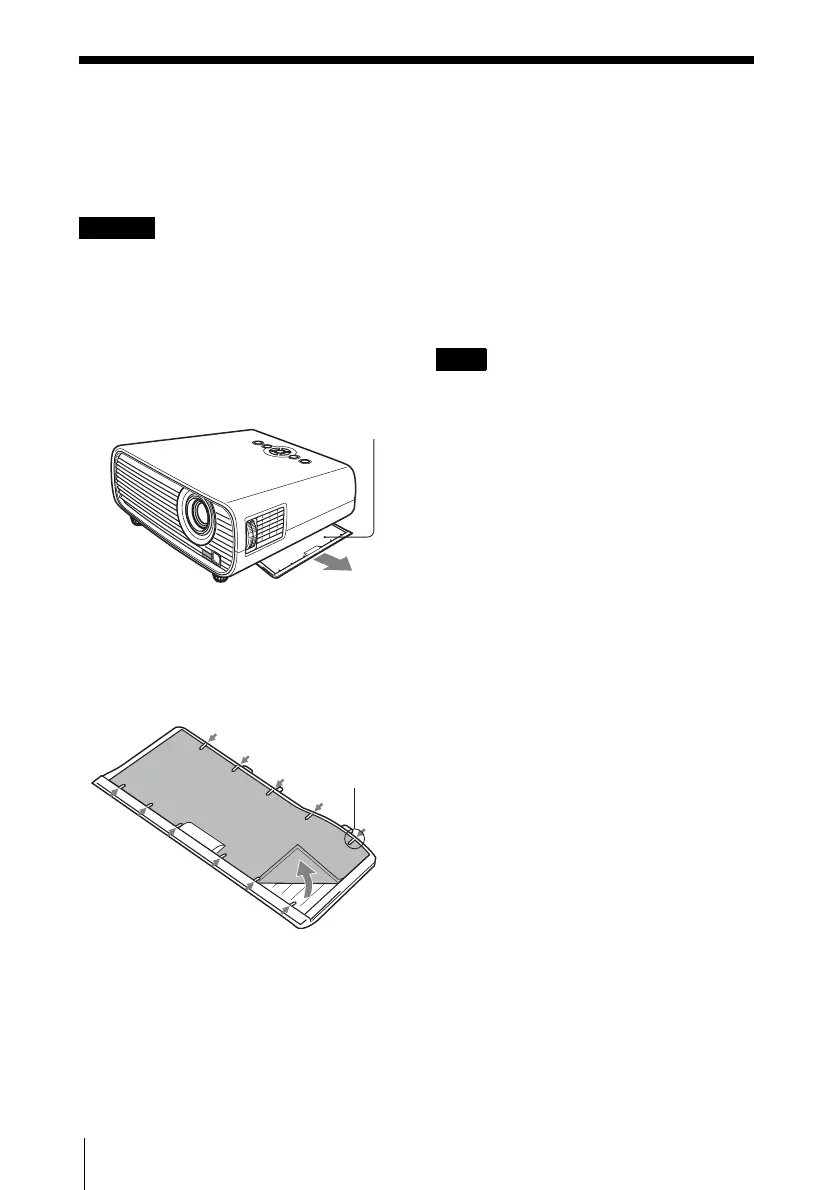
2 Draw out the air filter cover.
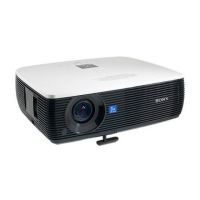
3 Clean the air filter with a vacuum
cleaner.
Remove the air filter as illustrated below
then clean with the vacuum cleaner.
4 Attach the air filter cover to the unit.
Be sure to attach the air filter cover firmly.
Incorrect attachment of the cover may cause a
malfunction.
Caution
Air filter
Claws
Note




 To Next Page