5
GB
Projecting
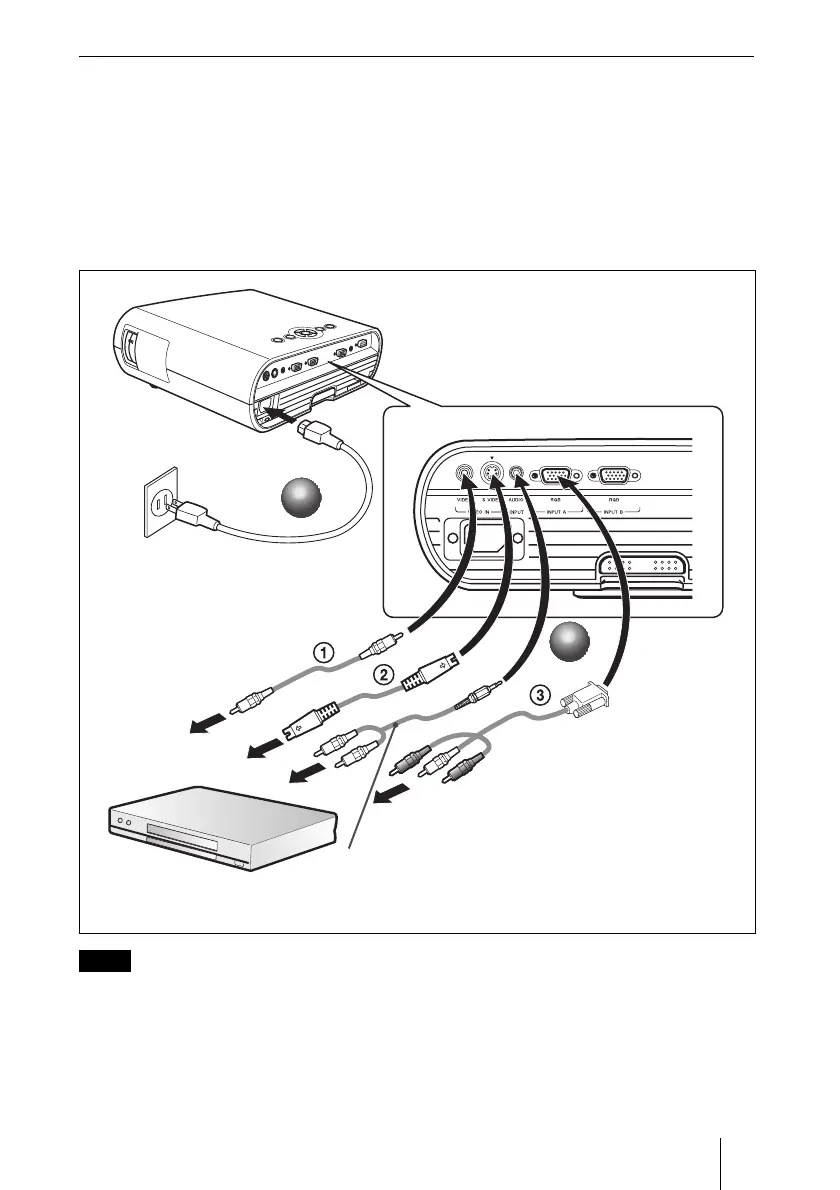
To connect a VCR/DVD player
a Plug the AC power cord into a wall outlet.
b Connect the projector to a video equipment.
For video signal connections, the following three connecting options are available:
1 Composite video (phono) cable (not supplied)
2 S video (Mini DIN 4-pin) cable (not supplied)
3 Component (phono
× 3) cable (not supplied)
For stereo audio connection, connect the stereo audio connecting cable to the AUDIO INPUT connector.
1
1
2
2
VPL-EX70
Stereo audio connecting cable
(not supplied)
(Use a no-resistance cable.)
Note



 To Next Page