7
GB
Projecting
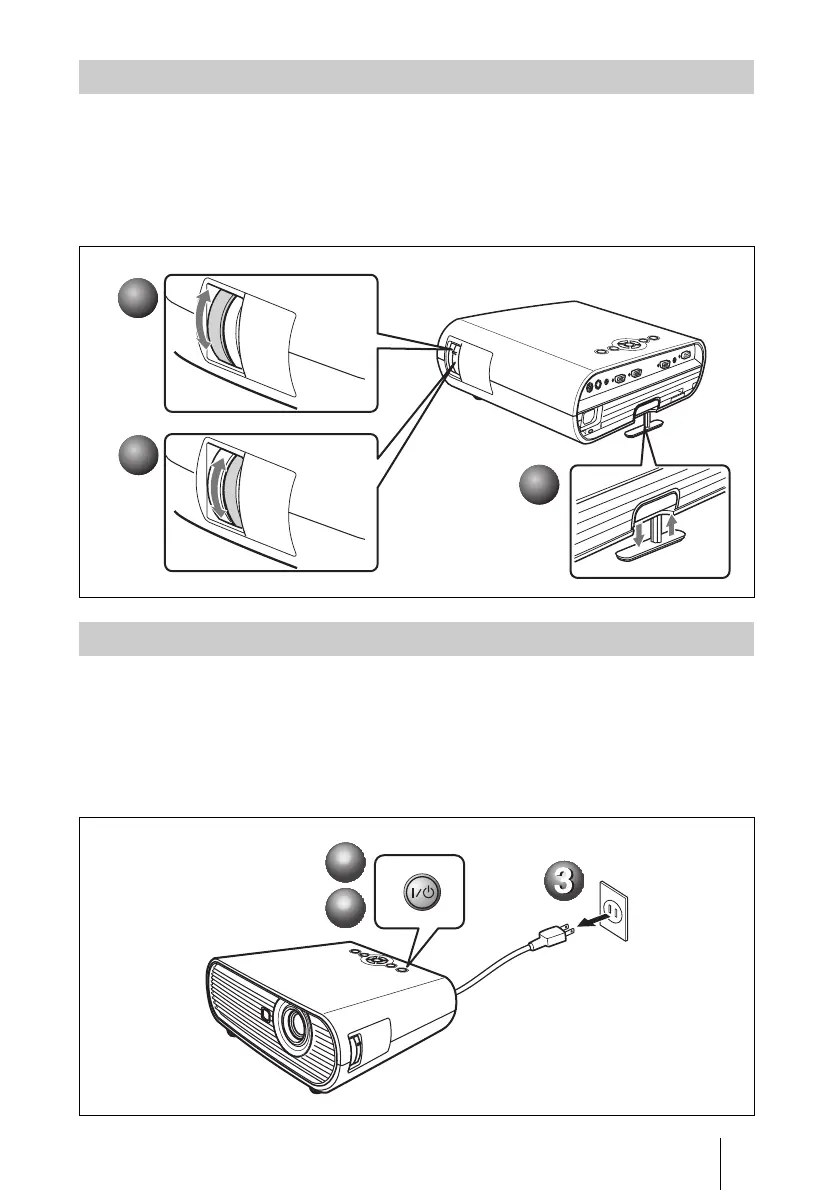
a Adjust the position of the picture.
b Adjust the size of the picture.
c Adjust the focus.
The projector is equipped with the Picture menu to select the picture mode, and the
Screen menu to select the appropriate aspect ratio of the picture.
a Press the ?/1 (on/standby) key.
b When a message appears, press the ?/1 (on/standby) key again.
c Unplug the AC power cord from the wall outlet after the fan stops running
and the ?/1 (on/standby) key lights in red. (Except when using the Direct
Power On/Off function or the Off & Go function.)
Adjusting the Projector
1
1
2
2
3
3
Turning off the Power
1
1
2
2



 To Next Page