EasyManua.ls Logo

Sony VPL-FX52L - User Manual

Sony VPL-FX52L
128 pages
Print Icon
To Next Page IconTo Next Page
Loading...
DATA PROJECTOR
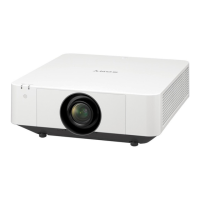
VPL-FX52
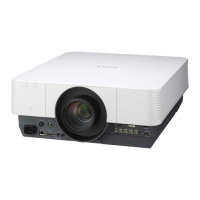
VPL-FX52L
SERVICE MANUAL
1st Edition (Revised 1)

Other manuals for Sony VPL-FX52L

Questions and Answers

  • S
    sean53Aug 7, 2025
    Why does my Sony Projector have no picture?
    • A
      Angela TurnerAug 7, 2025
      If your Sony Projector displays no picture, several factors could be responsible: * A disconnected or wrongly connected cable. Ensure all connections are correctly made. * An incorrect input selection. Use the INPUT key to select the correct source. * Picture muting is activated. Press the PIC MUTING key to deactivate it. * The computer signal isn't set to output to an external monitor. Configure the computer signal to output only to an external monitor. * The signal is input from the computer to the INPUT C connector. Disable the DDC function on your computer.
  • P
    pattonronaldAug 11, 2025
    How to fix a Sony Projector that is not turning on?
    • S
      sandersterriAug 11, 2025
      If your Sony Projector isn't powering on, consider these potential causes: * The projector was recently turned off and on too quickly. Wait approximately 60 seconds before attempting to power it on again. * The lamp cover might be detached. Ensure the lamp cover is securely closed. * The air filter cover could be detached. Make sure the air filter cover is properly closed.
  • K
    Kathy GallagherAug 15, 2025
    How to make the picture clearer on my Sony VPL-FX52L Projector?
    • J
      Jeffrey WoodAug 15, 2025
      If the picture on your Sony Projector is not clear, it could be due to the following reasons: * The picture is out of focus. Try adjusting the focus. * Condensation has formed on the lens. Leave the projector powered on for about two hours to resolve this.
  • J
    John SheltonAug 19, 2025
    What to do if the image extends beyond the screen on my Sony VPL-FX52L Projector?
    • W
      Wendy BoydAug 20, 2025
      If the image from your Sony Projector extends beyond the screen, it might be due to: * The APA key was pressed when black edges were present. Display the full image on the screen and then press the APA key. * Incorrect Shift settings. Adjust Shift in the INPUT SETTING menu properly.
  • S
    Steven WolfAug 25, 2025
    Why is the picture on my Sony Projector noisy?
    • M
      Michael SilvaAug 25, 2025
      The picture on your Sony Projector might appear noisy due to the combination of the number of dot inputs from the connector and the number of pixels on the LCD panel. To resolve this, try changing the desktop pattern on the connected computer.
  • A
    Andrew ScottAug 28, 2025
    How to stop my Sony VPL-FX52L picture from flickering?
    • M
      melissa91Aug 29, 2025
      If the picture on your Sony Projector is flickering, it could be that the Dot Phase in the INPUT SETTING menu has not been adjusted properly. You should adjust the Dot Phase in the INPUT SETTING menu.
  • L
    Laura DoyleSep 1, 2025
    Why is the picture from INPUT C connector colored strange on my Sony VPL-FX52L Projector?
    • E
      eatonashleySep 2, 2025
      If the picture from the INPUT C connector on your Sony Projector appears strangely colored, the setting for Input-C Signal Sel. in the SET SETTING menu might be incorrect. Select Computer, Video GBR, or Component for Input-C Signal Sel. in the SET SETTING menu according to the input signal.

Sony VPL-FX52L Specifications

General IconGeneral
Contrast Ratio2000:1
Display Type3LCD
Brightness5200 lumens
Resolution1024 x 768 (XGA)
Video Modes720p, 1080p, 480p
Projection Size30 to 300 inches
Lamp TypeUHP
InputsHDMI, VGA, Composite

Related product manuals