EasyManua.ls Logo

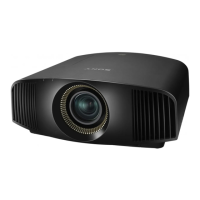
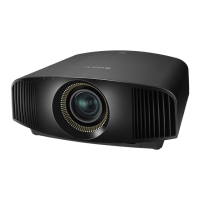
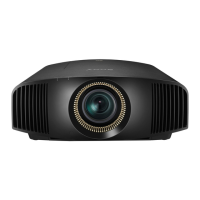
Sony VPL-VW60 Operating Instructions (VPL-VW60) - User Manual

Sony VPL-VW60 Operating Instructions (VPL-VW60)
80 pages
Print Icon
To Next Page IconTo Next Page
Loading...
Operating Instructions
VPL-VW60
© 2007 Sony Corporation
3-218-492-12 (1)
Video Projector

Questions and Answers

  • C
    Cory SchultzSep 23, 2025
    What does it mean if the ON/STANDBY light on my Sony VPL-VW60 Operating Instructions (VPL-VW60) flashes red (6 flashes)?
    • J
      Jessica GrantSep 23, 2025
      If the ON/STANDBY indicator on your Sony Projector flashes red with a repetition rate of 6 flashes, press the I/1 (ON/STANDBY) switch to turn on the projector. If the power does not turn on, disconnect the AC power cord, then confirm the ON/STANDBY lamp is turned off. After about 10 seconds, reconnect the AC power cord and turn on the power again. If the indicators still light up, the electrical system has a problem. Consult with qualified Sony personnel.
  • J
    Joseph HartAug 23, 2025
    What does 'Please clean the filter.' mean on my Sony VPL-VW60 Operating Instructions (VPL-VW60) Projector?
    • K
      kimberlyroachAug 23, 2025
      If your Sony Projector displays the message 'Please clean the filter.', it is time to clean the air filter.
  • E
    Erika AllenAug 25, 2025
    What to do if my Sony Projector shows no picture?
    • K
      Kimberly LyonsAug 25, 2025
      If your Sony Projector displays no picture, check the following: Ensure all connections are properly made. Select the correct input source using the INPUT button. If using a computer, set the computer signal to output from an external monitor, or to output only to an external monitor. Also, select “Computer,” “Component” or “Video GBR” for “Input-A Signal Sel.” on the Setup menu according to the input signal.
  • C
    Carol CooperAug 26, 2025
    What to do if my Sony Projector picture is too dark?
    • L
      Linda DavisAug 26, 2025
      If the picture on your Sony Projector is too dark, adjust the “Contrast” or “Brightness” in the Picture menu.
  • B
    Bruce CollinsAug 27, 2025
    Why is my Sony Projector picture not clear?
    • R
      Rebecca AdamsAug 27, 2025
      If the picture on your Sony Projector is not clear, try adjusting the focus. Additionally, condensation may have accumulated on the lens; if so, leave the projector on for about two hours to allow the condensation to dissipate.
  • T
    thomasjosephSep 18, 2025
    What to do if the on-screen display does not appear on my Sony Projector?
    • P
      Patricia LeSep 18, 2025
      If the on-screen display does not appear on your Sony Projector, set “Status” in the Setup menu to “On.” Also, check if the ?/1 (ON/STANDBY) indicator should light in green.
  • H
    Heather WellsSep 15, 2025
    What does 'High temp.! Lamp off in 1 min.' mean on my Sony VPL-VW60 Operating Instructions (VPL-VW60) Projector?
    • C
      Cathy GrimesSep 15, 2025
      If your Sony Projector displays the message 'High temp.! Lamp off in 1 min.', turn off the power immediately. Also, check to ensure that nothing is blocking the ventilation holes.
  • J
    Jeffrey OneillSep 16, 2025
    What does 'Please clean the filter. Have you finished? Yes No' mean on my Sony VPL-VW60 Operating Instructions (VPL-VW60) Projector?
    • H
      Hector SchaeferSep 17, 2025
      If your Sony Projector displays the message 'Please clean the filter. Have you finished? Yes No', it is time to clean the air filter. If you cleaned the air filter, select “Yes.” If you did not clean the air filter, select “No.”
  • M
    medwardsSep 6, 2025
    What to do if my Sony VPL-VW60 Operating Instructions (VPL-VW60) remote control does not work?
    • T
      Tasha WalkerSep 6, 2025
      If the remote control for your Sony Projector isn't working, consider these solutions: * The batteries might be weak; replace them with new ones. * Ensure the batteries are inserted with the correct polarities. * In the Installation menu, set “IR Receiver” to “Front & Rear.” * If a fluorescent lamp is near the remote control detector, it may cause interference. Try changing the setting of “IR Receiver” in the Installation menu.
  • K
    Kimberly SimsSep 3, 2025
    What does 'Please replace the Lamp/ Filter.' mean on my Sony Projector?
    • J
      johnsongarySep 3, 2025
      If your Sony Projector displays the message 'Please replace the Lamp/ Filter.', it is time to replace the lamp and the air filter. Restart cleaning the Ventilation holes (intake). If the message reappears after replacement, double-check the lamp replacement process.

Summary

Safety and Warnings

General Safety Precautions

Covers fire, shock risks, symbol meanings, and environmental disposal.

Declaration of Conformity and FCC Compliance

Details FCC compliance, testing, and operational conditions for the device.

Disposal and Trademarks

Used Lamp Disposal Guidelines

Guidelines for proper disposal of the projector lamp.

Trademark Information

Lists trademarks associated with the product.

Regional Compliance Notices

Customer Notices by Region

Compliance information for customers in Canada, Netherlands, EU, and Taiwan.

Precautions

On Safety

Covers safe usage practices including voltage, liquid spills, and handling.

Preventing Internal Heat Build-up

Advice on proper ventilation and cooling to prevent overheating.

On Repacking

Instructions on how to repack the projector for shipping or storage.

Location of Controls

Projector Controls Overview

Details physical controls on the projector's front and right side.

Rear and Bottom Features

Describes ports and features located on the projector's rear and bottom.

Remote Control Layout

Details the buttons and functions of the projector's remote control.

Connections and Preparations

Unpacking and Initial Setup

Guide to unpacking the projector and inserting batteries into the remote control.

Projector Installation Guidelines

Advice on suitable installation locations, ventilation, and environmental factors.

Connecting Video Equipment

Instructions for connecting video sources via component, HDMI, S-Video, and composite inputs.

Connecting to a Computer

Guide to connecting a computer using HDMI or VGA cables.

Picture Position and Size Adjustment

Explains how to adjust picture position using lens shift and projector controls.

Menu Language Selection

Steps to select the desired language for on-screen menus.

Projecting the Picture

Projecting the Image

How to power on the projector and select the input source for display.

Turning Off the Projector

Step-by-step procedure for safely shutting down the projector.

Wide Screen Mode Selection

Explains various wide screen modes for aspect ratio adjustment.

Picture Viewing Mode Selection

Guide to selecting preset picture modes like Dynamic, Cinema, and User.

Adjusting Picture Quality

Covers direct adjustments for color, brightness, contrast, and sharpness via remote.

Real Color Processing (RCP)

Adjusts color and hue independently for specific color targets in the projected image.

Using ImageDirector3 Software

Instructions for using supplied software for advanced picture tuning.

Using the Menus

On-Screen Menu Navigation

Explains how to access and navigate the projector's on-screen menus.

Picture Menu Settings

Details options within the Picture menu for image quality adjustments.

Screen Menu Settings

Settings for screen area, aspect ratio, and signal adjustment.

Setup Menu Settings

Configuration options for system settings like language, cooling, and power saving.

Function Menu Settings

Settings for HDMI Control, Auto Input Search, Test Pattern, and Background.

Installation Menu Settings

Settings related to projector installation, such as V Keystone and Lens Control.

Information Menu Display

Displays model name, signal frequency, and lamp usage hours.

Maintenance and Troubleshooting

HDMI Control Functionality

Explains HDMI Control for synchronized operation with compatible equipment.

Troubleshooting Common Issues

Provides solutions for common power and picture problems.

Warning Indicators and Messages

Explains status lights and on-screen warning messages.

Lamp and Air Filter Replacement

Procedures for replacing the projector lamp and air filter.

Cleaning the Air Filter

Procedures for cleaning the air filter to maintain projector performance.

Technical Specifications

Lists detailed technical specifications of the projector.

Preset Signal Compatibility

Table showing supported preset video signals and frequencies.

Adjustable Items by Input Signal

Indicates which menu items are adjustable based on the input signal type.

Ceiling Installation Guide

Instructions and measurements for installing the projector on a ceiling.

Horizontal Picture Position Adjustment

Guide to fine-tuning horizontal picture alignment using lens adjustment.

Sony VPL-VW60 Operating Instructions (VPL-VW60) Specifications

General IconGeneral
Device TypeProjector
ModelVPL-VW60
Display TypeSXRD
Native Resolution1920 x 1080
Contrast RatioUp to 35, 000:1
Lamp Type200W UHP
Lens1.8x zoom lens
Noise Level22 dB
Weight11 kg
InputsHDMI x2, Component, S-Video, Composite

Related product manuals