19
Basic Operations
Shooting images easily (Auto adjustment mode)
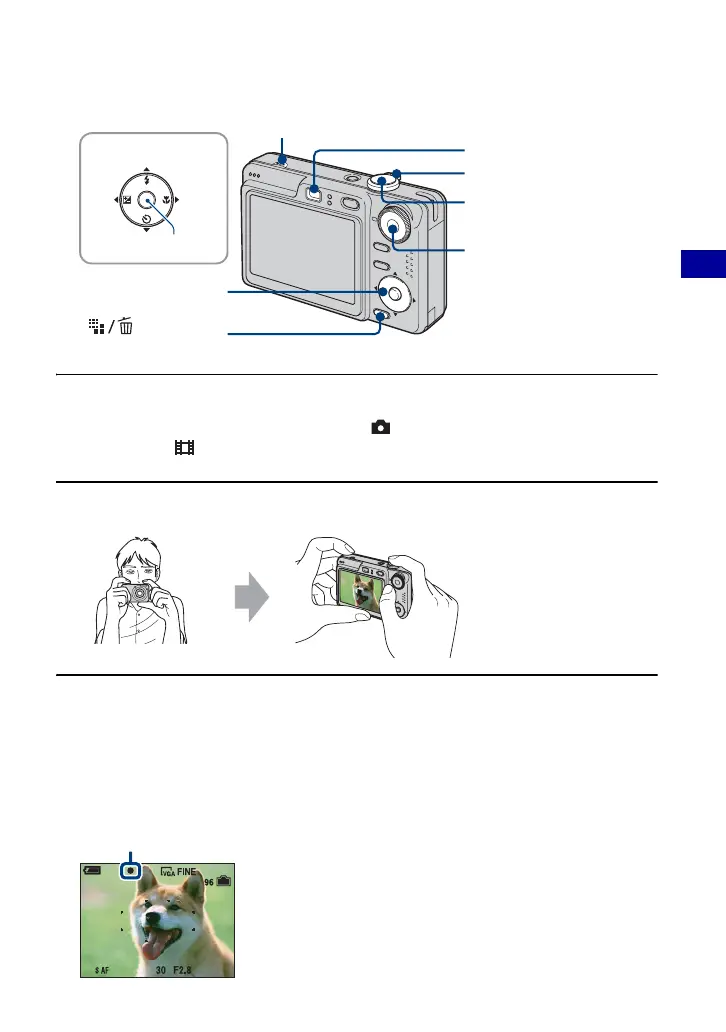
1 Select a mode with the mode dial.
Still image (auto adjustment mode): Select .
Movie: Select .
2 Hold the camera steady, keeping your arm at your side.
3 Shoot with the shutter button.
Still image:
1Press and hold the shutter button halfway down to focus.
The z (AE/AF lock) indicator (green) flashes, a beep sounds, the indicator stops flashing and
remains lit.
2Press the shutter button fully down.
The shutter sounds.
(Image Size)
button
Control button
Zoom lever
Mode dial
Shutter button
v/V/b/B button
z button
Finder
Microphone
Position the subject in the
center of the focus frame.
Do not cover the
microphone with your
finger.
oc
n
cator









 To Next Page