25
Basic Operations
Shooting still images (Scene selection)
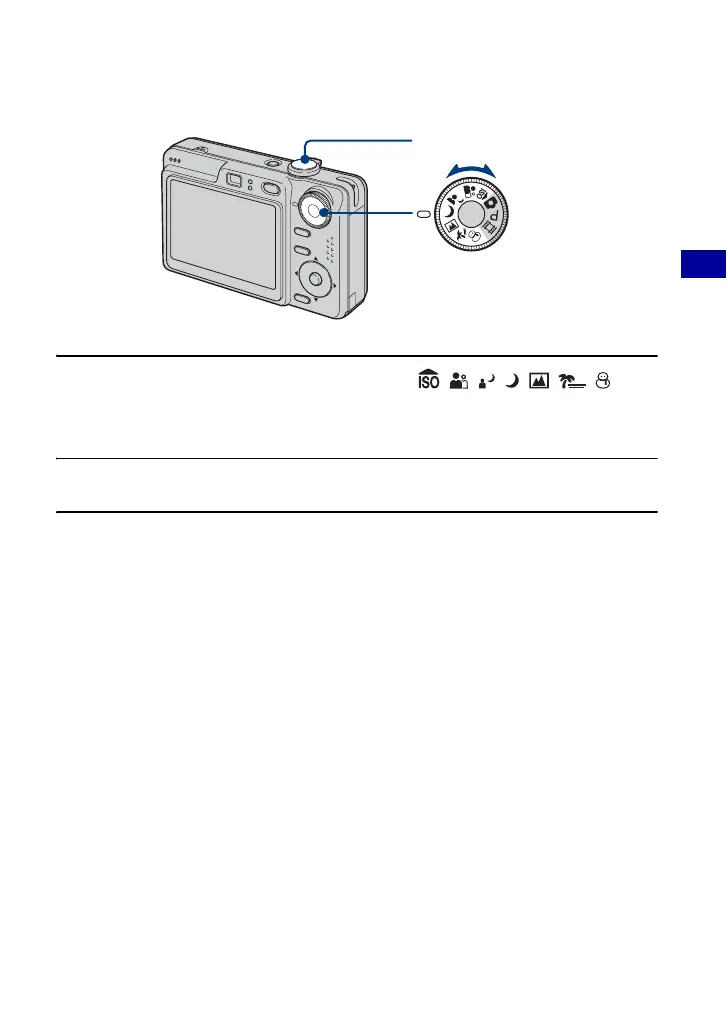
1 Select the desired mode of Scene Selection ( , , , , , , ) with
the mode dial.
• For details on modes, see the next page.
2 Shoot with the shutter button.
To cancel the Scene Selection
Set the mode dial to other than the mode of Scene Selection.
Mode dial
Shutter button









 To Next Page