11
1
8
9
0
qa
qs
2
3
4
5
6
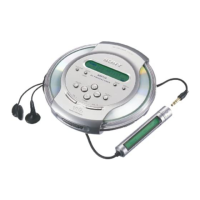
Locating the controls
CD player
For details, see the pages in parentheses.
Getting started
(Continued)
1 RADIO ON/BAND•MEMORY button
(28 - 31)
RADIO ON: Press to turn on the radio.
BAND: Press to change the band.
MEMORY: Press and hold to preset
stations.
2 Display (12, 18, 19, 21 - 23, 28 - 30)
3 OPR (operation) lamp (25, 26, 33)
Color of the lamp changes according to
the type of music source being played.
Red: Audio CD, Green: ATRAC3plus/
ATRAC3 file, Orange: MP3 file
For some time after the CD is inserted,
the lamp lights up in red, orange and
green in turn.
4 ( group) – /TUNE – button (15, 21 -
23, 25, 28, 30)
5 DC IN 3 V (external power input) jack
(14)
6 i (headphones) jack (14, 28)
7 (group) + /TUNE + button (15, 21, 22,
28, 30)
8 HOLD switch (rear) (25)
Slide the switch in the direction of the
arrow to disable the buttons on the CD
player.
9 Jog dial (18 - 27, 31)
Use to select a file, play
mode, etc. The search
direction changes
according to the direction
in which the jog dial is
turned.
q; VOL (volume) +
*1
/–
buttons (15)
qa 5-way control key
(14, 15, 19 - 23, 25, 28 -
31, 34)
u: play/pause
.:AMS
*2
/rewind/tune
in a preset station
>:AMS/fast forward/
tune in a preset station
x: stop/charge/turn off the
radio
DISPLAY/MENU: Use to
select menu items and enter
the selection.
Push the control key toward u, >,
. or x with your finger on
DISPLAY/MENU.
qs OPEN switch (14, 32)
Squeeze the switch from both sides.
*1 The button has a tactile dot.
*2 Automatic Music Sensor
DISPLAY/
MENU



 To Next Page
 Loading...