
 Need help?
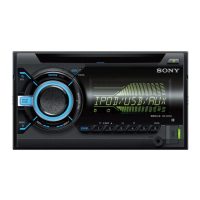
Do you have a question about the Sony WX-GT78UI and is the answer not in the manual?
Details the types of discs (CD-DA, CD-R/RW) supported for playback.
Explains how to reset the unit, typically after battery changes or connections.
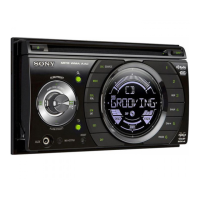
Identifies and describes the primary controls and buttons on the car audio unit itself.
Details how to search for tracks using the Quick-BrowZer feature by category.
Describes the ZAPPIN function for searching tracks by listening to short passages.
Explains automatic (BTM) and manual methods for storing and receiving radio stations.
Describes the various information displayed during CD playback.
Explains how to set repeat and shuffle modes for CD playback.
Guides on connecting and playing audio files from a USB device.
Details the information displayed when a USB device is connected and playing.
Provides instructions and warnings for safely disconnecting a USB device.
Instructions for connecting and initiating playback from an iPod.
Explains how to set repeat and shuffle modes for iPod playback.
Guides on selecting different playback modes for an iPod (e.g., Album, Track).
Details how to navigate and skip through iPod content categories.
Explains how to control the iPod directly from the unit, potentially for passenger use.
Explains how to adjust various sound characteristics like DSO, EQ, Balance, etc.
Guides on creating custom equalizer settings using the EQ3 feature.
Covers connecting and using portable audio devices via the AUX input.
Provides instructions for selecting and operating a connected CD changer.
Instructions for attaching indicator labels to the rotary commander unit.
Identifies the buttons and controls on the rotary commander.
Explains how to reverse the control direction of the rotary commander.
Offers general safety and handling advice for the unit and discs.
Provides important information and warnings regarding disc handling and compatibility.
Illustrates the expected playback order for MP3, WMA, and AAC files.
Provides essential compatibility information and notes for using iPod devices.
Details the procedure for replacing the battery in the remote commander.
Explains how to safely replace the unit's fuse if it blows.
Addresses common problems related to power, sound, memory, and basic operations.
Covers playback issues specific to CD, Radio, and USB sources.
 General
| Type | CD Receiver |
|---|---|
| Bluetooth | Yes |
| USB Port | Yes |
| Display | LCD |
| Preset Stations | 30 |
| CD player | Yes |
| MP3 playback | Yes |
| CD-R playback | Yes |
| CD-RW playback | Yes |
| Equalizer | Yes |
| AUX in | Yes |
| USB direct playback | Yes |
| iPod compatibility | Yes |
| Audio D/A Converter (DAC) | 24-bit |
| Detachable faceplate | Yes |
| Tuner | Yes |
| Compatible Formats | MP3 |
| RMS rated power | 17 W |
| Maximum power per channel | 55 W |




 To Next Page
