
 Need help?
Do you have a question about the Sony CDR-W66 and is the answer not in the manual?
Important safety and wiring instructions for UK users, detailing color-coded mains leads.
Safety and compliance information for US users, including shock hazard warnings.
Safety and compliance information for European users, referencing Class 1 Laser product.
Compliance information for Canadian users, referencing Class B digital apparatus.
Lists included accessories and how to check for missing items.
Provides precautions and an example for connecting external devices.
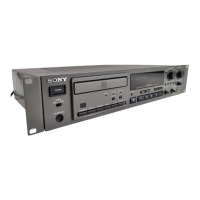
Details the function of each button and indicator on the front panel.
Details the various input/output terminals and connectors on the back panel.
Explains the functions of buttons specific to the remote control.
Specifies compatible discs and markings for recording.
Specifies compatible discs and markings for playback.
Provides essential tips for proper disc care and usage.
Explains the process of finalizing discs and its importance for playback.
Step-by-step guide to starting and performing a recording on a disc.
Important considerations before and during recording, including disc limits.
How to change the display information shown during recording.
Details how to set optimal input levels for various signal types.
How to adjust stereo balance for analog inputs.
How to listen to input signals before or during recording.
Explains manual and automatic track marking methods.
How to start recording automatically based on input signal.
How to insert silent gaps during recording.
How to smoothly adjust volume at the start and end of recordings.
Overview of digital signal processing options like equalizer.
Explains how to use the digital limiter and equalizer for sound enhancement.
Details the function and effective use of the digital limiter.
How to sync recording with a Sony CD player.
How to bypass SRC for specific digital inputs.
Process of writing TOC and making discs playable on standard players.
Reverting a finalized CD-RW disc to its editable state.
How to add disc and track names in CD-TEXT format.
Using the remote control to enter disc and track names.
Using a keyboard for name entry.
How to set tracks to be skipped during playback.
How to erase individual tracks from a CD-RW disc.
How to erase all tracks and reuse a CD-RW disc.
Basic steps to insert a disc and start playback.
How to change the information shown on the display during playback.
How to select and play individual tracks.
Function to automatically pause playback between tracks.
Options for repeating tracks or the entire disc.
How to create a custom playback sequence of tracks.
How to play tracks in a random sequence.
How to quickly preview track beginnings.
How to synchronize the AES/EBU output with external clock signals.
How to view system settings and input/output modes.
How to manage digital copy permissions.
How to copy discs at double speed using two units.
How to control the unit via external devices using the CTRL-S protocol.
How to control the unit via external devices using RS-232C.
How to use the parallel terminal for remote control.
How to use fader control for playback synchronization.
Specific usage of Fader Play for repeat playback.
How to connect and use a PS/2 keyboard for operations.
Using the keyboard to add disc and track names.
How to navigate and use the setup menu.
Reference table for all available setup menu options.
General safety, power source, installation, and condensation precautions.
Guidelines for handling and caring for discs.
Physical size and weight specifications of the unit.
Instructions for mounting the unit in a 19-inch rack.
Comprehensive list of technical specifications for the CD recorder.
Problems related to disc insertion, reading, playback compatibility, and track skipping.
Problems with recording process, data retention, track numbering, and DSP settings.
Problems with remote control, external connections, and name entry.
Explains various system messages and their meanings for diagnosing issues.
 General
| Type | CD Recorder |
|---|---|
| Brand | Sony |
| Model | CDR-W66 |
| Disc Capacity | 1 |
| Recording Formats | CD-R, CD-RW |
| Playback Formats | CD-DA, CD-R, CD-RW |
| Frequency Response | 20 Hz - 20 kHz |
| Weight | 3.5 kg |
| Sampling Frequency | 44.1 kHz |
| Digital Inputs | 1 x Optical, 1 x Coaxial |
| Digital Outputs | 1 x Optical, 1 x Coaxial |
| Dimensions (W x H x D) | 430 x 110 x 300 mm |
| Analog Outputs | RCA (stereo) |
| Signal-to-Noise Ratio | >90dB |
| Dynamic Range | >90dB |

 To Next Page








