7
XC-ST50/50CE
XC-ST30/30CE
ELECTRONIC SHUTTER
Two types of electronic shutter are provided: normal shutter and external trigger shutter.
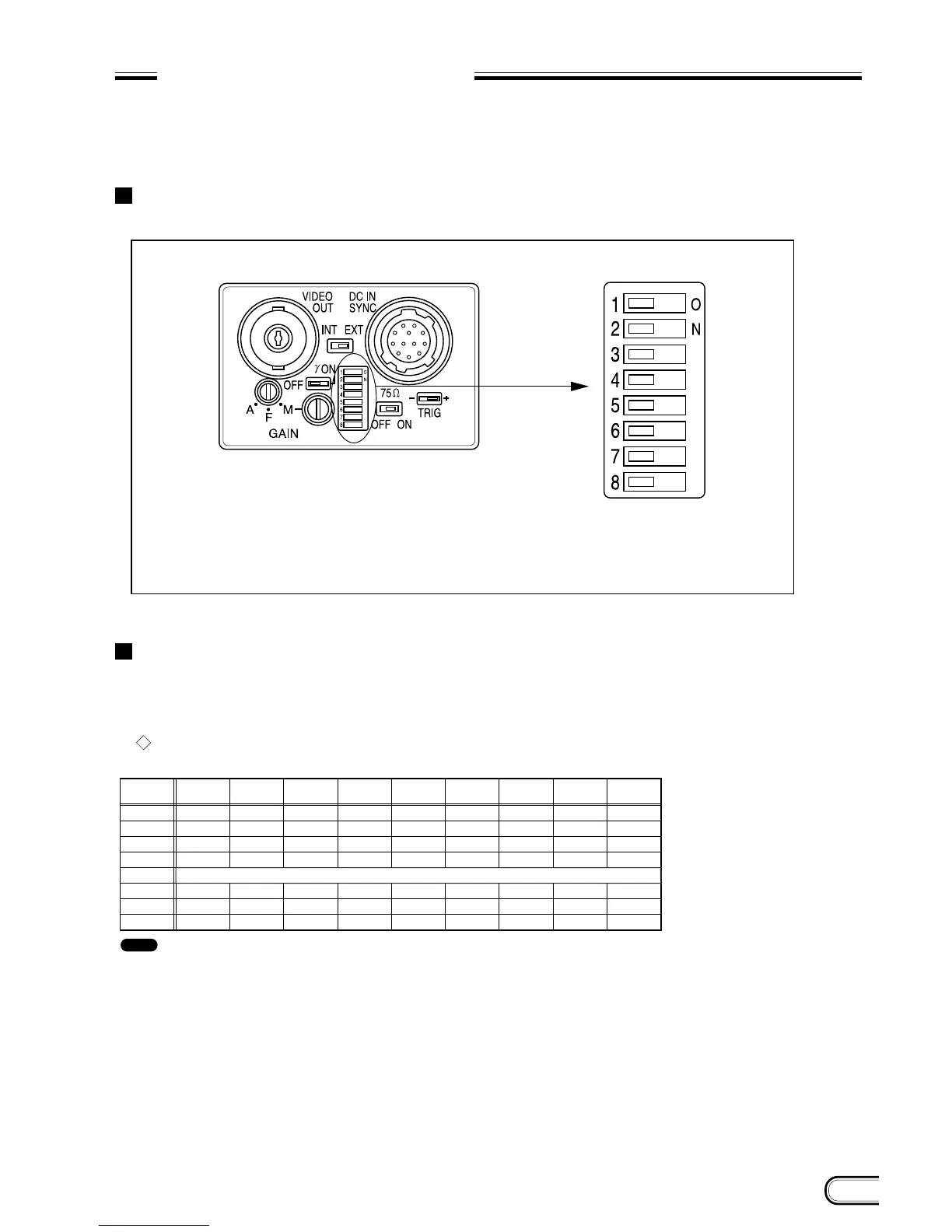
The electronic shutter speed and type can be set using the DIP switch on the rear panel.
DIP switch on the rear panel
Normal shutter
This mode provides continuous video output with the electronic shutter selected by switches to clearly capture the
image of a high-speed moving object.
Setting of normal shutter speed
Switches 1 to 4: Selects shutter speed.
Switch 5: Selects frame or field integration.
Switches 6 to 8: Selects normal shutter, external trigger shutter, and Restart Reset.
Rear panel DIP switch
Switch
1
2
3
4
5
6
7
8
Shutter
Off
0
0
0
0
–
–
0
1/125
1
0
0
0
–
–
0
1/250
0
1
0
0
–
–
0
1/500
1
1
0
0
–
–
0
1/1000
0
0
1
0
–
–
0
1/2000
1
0
1
0
–
–
0
1/4000
0
1
1
0
–
–
0
1/10000
1
1
1
0
–
–
0
*
Flickerless
–
–
1
–
–
0
Frame: 0 / Field: 1
*
In the flickerless mode, the normal
: It is recommended to set DIP switch 5 for field selection. (The field selection is about two times higher in sensitivity than frame selection.)
1: ON
0: OFF
–: Either ON or OFF
Note



 To Next Page