EasyManua.ls Logo

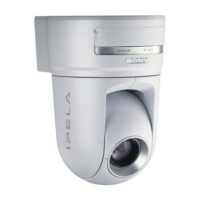
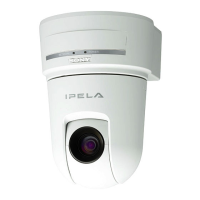
Sony IPELA SNC-RX550N - User Manual

Sony IPELA SNC-RX550N
94 pages
Print Icon
To Next Page IconTo Next Page
Loading...
3-990-782-11 (1)
Network Camera
© 2005 Sony Corporation
SNC-RX550N/RX550P
User’s Guide
Software Version 1.0

Table of Contents

Question and Answer IconNeed help?

Do you have a question about the Sony IPELA SNC-RX550N and is the answer not in the manual?

Summary

Overview of Network Camera Features

Safety Precautions and Guidelines

Outlines essential safety warnings and operating guidelines for proper and safe use of the camera.

Preparation for Camera Setup

Assigning the IP Address to the Camera

Step-by-step guide to configuring the camera's network IP address for initial setup.

Accessing the Camera via Web Browser

Instructions on how to connect to and view the camera feed via a web browser.

Operating the Camera

Accessing the Camera Interface

Steps to log in to the camera's welcome page and main viewer via web browser.

Administrating the Camera

Administrator Menu Basics

Introduction to the administrator menu and how to access its functions and settings.

System and Network Configuration

Configure system settings like date/time, and network parameters for camera connectivity.

User, Security, and Access Control

Manage user accounts, passwords, and security policies to control camera access.

Alarm, Detection, and Trigger Functions

Configure alarm outputs, object detection, voice alerts, and trigger operations.

Other Software and Tools

Summary

Overview of Network Camera Features

Safety Precautions and Guidelines

Outlines essential safety warnings and operating guidelines for proper and safe use of the camera.

Preparation for Camera Setup

Assigning the IP Address to the Camera

Step-by-step guide to configuring the camera's network IP address for initial setup.

Accessing the Camera via Web Browser

Instructions on how to connect to and view the camera feed via a web browser.

Operating the Camera

Accessing the Camera Interface

Steps to log in to the camera's welcome page and main viewer via web browser.

Administrating the Camera

Administrator Menu Basics

Introduction to the administrator menu and how to access its functions and settings.

System and Network Configuration

Configure system settings like date/time, and network parameters for camera connectivity.

User, Security, and Access Control

Manage user accounts, passwords, and security policies to control camera access.

Alarm, Detection, and Trigger Functions

Configure alarm outputs, object detection, voice alerts, and trigger operations.

Other Software and Tools

Sony IPELA SNC-RX550N Specifications

General IconGeneral
BrandSony
ModelIPELA SNC-RX550N
CategorySecurity Camera
LanguageEnglish

Related product manuals