
 Need help?
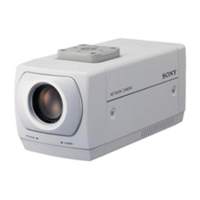
Do you have a question about the Sony IPELA SNC-Z20N and is the answer not in the manual?
Provides important legal notices, disclaimers, and copyright information from Sony Corporation.
Explains image phenomena like white flecks, vertical smear, and aliasing specific to CCD sensors.
Offers tips on navigating the user guide, including jumping to pages and understanding display examples.
Details the process of accessing the camera's web interface as either a user or an administrator.
Explains the components of the main viewer page, including menu, image control, and zoom bar sections.
Describes how to adjust image settings like frame rate and view size from the monitor image interface.
Details how to control camera functions like zooming and focusing using the image control section.
Explains how to manually trigger actions like sending images to FTP or controlling alarm output.
Outlines the structure of the administrator menu, categorizing settings into Basic and Application menus.
Covers system-level settings such as title bar name, welcome text, date/time, and exclusive control.
Details camera-specific settings like image size, quality, exposure, white balance, and day/night modes.
Explains network configuration for both wired and wireless connections, including IP addressing and DHCP.
Describes how to manage user accounts, passwords, and access rights for different levels of camera control.
Covers activating security functions and defining access policies based on network addresses.
Guides through configuring the FTP client function to send captured images to an FTP server.
Explains how to set up the FTP server function for downloading images stored in the camera's memory.
Details the SMTP function for capturing and sending still images as email attachments.
Describes how to configure alarm output functions, linking them to various triggers like sensors or timers.
Explains how to set up the image memory function to capture and store images in built-in or external memory.
Covers configuration of the alarm buffer for managing pre-alarm, post-alarm, and maximum alarm images.
Details serial communication settings for connecting peripherals and controlling the camera via serial interface.
Allows setting up schedules for various camera functions like Day/Night mode, FTP, and alarms.
Explains how to configure activity detection settings, including sensitivity and working area.
Covers setting up pop-up notifications for alarms or displaying custom messages to monitoring computers.
Guides users through installing the IP setup program and assigning IP addresses to the camera.
Explains an alternative method for assigning IP addresses using ARP commands without the setup program.
Details SNMP support for network management, including inquiry and setting commands.
Describes how to store custom HTML files for the camera's homepage in the built-in flash memory.
Provides specific instructions for installing software and configuring Windows Firewall on XP SP2.
Offers guidance on software installation and Windows Firewall configuration for Windows Vista users.
 General
| Brand | Sony |
|---|---|
| Model | IPELA SNC-Z20N |
| Category | Security Camera |
| Language | English |







 To Next Page