
 Need help?
Do you have a question about the Sony IPELA SNC-RZ50N and is the answer not in the manual?
Lists the primary capabilities of the camera, including network monitoring, pan/tilt, zoom, and detection functions.
Details monitoring capabilities via web browser, frame rates, user support, and video codecs.
Describes the camera's physical movement and optical zoom capabilities for precise positioning.
Explains how to use optional wireless cards for network connectivity.
Covers sending still images via e-mail or FTP triggered by events or manual input.
Introduces functions for detecting moving or unattended objects in the camera's view.
Details the camera's alarm output capabilities for controlling peripheral devices.
Highlights risks of network monitoring, privacy, and limitations of SONY's liability for service issues.
Refers to the Installation Manual for hardware details and initial camera setup procedures.
Specifies the minimum and recommended requirements for the computer controlling the camera.
Explains the primary method for assigning an IP address using the setup utility.
Describes an alternative method for IP address assignment using command-line tools.
Guides on handling security warnings during software installation on XP SP2.
Provides specific steps to configure Windows Firewall for the IP Setup Program.
Explains how to use SSL for secure camera access and manage potential security alerts.
Defines the Administrator role and their full system access rights.
Defines various User roles and their specific access permissions for camera functions.
Details the step-by-step process for a user to log into the camera's welcome page.
Describes initial viewer display and the process for installing ActiveX Control.
Explains how to operate camera pan and tilt using on-screen controls.
Introduces the trigger function for initiating various camera actions.
Guides on viewing the live camera feed within the monitor window.
Details how to magnify specific parts of the camera's live view.
Explains how to save captured still images in JPEG or Bitmap format.
Refers to the SNC panorama creator for generating panoramic views.
Describes using the trigger button to send captured images via email.
Explains using the trigger button to send images to an FTP server.
Introduces the Administrator menu for configuring all camera functions.
Covers essential system settings like title bar name, welcome text, and serial number.
Explains how to synchronize the camera's clock with an NTP server for accurate timekeeping.
Details the process of saving and restoring camera configuration settings for backup purposes.
Provides common settings for image and audio, including modes, color, flip, zoom, and focus.
Configures white balance and exposure for accurate color and brightness.
Allows selection of automatic or manual switching between day and night modes.
Explains how to crop images to reduce data size and improve frame rates.
Sets the number of frames transmitted per second for smooth video playback.
Configures settings for unicast and multicast streaming for efficient data transmission.
Covers network connection settings via cable, including IP, subnet, and DNS configuration.
Guides on configuring wireless network connections using optional cards or adapters.
Configures WPA/WPA2 security for secure wireless network access.
Explains how to set up notifications for IP address changes via SMTP or HTTP.
Details how to enable SSL for encrypted communication and manage connection types.
Describes options for using external certificates or camera-issued CSRs for authentication.
Provides a step-by-step guide on installing a CA certificate to enable secure connections.
Illustrates the system setup for an 802.1X network.
Configures basic 802.1X settings for wired and wireless port authentication.
Manages client certificates required for EAP-TLS authentication.
Provides an example configuration for 802.1X using Windows Server 2003.
Sets the Administrator's login credentials and access permissions.
Configures accounts for up to nine users, including FTP, audio, and viewer mode settings.
Enables the security feature to restrict access to the camera.
Sets the default access policy (Allow or Deny) for network addresses.
Details saving camera positions for quick recall and control.
Links camera preset positions to trigger actions based on detected alarms.
Configures automated camera movement sequences between saved positions.
Configures e-mail settings, including SMTP server, authentication, and recipient addresses.
Sets up the FTP client for sending images and audio files to a server.
Configures the use of built-in or external memory for recording images and audio.
Configures image memory recording for alarm events, including file naming and triggers.
Sets up periodic recording of images to memory based on intervals or tours.
Activates and configures the FTP server function to allow file downloads from the camera.
Configures the camera's alarm outputs for ports 1 and 2, linking them to events or timers.
Sets up specific audio files to be played as voice alerts upon alarm detection.
Allows controlling the Day/Night function via the trigger button in the viewer.
Schedules the camera's Day/Night mode to change automatically based on predefined times.
Explains the function of detecting objects that remain in the scene unattended.
Configures the parameters for detecting moving objects within specified areas.
Selects the data transmission mode for external serial control (TCP or VISCA).
Covers the prerequisites for setting up DDNS, including router configuration and port forwarding.
Allows adjustment of bandwidth for JPEG image transmission to optimize network usage.
Sets and synchronizes the camera's date and time with the computer or NTP server.
Guides on installing the software utility for audio transmission to the camera.
Configures user authentication for the SNC audio upload tool.
Manages uploading audio files to the camera for voice alert playback.
Explains the installation process for the SNC video player software.
Guides on installing the software for creating panoramic camera views.
Details the steps for capturing and uploading panorama images to the camera.
Explains how to install the tool for masking camera image areas.
Guides on defining and applying privacy masks to specific areas of the camera image.
Explains how to upload custom HTML homepages to the camera.
Provides instructions for assigning an IP address via ARP commands, an alternative to the setup program.
Explains how to retrieve SNMP agent settings using CGI commands.
Details the SNMP commands used to configure camera settings.
 General
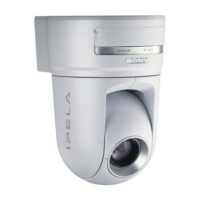
| Brand | Sony |
|---|---|
| Model | IPELA SNC-RZ50N |
| Category | Security Camera |
| Language | English |






 To Next Page

